


SALE
Vineyard Job Winemaking
Shelved in ESX Scripts110 products on this shelf QBCore Scripts119 products on this shelf Qbox Scripts120 products on this shelf
$30.00
$20.00
Save $10.00
Secure checkout by Tebex
Digital delivery after checkout
Tebex
Your Game Studio, Extended.
Overview
Reviews
Vineyard Job Winemaking
Introducing the Real Processing Vineyard Job Winemaking Script for FiveM. This unique script enriches your RP experience by adding a realistic and comprehensive vineyard job process. Compatible with ESX and QBCore frameworks.
Showcase for Vineyard Job Winemaking :
Features of Vineyard Job Winemaking :
- Advanced Delivery System: Choose between quick, low-profit sales at the vineyard or a more rewarding delivery system. Find customers, package their orders, and deliver them. Higher profits are determined by distance bonuses and the size of orders.
- Server Exploit Protection: Built-in safeguards ensure your server remains secure against any potential exploits.
- Fully Customizable and Compatible: Customize every aspect of the script using the easy-to-edit config file. Fully compatible with target systems like qb-target, ox_target, qtarget and context menus like qb-menu, ox_lib context menu, nh-context, as well as input menus like qb-input, ox_lib input menu, nh-keyboard.
- Complete Winemaking Cycle: Start by gathering grapes from designated vineyard rows, each with a unique count based on row length. Use scissors to speed up the process and ensure efficiency. Next, crush the harvested grapes individually or team up with 1-2 friends for faster processing. Blend two different types of crushed grapes to create premium wine blends for higher profit. Proceed to ferment the grapes in barrels, where the system tracks the amount and applies realistic time multipliers. Once fermentation is complete, bottle the wine, wash dirty bottles, and label them to prepare for sale.
- Dynamic Pricing System: Implement dynamic pricing to maximize your profits based on market demand and customer preferences.
- Experience the authentic world of winemaking with strategic decisions and rewarding gameplay at every step! This script elevates your server's roleplay, providing players with an immersive and detailed vineyard job experience.
The script is fully compatible with ox_lib, qb-menu, nh-context, ox_target, qtarget, qb-target, and others.
Installation
- Move the resource folder into your server's
resourcesdirectory. - Make sure ox_lib and your target resource are already running, then add the
ensureline toserver.cfgafter them. - In the config, select the target, context menu and input menu your server uses.
- Restart the server and run the cycle once — harvest a row, crush the grapes, complete a delivery — to confirm every stage fires.
Requirements
ESX, QBCore and Qbox are supported. ox_lib is required, interaction runs through ox_target or qb-target, and the vineyard points can be driven by an interact resource instead where that is what a server already uses.
Installation plan
Set up Vineyard Job Winemaking safely
Use the documentation included with the download as the final authority. This plan helps you prepare a rollback, install in the right order, and verify the resource before it reaches players.
- Resource type
- FiveM script
- Catalog category
- ESX Scripts
- Package source
- Shop Tebex
-
Audit the package and requirements
Open the supplied documentation before moving files or changing the database. Build the install order from the package, not from assumptions.
- Identify the actual resource folder, required dependencies, and supported framework version.
- Locate any SQL, configuration examples, permissions, or optional integrations.
- Check whether the documentation requires a specific start order.
Ready when Every dependency and required file has a place in your install plan.
-
Create a rollback point
Prepare the server so the change can be reversed cleanly if the resource conflicts with your current stack.
- Keep an untouched copy of the downloaded package.
- Back up the database and every configuration file you will edit.
- Use a test server or schedule a maintenance window before changing production.
Ready when You can restore the previous database, files, and configuration.
-
Install in the documented order
Apply only the changes supplied for this resource, keeping dependency and startup order intact.
- Place the resource folder where your server loads resources, without renaming it unless instructed.
- Install dependencies first, then import included SQL once and review configuration values.
- Add the documented resource name to the server startup configuration after its dependencies.
Ready when The resource starts without missing files, exports, tables, or dependencies.
-
Verify the complete player flow
Restart the test server, watch both server and client consoles, and exercise the resource before opening it to players.
- Test the main workflow with an authorized player and a player without permission.
- Reconnect and restart once to confirm saved state and startup behavior.
- Review console output again before promoting the same configuration to production.
Complete when The intended flow works twice with no new console errors.
Support reference
Use the exact listing name when you contact support.
Vineyard Job Winemaking
Contact support
Vineyard Job Winemaking compatibility and specs
Category
Delivery
After checkout — order download link
Product terms
See product details — terms vary by resource
No reviews yet — be the first to write one.
Write a review
Reviews are moderated before appearing. Purchased the product? Your review gets a VERIFIED badge automatically.
[ You might also like ]
Related scripts


- ESX
- QBCore
- Qbox
FiveM Police Dispatch
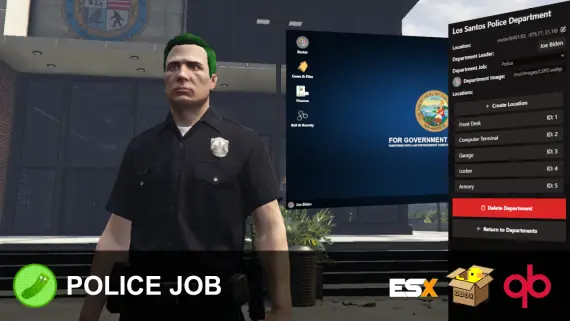
Tactical mapping, unit radio channels, and real time dispatch analytics.
$20.00

- ESX
- QBCore
- Qbox
Vehicle Shops
QBCore dealership script with public showrooms — test drives, financing, license checks — and player-owned operations with stock ordering, employee commissions, and sell-back. Tested with ox_lib, oxmysql, and major banking/inventory resources.
$15.00
- QBCore
- Qbox
QBCore Framework V8
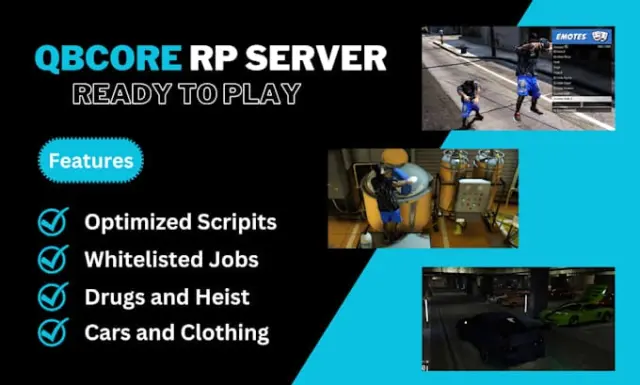
A current-gen QBCore V8 FiveM server package — 400+ vehicles, 50+ police cars, civilian and criminal activity systems, TOS-compliant assets, and verified stable at 50+ concurrent players.
$110.00
 New
New
- ESX
- QBCore
- Qbox
FREE Tackle Script
Free FiveM tackle script with 0.00ms idle and 0.03ms active cost. Hold G to sprint, release to lunge — contact required to ragdoll a player. Standalone, unencrypted, ESX/QBCore/Qbox/Gamzky compatible.
FREE
 Sale
Sale
- ESX
- QBCore
- Qbox
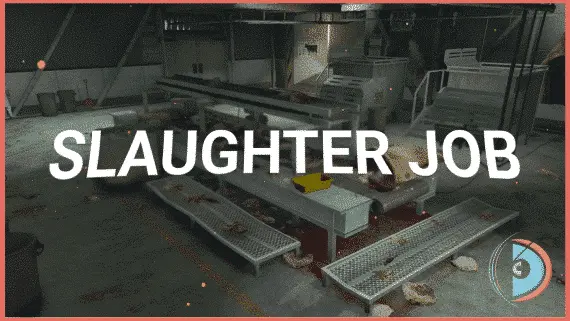
Realistic Slaughtering Job /w Animations
FiveM slaughterhouse job with a full catch-to-grind processing chain, XP-gated success rates, dynamic market pricing, and dual delivery options for ESX, QBCore and Qbox servers.
$15.00
$30.00

- ESX
- QBCore
- Qbox
Brake Overheating
Realistic brake heat mechanics for FiveM — temperature-based brake fade, synchronized caliper glow, and brake upgrade integration. Standalone compatible, 0.00ms idle, works on all vehicles including mods.
$9.00
About this FiveM script
Vineyard Job Winemaking is a FiveM resource for esx, qbcore, qbox servers. Review the product details, requirements, and compatibility notes before ordering.
Use the included files and documentation as the source of truth for installation, configuration, dependencies, and any stated performance information.