
 Sale
Sale
Vehicle Shops
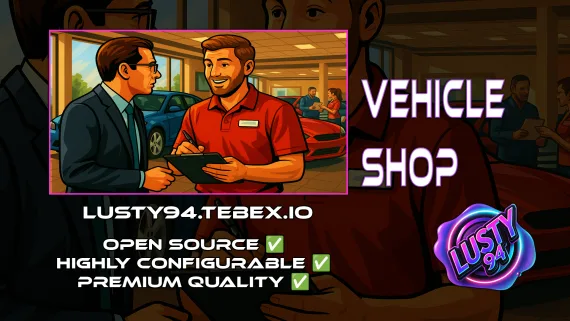
QBCore dealership script with public showrooms — test drives, financing, license checks — and player-owned operations with stock ordering, employee commissions, and sell-back. Tested with ox_lib, oxmysql, and major banking/inventory resources.
Shelved in ESX Scripts110 products on this shelf QBCore Scripts119 products on this shelf Qbox Scripts120 products on this shelf
$15.00
Secure checkout by Tebex
Digital delivery after checkout
Tebex
Your Game Studio, Extended.
Overview
Reviews
Most QBCore servers piece together dealership functionality from two or three separate resources — one for test drives, another for financing, a third cobbled-in for player-owned shops. This script replaces the stack with a single resource that handles both public dealerships and player-owned operations, built specifically for QBCore with oxmysql and ox_lib as the foundation.
Public Dealerships: What Your Players Expect
Standard public showrooms cover test drives, license verification, and financing. Financing is not a UI stub — it connects to your existing banking (renewed-banking, okokBanking, and qb-banking are all tested; fd_banking, tgg-banking, and wasabi_banking run experimentally). Payment accepts cash, bank transfers, or configurable item-based payment for servers running barter economies. License checks gate purchases behind whatever conditions you configure — driving license, clean record, or custom logic.
Player-Owned Dealerships: Full Business Loop
The player-owned side is where the depth is. Ownership management, employee rosters with individual commission rates, stock ordering through configurable delivery missions, and sell-back pricing for vehicles the business buys back from players. A well-run player dealership becomes a server institution — it gives players a reason to stay invested in an economy role beyond flat NPC transactions.
- Public showrooms with test drives, financing, and license verification
- Player-owned dealership ownership and management
- Stock ordering via delivery missions
- Employee commission structures and roster management
- Vehicle sell-back from players to dealership
- Cash, bank, and item-based payment methods (configurable)
- Targeting: ox_target and qb-target both supported
- Vehicle keys: qb-vehiclekeys and cd_garage tested; jacksam, qs-vehiclekeys, okokgarage experimental
- Inventories: ox_inventory and qb-inventory tested; qs-inventory experimental
- Dependencies: oxmysql, ox_lib, qb-core
Honest Comparison with Premium Alternatives
JG Dealerships v2 costs £48 and ships an in-game dealership creator — you can build and configure dealerships live without a server restart. This script does not do that. Dealership locations are configured in the resource files, which means a restart when you add or move a showroom. That is the practical trade-off at £15 versus £48.
What you get at this price point is a production-ready system that covers every mechanic a QBCore server actually runs day-to-day: functional public showrooms, player-owned business operations, tested banking and inventory compatibility, and two targeting systems. If your server layout is set and you are not redesigning your map quarterly, the configuration overhead is a one-time cost and the feature set covers the gap.
QBCore-Only — By Design
This resource is QBCore-exclusive. There is no ESX port and no standalone mode. If you are running ESX, this is not the right script. If you are on QBCore and want dealership infrastructure without paying premium pricing for features you will not use, this covers the functional requirements.
Installation
- Place the resource folder in
resourcesalongside your other dealership resources. - Confirm qb-core, oxmysql and ox_lib are running, and add this resource's
ensureline after them inserver.cfg. - Choose ox_target or qb-target for the interaction points and set that in the config.
- Point the financing side at the banking resource you already run, then restart the server.
- Test one public sale and one player-owned sale before opening the dealerships up.
Requirements and Dependencies
Built for QBCore on qb-core, with oxmysql and ox_lib as the foundation. Interaction runs through ox_target or qb-target, item-based payment through ox_inventory or qs-inventory, and renewed-banking is among the tested financing integrations.
Installation plan
Set up Vehicle Shops safely
Use the documentation included with the download as the final authority. This plan helps you prepare a rollback, install in the right order, and verify the resource before it reaches players.
- Resource type
- FiveM script
- Catalog category
- ESX Scripts
- Package source
- Shop Tebex
-
Audit the package and requirements
Open the supplied documentation before moving files or changing the database. Build the install order from the package, not from assumptions.
- Identify the actual resource folder, required dependencies, and supported framework version.
- Locate any SQL, configuration examples, permissions, or optional integrations.
- Check whether the documentation requires a specific start order.
Ready when Every dependency and required file has a place in your install plan.
-
Create a rollback point
Prepare the server so the change can be reversed cleanly if the resource conflicts with your current stack.
- Keep an untouched copy of the downloaded package.
- Back up the database and every configuration file you will edit.
- Use a test server or schedule a maintenance window before changing production.
Ready when You can restore the previous database, files, and configuration.
-
Install in the documented order
Apply only the changes supplied for this resource, keeping dependency and startup order intact.
- Place the resource folder where your server loads resources, without renaming it unless instructed.
- Install dependencies first, then import included SQL once and review configuration values.
- Add the documented resource name to the server startup configuration after its dependencies.
Ready when The resource starts without missing files, exports, tables, or dependencies.
-
Verify the complete player flow
Restart the test server, watch both server and client consoles, and exercise the resource before opening it to players.
- Test the main workflow with an authorized player and a player without permission.
- Reconnect and restart once to confirm saved state and startup behavior.
- Review console output again before promoting the same configuration to production.
Complete when The intended flow works twice with no new console errors.
Support reference
Use the exact listing name when you contact support.
Vehicle Shops
Contact support
Vehicle Shops compatibility and specs
Category
Delivery
After checkout — order download link
Product terms
See product details — terms vary by resource
No reviews yet — be the first to write one.
Write a review
Reviews are moderated before appearing. Purchased the product? Your review gets a VERIFIED badge automatically.
[ You might also like ]
Related scripts
Sale
- ESX
- QBCore
- Qbox
Vehicle Selling and Auction System
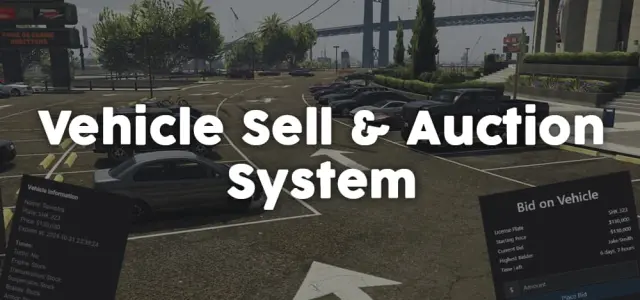
Player-to-player FiveM vehicle marketplace with fixed-price listings and timed auctions, real-time bidding, full mod spec preservation, dynamic lot entity management, and server-side validation. ESX, QBCore, Qbox.
$11.99
- ESX
- QBCore
- Qbox
Mining Job V3
Free open source FiveM mining job for ESX, QBCore and Qbox — four-stage chain from raw rock to smelted ore to crafted jewelry, with tool durability, quests, coal delivery missions, and a live XP leaderboard.
FREE
- ESX
- QBCore
- Qbox
FiveM Electrician Job
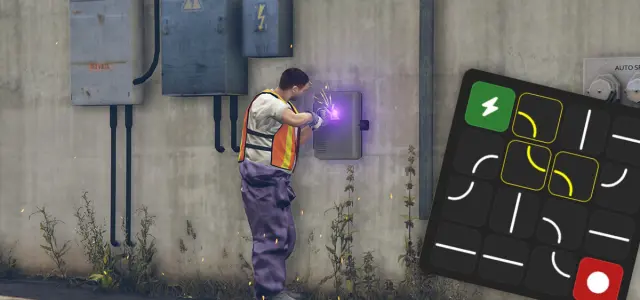
FiveM electrician job with a 4×4 circuit-board puzzle, randomized fusebox dispatch, auto-detecting ESX and QBCore support, and a verified 0.00ms active resmon — white-collar civilian work at £5.99.
$5.99
 Sale
Sale
- QBCore
- Qbox
FiveM Lore Friendly Cars Pack 300+ Vehicles
310+ FiveM vehicles organised by GTA fictional manufacturers — Vapid, Declasse, Grotti, Karin and more. Includes police packages, emergency variants, and utility vehicles. Compatible with QBCore, Qbox, ESX, and any framework.
$189.00
$750.00
 Sale
Sale
- ESX
- QBCore
- Qbox
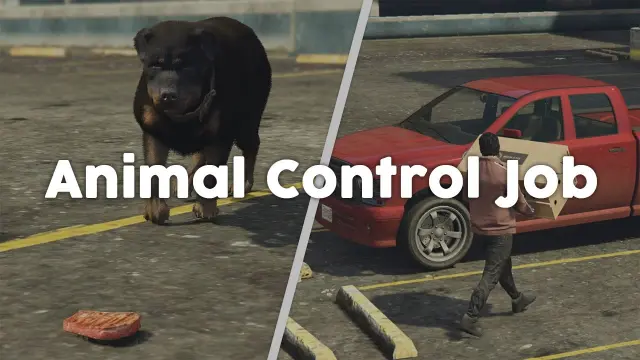
Animal Control Job
Six-step FiveM animal control job for ESX, QBCore, and Qbox — bait placement, habitat-specific spawns, server-side anti-cheat, anti-grief job cancellation, and configurable per-animal payouts at 0.02ms resmon.
$10.00
- ESX
- QBCore
- Qbox
Pay And Spray
Per-location Pay and Spray script for FiveM with individual pricing, job locking, livery preview, chameleon paint, and vehicle repairs. Runs on ESX, QBCore, and Qbox with broad inventory, banking, and fuel compatibility.
$6.00
About this FiveM script
Vehicle Shops is a FiveM resource for esx, qbcore, qbox servers. Review the product details, requirements, and compatibility notes before ordering.
Use the included files and documentation as the source of truth for installation, configuration, dependencies, and any stated performance information.