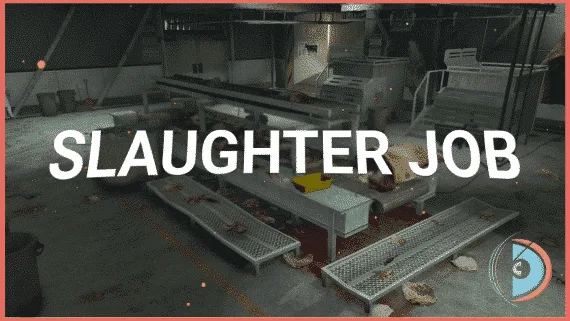
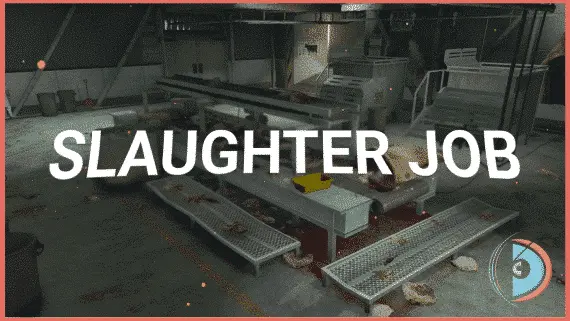
Realistic Slaughtering Job /w Animations
FiveM slaughterhouse job with a full catch-to-grind processing chain, XP-gated success rates, dynamic market pricing, and dual delivery options for ESX, QBCore and Qbox servers.
Most civilian jobs on RP servers are money printers with a progress bar bolted on. Players clock in, click through the steps, collect the same payout every run, and log off. This slaughterhouse script is built around the opposite philosophy — every mechanic exists to force a decision that affects how much you actually earn by the end of the shift.
The Full Processing Cycle
The job runs as a genuine production chain rather than a single interaction loop. You catch the animal, slaughter it with a knife, wash the carcass, move it to the cutting machine, then grind. Each stage is its own action, and the output at the end — ribeye, sirloin, brisket, tenderloin, chuck, shank, kidneys, or bone marrow — depends on how well you executed the steps before it.
Where the Economy Design Gets Interesting
Two mechanics work together to make each session worth thinking about rather than just repeating on autopilot.
First: XP-based progression gates your slaughter success rate. A new worker burns meat. A seasoned one wastes almost nothing. That gap translates directly into output quantity, which means newer players aren't just earning less per hour — they're producing less product to sell. Progression is tied to a concrete mechanical advantage, not a cosmetic rank or unlocked area.
Second: dynamic market pricing means the per-unit value of your cuts shifts with server-wide supply. Flooding the NPC vendor with brisket drops its price. Timing a large ribeye run when the market is thin pays significantly better. Players who pay attention to the economy earn more than those who grind the same items on the same schedule.
Two Delivery Channels, Different Risk/Reward
Direct NPC sale gets your product moved immediately at the current market rate. Customer orders take longer but pay a premium — and managing a queue of active orders while keeping your processing chain running is where the real money is made. Servers running a player-driven economy will find the customer order system adds depth that pure NPC-sale setups can't match.
- Full slaughter chain: catch → slaughter → wash → cut → grind
- Eight distinct meat products with independent market values
- XP progression directly improves slaughter success rate
- Dynamic pricing responds to server-wide supply levels
- Direct NPC sale and customer order system (higher return)
- Server exploit protection on all networked events
- Target system support: qb-target, ox_target, qtarget
- Menu compatibility: qb-menu, ox_lib context, nh-context, qb-input, ox_lib input
Setup and Compatibility
Works across ESX, QBCore, and Qbox without framework-specific forks. All target and menu systems are configurable — swap qb-target for ox_target or nh-context without rewriting anything. The exploit protection runs server-side so there's no client config to harden after install.
Set up Realistic Slaughtering Job /w Animations safely
Use the documentation included with the download as the final authority. This plan helps you prepare a rollback, install in the right order, and verify the resource before it reaches players.
- Resource type
- FiveM script
- Catalog category
- d3MBA Store
- Package source
- Shop Tebex
-
Audit the package and requirements
Open the supplied documentation before moving files or changing the database. Build the install order from the package, not from assumptions.
- Identify the actual resource folder, required dependencies, and supported framework version.
- Locate any SQL, configuration examples, permissions, or optional integrations.
- Check whether the documentation requires a specific start order.
Ready when Every dependency and required file has a place in your install plan.
-
Create a rollback point
Prepare the server so the change can be reversed cleanly if the resource conflicts with your current stack.
- Keep an untouched copy of the downloaded package.
- Back up the database and every configuration file you will edit.
- Use a test server or schedule a maintenance window before changing production.
Ready when You can restore the previous database, files, and configuration.
-
Install in the documented order
Apply only the changes supplied for this resource, keeping dependency and startup order intact.
- Place the resource folder where your server loads resources, without renaming it unless instructed.
- Install dependencies first, then import included SQL once and review configuration values.
- Add the documented resource name to the server startup configuration after its dependencies.
Ready when The resource starts without missing files, exports, tables, or dependencies.
-
Verify the complete player flow
Restart the test server, watch both server and client consoles, and exercise the resource before opening it to players.
- Test the main workflow with an authorized player and a player without permission.
- Reconnect and restart once to confirm saved state and startup behavior.
- Review console output again before promoting the same configuration to production.
Complete when The intended flow works twice with no new console errors.
Realistic Slaughtering Job /w Animations
Contact support
Realistic Slaughtering Job /w Animations compatibility and specs
Related scripts
About this FiveM script
Realistic Slaughtering Job /w Animations is a FiveM resource for esx, qbcore, qbox servers. Review the product details, requirements, and compatibility notes before ordering.
Use the included files and documentation as the source of truth for installation, configuration, dependencies, and any stated performance information.