

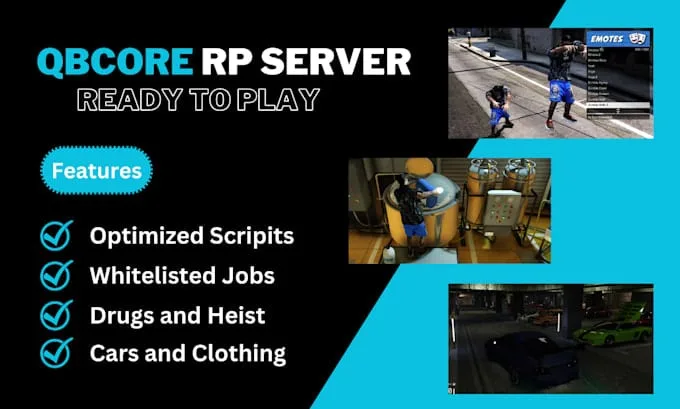
QBCore Framework V8
A current-gen QBCore V8 FiveM server package — 400+ vehicles, 50+ police cars, civilian and criminal activity systems, TOS-compliant assets, and verified stable at 50+ concurrent players.
Shelved in FiveM Readymade Servers9 products on this shelf QBCore Scripts119 products on this shelf Qbox Scripts120 products on this shelf
$110.00
Secure checkout by Tebex
Digital delivery after checkout
Tebex
Your Game Studio, Extended.
Overview
Reviews
QBCore Framework V8 is the current-generation build — not a snapshot of an older branch preserved in amber, but the active QBCore codebase with the module changes, performance fixes, and API updates that have shipped since V4. If you're starting a server in 2025 or later and want a premade package that won't need a migration mid-season, V8 is the version to buy.
Scale That Holds Up in Production
The vehicle count is the first thing server owners notice: 400+ addon cars and 50+ dedicated police vehicles. But number alone is easy to fake with a bloated, unoptimised car pack. This build passes the actual test — stable performance with 50+ concurrent players online, which is the load point where poorly optimised packs start showing hitching and extended load screens. Rockstar TOS compliance on all vehicles and clothing means you're not running content that risks a Cfx.re policy flag.
Included Scripts and Activities
- 400+ addon vehicles with TOS-compliant models and organised resource naming
- 50+ police cars with matching EUP uniforms and liveries
- Civilian activity stack: hunting with licensing tiers, skydiving, treasure hunt chains, and pizza delivery shifts
- Criminal progression: drug run logistics, multi-stage heist sequences, and a chop-shop economy loop
- Trucking job with route variety and freight payout scaling
- Premium scripts sourced and tested for mutual compatibility on this specific build
- Custom job system with both public and whitelisted role types
- Well-documented setup process with a step-by-step install guide
Performance Baseline
Tested at 50+ concurrent players — a meaningful benchmark because that's where most servers first hit resource contention. Streaming bottlenecks, unoptimised vehicle LODs, and heavy event loops all surface at that player count. The build holds stable, which is the result of having a curated script list rather than a kitchen-sink approach where every available resource gets dropped in regardless of resmon cost.
Framework Version and Updates
V8 tracks the current maintained QBCore branch. Resources built against modern QBCore — including the majority of CFX-verified paid scripts — attach cleanly. The module separation that QBCore introduced in later versions means individual systems (inventory, character, vehicle ownership) can be swapped without rebuilding the whole stack, which matters when you want to add a custom resource post-launch.
Who This Is For
Server owners who need a current-gen QBCore build they can confidently launch to a community and grow, not patch. Developers who want a clean V8 reference environment for testing scripts before deploying to a production server. If you've run an older QBCore server and watched scripts break across framework updates, V8's active maintenance cycle is worth the step up.
Installation
- Read the step-by-step install guide included with the build first; it sets out the order the resources expect.
- Copy the resources into
resources, keeping the naming as it arrives so the vehicle pack resolves. - Add the
ensurelines toserver.cfgand start the server with the full list once. - Confirm the addon vehicles and the police fleet spawn before touching any other configuration.
- Then set the custom job system, heist pacing and chop-shop payouts around your own economy.
Modules can be swapped afterwards without rebuilding the stack, so adding a custom resource post-launch does not mean starting again.
Installation plan
Set up QBCore Framework V8 safely
Use the documentation included with the download as the final authority. This plan helps you prepare a rollback, install in the right order, and verify the resource before it reaches players.
- Resource type
- FiveM script
- Catalog category
- FiveM Readymade Servers
- Package source
- Shop Tebex
-
Audit the package and requirements
Open the supplied documentation before moving files or changing the database. Build the install order from the package, not from assumptions.
- Identify the actual resource folder, required dependencies, and supported framework version.
- Locate any SQL, configuration examples, permissions, or optional integrations.
- Check whether the documentation requires a specific start order.
Ready when Every dependency and required file has a place in your install plan.
-
Create a rollback point
Prepare the server so the change can be reversed cleanly if the resource conflicts with your current stack.
- Keep an untouched copy of the downloaded package.
- Back up the database and every configuration file you will edit.
- Use a test server or schedule a maintenance window before changing production.
Ready when You can restore the previous database, files, and configuration.
-
Install in the documented order
Apply only the changes supplied for this resource, keeping dependency and startup order intact.
- Place the resource folder where your server loads resources, without renaming it unless instructed.
- Install dependencies first, then import included SQL once and review configuration values.
- Add the documented resource name to the server startup configuration after its dependencies.
Ready when The resource starts without missing files, exports, tables, or dependencies.
-
Verify the complete player flow
Restart the test server, watch both server and client consoles, and exercise the resource before opening it to players.
- Test the main workflow with an authorized player and a player without permission.
- Reconnect and restart once to confirm saved state and startup behavior.
- Review console output again before promoting the same configuration to production.
Complete when The intended flow works twice with no new console errors.
Support reference
Use the exact listing name when you contact support.
QBCore Framework V8
Contact support
QBCore Framework V8 compatibility and specs
Category
Delivery
After checkout — order download link
Product terms
See product details — terms vary by resource
No reviews yet — be the first to write one.
Write a review
Reviews are moderated before appearing. Purchased the product? Your review gets a VERIFIED badge automatically.
[ You might also like ]
Related scripts
- ESX
- QBCore
- Qbox
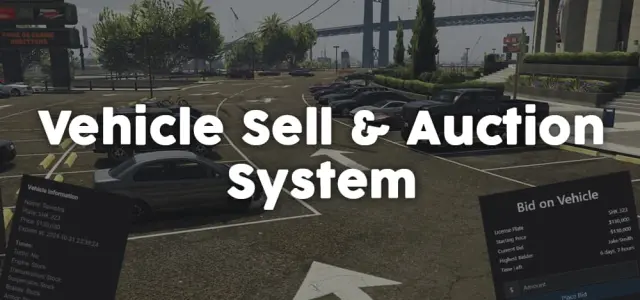
Vehicle Selling and Auction System
Player-to-player FiveM vehicle marketplace with fixed-price listings and timed auctions, real-time bidding, full mod spec preservation, dynamic lot entity management, and server-side validation. ESX, QBCore, Qbox.
$11.99
- ESX
- QBCore
- Qbox
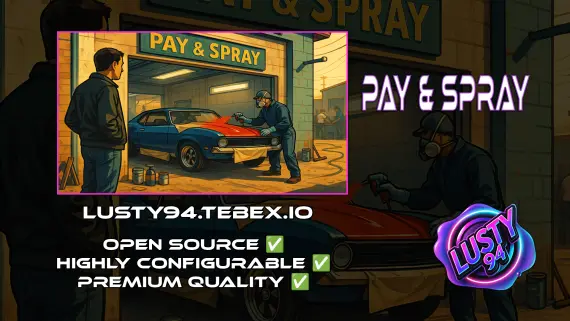
Pay And Spray
Per-location Pay and Spray script for FiveM with individual pricing, job locking, livery preview, chameleon paint, and vehicle repairs. Runs on ESX, QBCore, and Qbox with broad inventory, banking, and fuel compatibility.
$6.00
 Sale
Sale

- ESX
- QBCore
- Qbox
FREE FiveM Dodgeball Game
Free standalone FiveM dodgeball script with 1v1 to 5v5 match formats and a Vespucci Beach court included. No framework dependency — compatible with ESX, QBCore, Qbox, and Gamzky Scripts.
FREE
- ESX
- QBCore
- Qbox
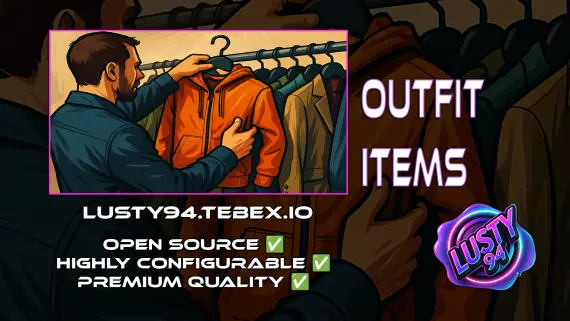
Outfit Items
FiveM outfit items script with job and grade-based access, live character previews, and wearable inventory items that apply full uniforms instantly. QBCore, ox_inventory, ox_target ready.
$6.00



- ESX
- QBCore
- Qbox
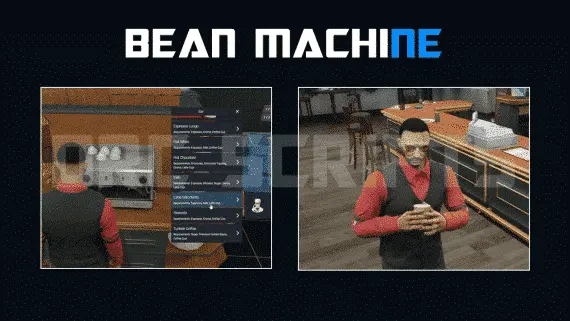
DRC Beanmachine Job
DRC Bean Machine brings a NoPixel-inspired coffee shop job to ESX, QBCore, and Qbox with 57 interactive items, multi-step cooking, 40 delivery routes, and a full boss management suite.
$10.00
About this FiveM script
QBCore Framework V8 is a FiveM resource for qbcore, qbox servers. Review the product details, requirements, and compatibility notes before ordering.
Use the included files and documentation as the source of truth for installation, configuration, dependencies, and any stated performance information.