
Full Drugs Package [Processing + Sales]
Shelved in QBCore Scripts119 products on this shelf Qbox Scripts120 products on this shelf
$12.00


Secure checkout by Tebex
Digital delivery after checkout
Tebex
Your Game Studio, Extended.
Overview
Reviews
Full Drugs Package [Processing + Sales]
Quit teleporting players inside shells for drug operations. This bundle pairs street sales with 17 lightweight YMAP processing locations for MDMA, Coke, Heroin, LSD, Meth, and Weed.
Drug Sales Script
Run street sales directly from your vehicle trunk with ox_target integration. Peds spawn at a configurable distance from your car, bringing distinct street-level interactions to your economy. Peds can steal items during deals, forcing players to knock down the target to recover their stash. Configure police call chances, add unlimited sales items, and tie straight into ps-dispatch or custom dispatch systems. Fully open source.
Dependencies
- ox_target
- ox_lib
- ox_inventory
Drug Processing Script
Pick, process, and pack six core narcotics across 17 optimized YMAP locations.
Dependencies
- ox_inventory
- ox_target
- ox_lib
- QBCore
Installation
- Place both resource folders, sales and processing, in your
resourcesdirectory. - Start ox_lib, ox_target and ox_inventory ahead of them.
- Add an
ensureline for each toserver.cfg. - Restart the server and check the processing locations have streamed in on the map.
- Point the sales script at ps-dispatch, or at your own dispatch, in the config, and set the police call chances.
Dependencies
QBCore or Qbox, with ox_lib, ox_target and ox_inventory. ps-dispatch handles the police calls, and since the source is open you can wire a different dispatch in its place.
Installation plan
Set up Full Drugs Package [Processing + Sales] safely
Use the documentation included with the download as the final authority. This plan helps you prepare a rollback, install in the right order, and verify the resource before it reaches players.
- Resource type
- FiveM script
- Catalog category
- QBCore Scripts
- Package source
- DRC Scripts
-
Audit the package and requirements
Open the supplied documentation before moving files or changing the database. Build the install order from the package, not from assumptions.
- Identify the actual resource folder, required dependencies, and supported framework version.
- Locate any SQL, configuration examples, permissions, or optional integrations.
- Check whether the documentation requires a specific start order.
Ready when Every dependency and required file has a place in your install plan.
-
Create a rollback point
Prepare the server so the change can be reversed cleanly if the resource conflicts with your current stack.
- Keep an untouched copy of the downloaded package.
- Back up the database and every configuration file you will edit.
- Use a test server or schedule a maintenance window before changing production.
Ready when You can restore the previous database, files, and configuration.
-
Install in the documented order
Apply only the changes supplied for this resource, keeping dependency and startup order intact.
- Place the resource folder where your server loads resources, without renaming it unless instructed.
- Install dependencies first, then import included SQL once and review configuration values.
- Add the documented resource name to the server startup configuration after its dependencies.
Ready when The resource starts without missing files, exports, tables, or dependencies.
-
Verify the complete player flow
Restart the test server, watch both server and client consoles, and exercise the resource before opening it to players.
- Test the main workflow with an authorized player and a player without permission.
- Reconnect and restart once to confirm saved state and startup behavior.
- Review console output again before promoting the same configuration to production.
Complete when The intended flow works twice with no new console errors.
Support reference
Use the exact listing name when you contact support.
Full Drugs Package [Processing + Sales]
Contact support
Full Drugs Package [Processing + Sales] compatibility and specs
Category
Creator
Delivery
After checkout — order download link
Product terms
See product details — terms vary by resource
No reviews yet — be the first to write one.
Write a review
Reviews are moderated before appearing. Purchased the product? Your review gets a VERIFIED badge automatically.
[ You might also like ]
Related scripts

- QBCore
- Qbox
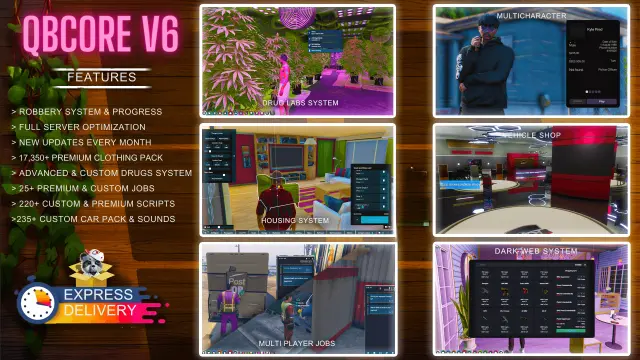
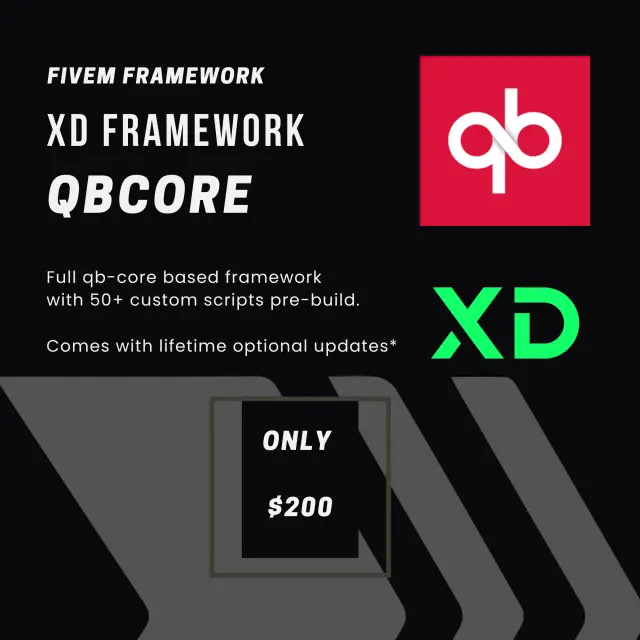
QBCore Framework V3
Premade QBCore V3 FiveM server with custom EUP, Cayo Island, PMA-voice, MDT, advanced drug processing, and full civilian and criminal job coverage — immersion-ready on install.
$80.00

- QBCore
- Qbox
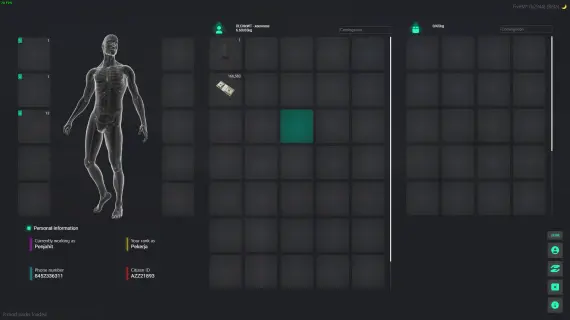
QBCore Framework V1
Custom-built QBCore full server with laser bank heists, four-game casino, PDM V3 MLO, police K9 unit, hunting, farming, fishing, and a configurable HUD — not another stock QBCore base.
$60.00
- ESX
- QBCore
- Qbox
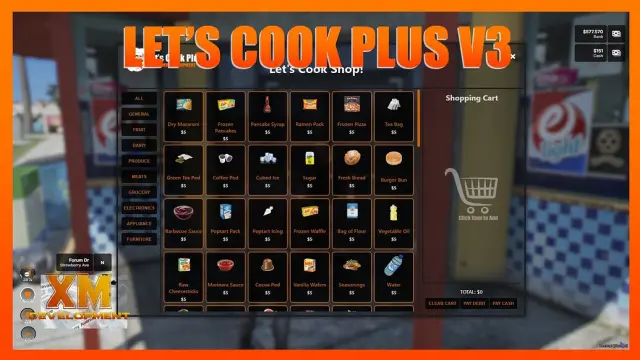
Prodigy 2.0 Inventory System
ox_inventory rework for FiveM with metadata-driven item uniqueness, configurable rarity tiers, backpack system, and built-in crafting UI. ESX, QBCore & Qbox. Base script unencrypted.
$40.00
- ESX
- QBCore
- Qbox
Metal Detecting
FiveM metal detecting script covering 8 named beach and coastal zones with 20 discoverable items, detector overheating for natural pacing, and configurable loot rates. ESX, QBCore, Qbox. Solo leisure content for £5.
$5.00




About this FiveM script
Full Drugs Package [Processing + Sales] is a FiveM resource for qbcore, qbox servers. Review the product details, requirements, and compatibility notes before ordering.
Use the included files and documentation as the source of truth for installation, configuration, dependencies, and any stated performance information.