- ESX
- QBCore
- Qbox
FREE Chop Shop
Free QBCore chop shop script with two mission types, reputation-gated export runs, configurable vehicle parts, NPC flatbed collection, and police dispatch integration — rated 4.11/5 by the community.
FREE

Free FiveM towing job script with NPC missions, player-to-player requests, /towbilling to society accounts with optional commission splits, and server-side anti-exploit distance checks. QBCore, ESX, Qbox.
Shelved in ESX Scripts110 products on this shelf QBCore Scripts119 products on this shelf Qbox Scripts120 products on this shelf Tebex FREE Scripts23 products on this shelf
Towing on most FiveM servers is either a dispatch board that hands you NPC assignments, or a /requesttow command that players use three times total before forgetting it exists. Running both modes from a single resource — and wiring the billing system to society accounts — is what separates a proper tow operator role from a throwaway side job. This script does all three, at no cost.
NPC towing missions are the consistent floor: use /npctowing to pick up a scripted assignment, move the vehicle, collect the payout. It's reliable income that works even when the server is quiet. Player-to-player requests are the ceiling: a driver sends /requesttow, you accept via /towaccept, and you negotiate the actual job on arrival. The rates there reflect what the market will bear on your server rather than a hardcoded config value.
Most towing scripts pick one and leave the other out. Running both keeps operators earning regardless of server population — which is what determines whether any civilian job stays filled long-term.
After a job, /towbilling sends an invoice directly to the player. Funds route to your personal account or a society account, with an optional commission split for multi-employee operations. Society billing is almost never included in free scripts — it's typically a paid add-on. Here it ships by default.
The /towrequests command gives operators a live job queue without a separate dispatch board or tablet resource. Commands-only design keeps the dependency count low.
Server-side distance checks validate that tow actions are physically possible before processing payment — no teleport-abuse shortcuts. Logging captures all billing events, and invalid attempts can be configured to trigger an automatic kick. For an economy-sensitive role like towing, that protection matters more than it might on a purely cosmetic job.
Servers that want a functioning civilian economy role without spending budget on it. The dual-mode job loop keeps tow operators earning during quiet hours, the society billing works for player-run businesses, and the anti-exploit layer means you're not debugging payment abuse a week after install. Rated 4.11/5 across nine reviews — solid for a free resource with this feature set.
ox_lib, ox_inventory and a target resource, either ox_target or qb-target. ESX, QBCore and Qbox are all compatible.
resources.ensure line to server.cfg./npctowing run and one player request through to payment, so both income modes and the society split are proven before you advertise the job.Use the documentation included with the download as the final authority. This plan helps you prepare a rollback, install in the right order, and verify the resource before it reaches players.
Open the supplied documentation before moving files or changing the database. Build the install order from the package, not from assumptions.
Ready when Every dependency and required file has a place in your install plan.
Prepare the server so the change can be reversed cleanly if the resource conflicts with your current stack.
Ready when You can restore the previous database, files, and configuration.
Apply only the changes supplied for this resource, keeping dependency and startup order intact.
Ready when The resource starts without missing files, exports, tables, or dependencies.
Restart the test server, watch both server and client consoles, and exercise the resource before opening it to players.
Complete when The intended flow works twice with no new console errors.
Free Towing Job Script
Contact support
Reviews are moderated before appearing. Purchased the product? Your review gets a VERIFIED badge automatically.
Free QBCore chop shop script with two mission types, reputation-gated export runs, configurable vehicle parts, NPC flatbed collection, and police dispatch integration — rated 4.11/5 by the community.

Free standalone FiveM dodgeball script with 1v1 to 5v5 match formats and a Vespucci Beach court included. No framework dependency — compatible with ESX, QBCore, Qbox, and Gamzky Scripts.
Free open source FiveM mining job for ESX, QBCore and Qbox — four-stage chain from raw rock to smelted ore to crafted jewelry, with tool durability, quests, coal delivery missions, and a live XP leaderboard.
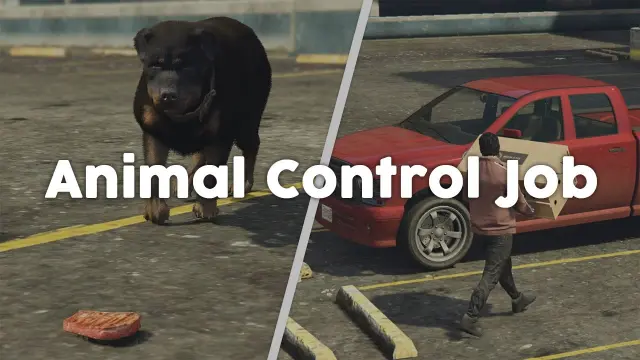
Six-step FiveM animal control job for ESX, QBCore, and Qbox — bait placement, habitat-specific spawns, server-side anti-cheat, anti-grief job cancellation, and configurable per-animal payouts at 0.02ms resmon.
 Sale
Sale

A fully free police MDT for FiveM with warrants, criminal records, vehicle database, auto nearest-player lookup, and five-language support. ESX, QBCore & Qbox. Rated 4.89/5.
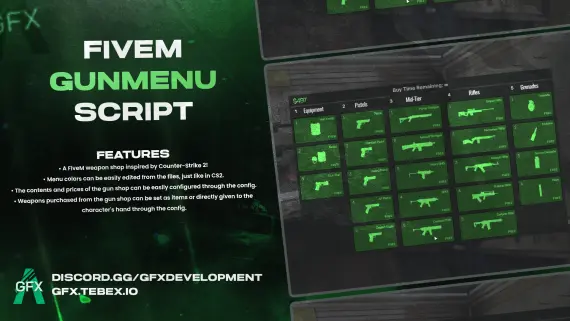
CS2-style FiveM gun menu with configurable colors, stock, and pricing. Delivers weapons to inventory or hand. Minimal setup. ESX, QBCore, Qbox and standalone compatible.
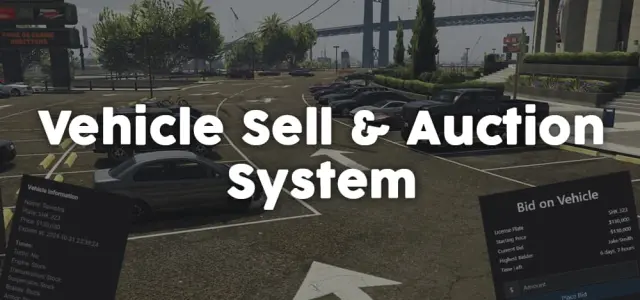
Player-to-player FiveM vehicle marketplace with fixed-price listings and timed auctions, real-time bidding, full mod spec preservation, dynamic lot entity management, and server-side validation. ESX, QBCore, Qbox.
 New
New
![Latest QBCore Framework V7 [NoPixel 4.0 Inspired]](/uploads/card/29d450513a2b02f57f656184ccb3ed97.webp) Sale
Sale
 Sale
Sale
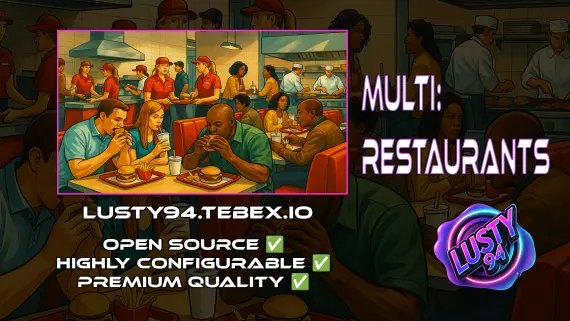
Single QBCore resource covering 14 FiveM restaurant locations — Burgershot, Bean Machine, Cat Cafe, and eleven more — with unified menus, staff storage, customer kiosks, surveillance cameras, and consumable effects.
Free Towing Job Script is a FiveM resource for esx, qbcore, qbox servers. Review the product details, requirements, and compatibility notes before ordering.
Use the included files and documentation as the source of truth for installation, configuration, dependencies, and any stated performance information.