FREE Chop Shop

Free QBCore chop shop script with two mission types, reputation-gated export runs, configurable vehicle parts, NPC flatbed collection, and police dispatch integration — rated 4.11/5 by the community.

Shelved in ESX Scripts110 products on this shelf QBCore Scripts119 products on this shelf Qbox Scripts120 products on this shelf Tebex FREE Scripts23 products on this shelf

esx qbcore qbox
FREE
Secure checkout by Tebex Digital delivery after checkout Tebex Your Game Studio, Extended.
Overview
Reviews

Most free criminal scripts are giveaways — bare-bones, economy-breaking, abandoned six months after upload. This one is built differently. The reputation gate on export missions alone tells you the author thought about server health: new players grind chop missions until they've earned the access, which keeps day-one cash inflation from wrecking your economy before the server even finds its footing.

Two Mission Types, One Risk/Reward Decision

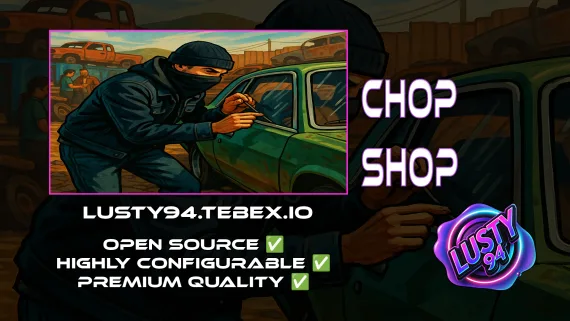
The script separates chopping into two distinct activities. Standard chop missions send players to a location to dismantle a vehicle in place — lower risk, steady material income, available immediately. Export missions are time-limited runs with higher rewards, but they're locked behind reputation rank. That gate isn't arbitrary. It means the high-value activity requires investment to reach, so players who want export money have to put in chop hours first. After dismantling, an NPC flatbed arrives to collect the shell — a small detail, but it makes the location feel like an actual operation rather than a script trigger in an empty lot.

  • Chop shop missions: dismantle vehicles at configured locations for parts and materials
  • Export missions: time-limited, higher payout, reputation-gated
  • Configurable vehicle parts and materials per vehicle model
  • Rare parts system alongside standard material selling
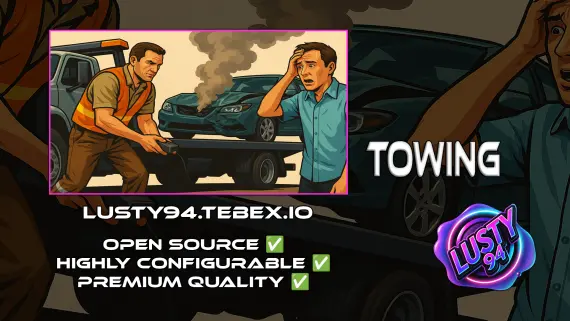
  • NPC flatbed truck collects vehicle shells post-dismantling
  • Special mini-games that vary by vehicle type
  • Mission cooldown system preventing rapid cycling

Police Dispatch That Actually Matters

The police alert system is chance-based per mission type — chop missions carry a lower alert chance than export runs, which mirrors the actual risk difference between a quiet strip job and moving a hot car across the map on a timer. It integrates with qb-policejob and ps-dispatch out of the box, with qs-dispatch and cd_dispatch available as experimental options. Police response becomes part of the activity's risk profile rather than an afterthought bolted on for show.

Reputation System Architecture

Rank requirements for export mission access are fully adjustable in config. If your server economy runs hot and you want the gate higher, change the number. If you're running a more casual population and want players reaching export missions sooner, drop it. The admin commands for player statistics let you check individual rep without touching the database directly.

Compatibility

  • Framework: QBCore (qb-core, qb-banking required)
  • UI: bl_ui
  • Database: oxmysql
  • Library: ox_lib
  • Inventory: qb-inventory / ox_inventory (tested); qs-inventory (experimental)
  • Targeting: qb-target / ox_target
  • Police: qb-policejob / ps-dispatch (configured); qs-dispatch / cd_dispatch (experimental)
  • Vehicle keys: qb-vehiclekeys, cd_garage

Installation

  1. Put the resource folder in resources, and if the download ships an SQL file, import it into your database first.
  2. Make sure oxmysql and ox_lib are running, along with your inventory and your target resource.
  3. Add the ensure line to server.cfg after qb-core, qb-banking and those dependencies.
  4. Restart the server, then set your chop locations and the reputation rank that unlocks export runs in the config.
  5. Run one mission end to end and check the police alert reaches ps-dispatch.

Dependencies

qb-core and qb-banking, oxmysql and ox_lib, plus an inventory (ox_inventory or qs-inventory), a target resource (ox_target or qb-target) and ps-dispatch for the alerts.

Installation plan

Set up FREE Chop Shop safely

Use the documentation included with the download as the final authority. This plan helps you prepare a rollback, install in the right order, and verify the resource before it reaches players.

Resource type
FiveM script
Compatibility shown
ESX QBCore Qbox
Catalog category
ESX Scripts
Package source
Shop Tebex
  1. Audit the package and requirements

    Open the supplied documentation before moving files or changing the database. Build the install order from the package, not from assumptions.

    • Identify the actual resource folder, required dependencies, and supported framework version.
    • Locate any SQL, configuration examples, permissions, or optional integrations.
    • Check whether the documentation requires a specific start order.

    Ready when Every dependency and required file has a place in your install plan.

  2. Create a rollback point

    Prepare the server so the change can be reversed cleanly if the resource conflicts with your current stack.

    • Keep an untouched copy of the downloaded package.
    • Back up the database and every configuration file you will edit.
    • Use a test server or schedule a maintenance window before changing production.

    Ready when You can restore the previous database, files, and configuration.

  3. Install in the documented order

    Apply only the changes supplied for this resource, keeping dependency and startup order intact.

    • Place the resource folder where your server loads resources, without renaming it unless instructed.
    • Install dependencies first, then import included SQL once and review configuration values.
    • Add the documented resource name to the server startup configuration after its dependencies.

    Ready when The resource starts without missing files, exports, tables, or dependencies.

  4. Verify the complete player flow

    Restart the test server, watch both server and client consoles, and exercise the resource before opening it to players.

    • Test the main workflow with an authorized player and a player without permission.
    • Reconnect and restart once to confirm saved state and startup behavior.
    • Review console output again before promoting the same configuration to production.

    Complete when The intended flow works twice with no new console errors.

Support reference Use the exact listing name when you contact support.
FREE Chop Shop Contact support

FREE Chop Shop compatibility and specs

Frameworks
ESX · QBCore · Qbox
Category
Delivery
After checkout — order download link
Product terms
See product details — terms vary by resource
No reviews yet — be the first to write one.

Write a review

Reviews are moderated before appearing. Purchased the product? Your review gets a VERIFIED badge automatically.

20 chars minimum
[ You might also like ]

Related scripts

About this FiveM script

FREE Chop Shop is a FiveM resource for esx, qbcore, qbox servers. Review the product details, requirements, and compatibility notes before ordering.

Use the included files and documentation as the source of truth for installation, configuration, dependencies, and any stated performance information.