A /sell command that hands money from one player to another and despawns a vehicle is not an economy feature — it's a workaround. Player-to-player vehicle trading only functions as a meaningful part of server economy when the listing persists across sessions, mod specifications are preserved for the buyer, and the server doesn't take a performance hit every time someone browses the lot. This system covers all three.
Two Listing Modes, One Marketplace
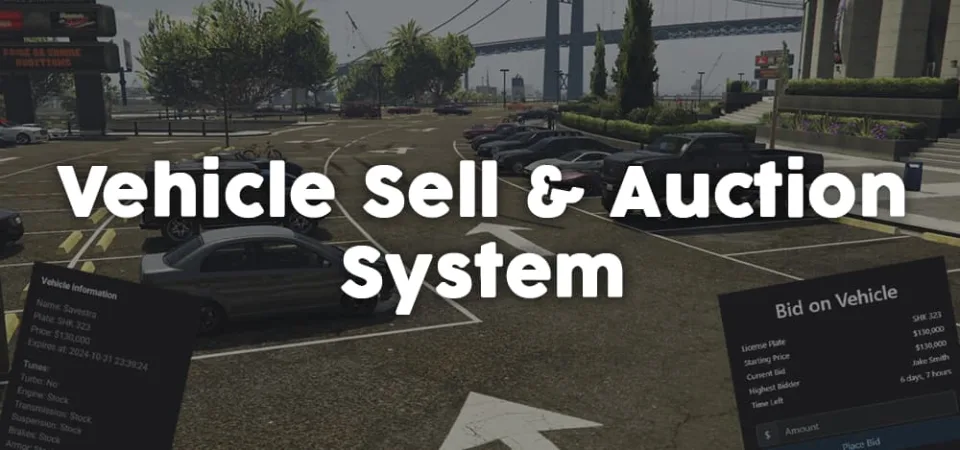
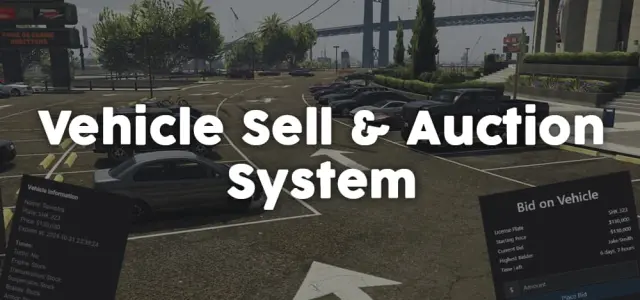
Sellers choose between a fixed-price direct sale and a timed auction. Fixed listings run from 12 hours up to a full week, visible until the vehicle sells or the listing expires. Auctions work differently — every active bid is pushed to all bidding players in real time, showing the current highest offer and the countdown simultaneously. No polling, no refreshing: the UI updates live. That real-time loop is what turns a routine asset sale into something the server actually talks about.
Why Dynamic Spawn/Despawn Matters at Scale
On a busy server, an always-loaded vehicle lot is an entity problem. Vehicles that exist as entities in the world consume server slots and client render budget regardless of whether anyone is near them. This script handles that by spawning lot vehicles dynamically only when a player approaches a predefined lot location and despawning them when they leave. The lot holds many listings without adding permanent entity pressure — which matters on servers already near entity limits from traffic, peds, and player vehicles.
What Buyers Actually See
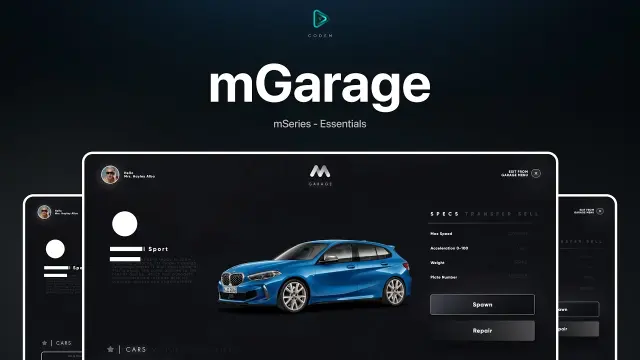
The listing UI surfaces the full mod spec: engine tier, transmission, suspension tune, brake upgrade, turbo state. Plate, price, and listing expiry are all visible in the same view. On servers where players spend real grinding hours on their vehicle builds, this matters for trust. A buyer knows exactly what they're bidding on before committing — not a description written by the seller in a Discord post.
- Fixed-price and timed auction listing types per vehicle
- Configurable listing duration: 12 hours to 7 days
- Real-time bid updates: highest bid and time remaining pushed live
- Engine, transmission, suspension, brakes, and turbo preserved in listing data
- Dynamic lot spawning and despawning for server entity efficiency
- Server-side callbacks for custom eligibility logic and anti-exploit validation
- Plate visible in listing — buyers can verify the vehicle before purchase
Security and Framework Integration
All transaction logic runs through server-side callbacks with validation events — bids and purchases are verified before any ownership transfer or currency movement happens. The configurable eligibility check hooks let server owners gate who can list or bid: job restrictions, criminal record checks, or custom conditions tied to existing server systems. Nothing client-authoritative handles money or vehicle ownership.
Installation
- Put the resource folder into your server's
resources directory. - Add an
ensure line for it in server.cfg, below your framework core. - Restart the server and open the marketplace to confirm both listing modes appear.
- Set your lot positions in the config, remembering that the vehicles there spawn and despawn as players approach.
- Review the server-side eligibility hooks and set whatever job or record conditions decide who may list and who may bid.