
FREE FiveM Dodgeball Game
Free standalone FiveM dodgeball script with 1v1 to 5v5 match formats and a Vespucci Beach court included. No framework dependency — compatible with ESX, QBCore, Qbox, and Gamzky Scripts.
Shelved in ESX Scripts110 products on this shelf QBCore Scripts119 products on this shelf Qbox Scripts120 products on this shelf Tebex FREE Scripts23 products on this shelf
FREE
Secure checkout by Tebex
Digital delivery after checkout
Tebex
Your Game Studio, Extended.
Overview
Reviews
Most servers have combat. Few have an event you can actually schedule without it turning into a deathmatch. This free FiveM dodgeball script gives you a structured, team-based minigame you can drop into any server event calendar — no framework requirement, no license cost, no setup headache. Install it, set your preferences, and you have a community activity ready to run tonight.
Match Formats and Ready-Made Court
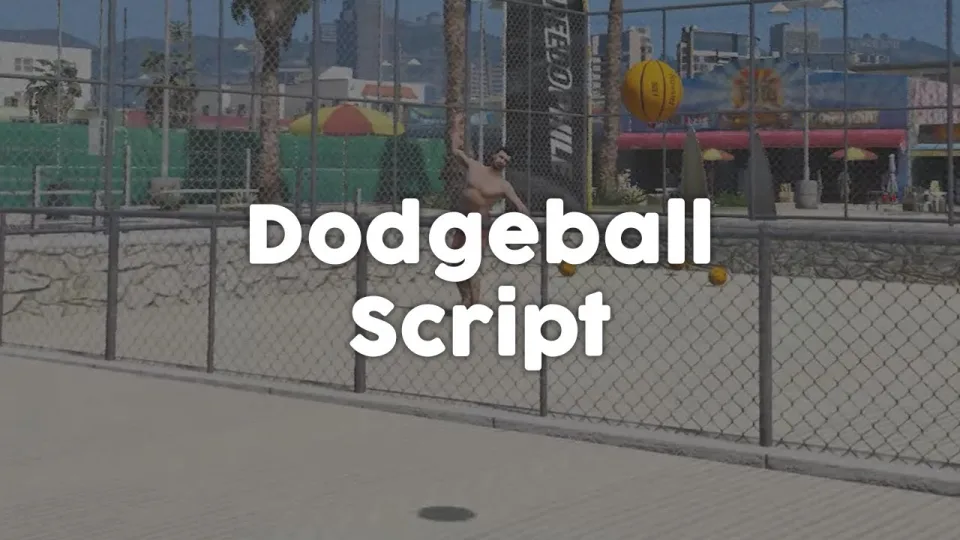
Games scale from 1v1 up to 5v5, which covers everything from a quick grudge match to a proper team event. The script ships with an unencrypted map edit that places a purpose-built dodgeball court at Vespucci Beach — it's playable immediately without any additional MLO purchase. If you want the court somewhere else, the config handles relocation without touching the core resource.
How It Plays
Players pick up dodgeballs and throw them at opponents. A hit eliminates you. Last team standing wins. That loop is deliberately simple — complicated minigames lose people after the first round, while this one anyone can join mid-event and understand in ten seconds.
- Match sizes: 1v1 through 5v5
- Physical pickup-and-throw mechanic with configurable ball count
- Vespucci Beach map edit included — unencrypted, fully editable
- Configurable interaction keys and point-of-view settings
- Encrypted standard version with accessible bridge code for custom framework wiring
- Completely standalone — no framework or external dependency required
- Free — no purchase, no Tebex account required
Why Scheduled Events Retain Players
Roleplay servers keep players between major storylines with low-stakes activities that don't demand a full session commitment. A scheduled dodgeball tournament is the kind of thing people post about in Discord, invite friends for, and clip for social media. The barrier to joining is zero — you show up and play.
Because it's standalone, the resource runs alongside any existing framework without touching your core scripts. And since the map edit is unencrypted, your developers can move the court, resize it, or wire up custom scoring with a Discord bot if the community wants a proper league format. At no cost, there's genuinely no reason not to test a round before deciding.
Installation
- Put the resource folder in
resources. - Add an
ensureline for it toserver.cfg. - Restart the server, then check the court has streamed in where you expect it.
- Set the match sizes and scoring you want in the config and run a test round before you schedule an event.
What You Need
Nothing beyond the resource. It is standalone and sits alongside ESX, QBCore or Qbox without touching your core scripts.
Installation plan
Set up FREE FiveM Dodgeball Game safely
Use the documentation included with the download as the final authority. This plan helps you prepare a rollback, install in the right order, and verify the resource before it reaches players.
- Resource type
- FiveM script
- Catalog category
- ESX Scripts
- Package source
- Shop Tebex
-
Audit the package and requirements
Open the supplied documentation before moving files or changing the database. Build the install order from the package, not from assumptions.
- Identify the actual resource folder, required dependencies, and supported framework version.
- Locate any SQL, configuration examples, permissions, or optional integrations.
- Check whether the documentation requires a specific start order.
Ready when Every dependency and required file has a place in your install plan.
-
Create a rollback point
Prepare the server so the change can be reversed cleanly if the resource conflicts with your current stack.
- Keep an untouched copy of the downloaded package.
- Back up the database and every configuration file you will edit.
- Use a test server or schedule a maintenance window before changing production.
Ready when You can restore the previous database, files, and configuration.
-
Install in the documented order
Apply only the changes supplied for this resource, keeping dependency and startup order intact.
- Place the resource folder where your server loads resources, without renaming it unless instructed.
- Install dependencies first, then import included SQL once and review configuration values.
- Add the documented resource name to the server startup configuration after its dependencies.
Ready when The resource starts without missing files, exports, tables, or dependencies.
-
Verify the complete player flow
Restart the test server, watch both server and client consoles, and exercise the resource before opening it to players.
- Test the main workflow with an authorized player and a player without permission.
- Reconnect and restart once to confirm saved state and startup behavior.
- Review console output again before promoting the same configuration to production.
Complete when The intended flow works twice with no new console errors.
Support reference
Use the exact listing name when you contact support.
FREE FiveM Dodgeball Game
Contact support
FREE FiveM Dodgeball Game compatibility and specs
Category
Delivery
After checkout — order download link
Product terms
See product details — terms vary by resource
No reviews yet — be the first to write one.
Write a review
Reviews are moderated before appearing. Purchased the product? Your review gets a VERIFIED badge automatically.
[ You might also like ]
Related scripts
- ESX
- QBCore
- Qbox
FREE Drone Script for FiveM
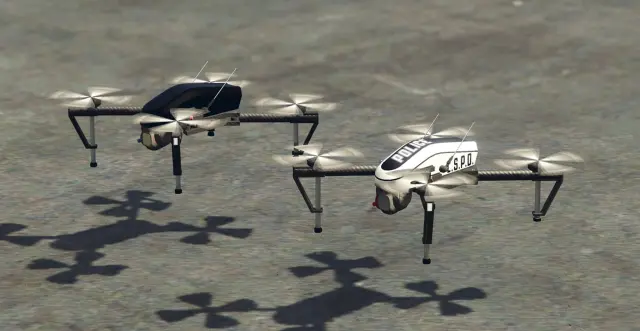
Free, open-source FiveM drone script with full controller support, Fivemanage aerial screenshots, night vision, configurable HUD, and signal-loss mechanics. ESX, QBCore & Qbox ready.
FREE
- ESX
- QBCore
- Qbox
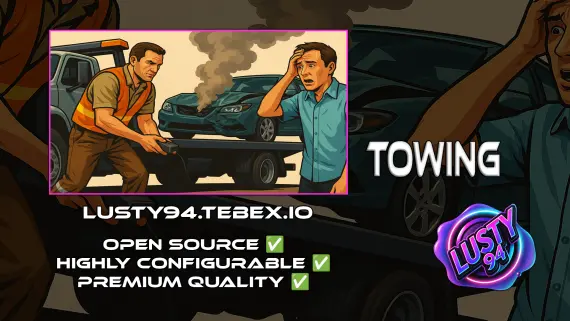
Free Towing Job Script
Free FiveM towing job script with NPC missions, player-to-player requests, /towbilling to society accounts with optional commission splits, and server-side anti-exploit distance checks. QBCore, ESX, Qbox.
FREE
 Popular
- ESX
- QBCore
- Qbox
Police Vehicle Trunk
Give FiveM officers a proper equipment trunk — visual prop layout, per-vehicle item config, clothing slots, job-gated access, and 0.03ms active usage. ESX, QBCore & Qbox.
$10.00
 New
New
- ESX
- QBCore
- Qbox
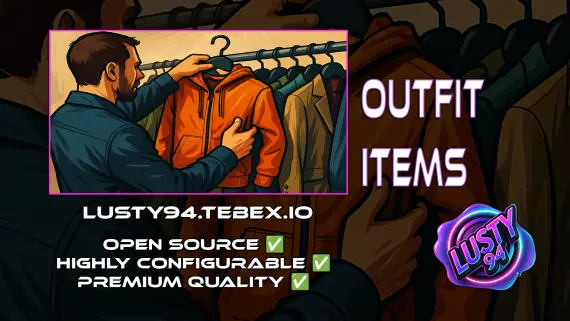
Outfit Items
FiveM outfit items script with job and grade-based access, live character previews, and wearable inventory items that apply full uniforms instantly. QBCore, ox_inventory, ox_target ready.
$6.00
- QBCore
- Qbox
QBCore Framework V8
A current-gen QBCore V8 FiveM server package — 400+ vehicles, 50+ police cars, civilian and criminal activity systems, TOS-compliant assets, and verified stable at 50+ concurrent players.
$110.00
 Sale
Sale
 Sale
Sale
About this FiveM script
FREE FiveM Dodgeball Game is a FiveM resource for esx, qbcore, qbox servers. Review the product details, requirements, and compatibility notes before ordering.
Use the included files and documentation as the source of truth for installation, configuration, dependencies, and any stated performance information.