- QBCore
- Qbox
QBCore Framework V4
QB Core V4 FiveM server on build 1.2.6 — crypto mining, gun dealer, black market, Cayo Island, PMA-voice, Discord webhooks, and a full civilian and criminal economy out of the box.
$100.00

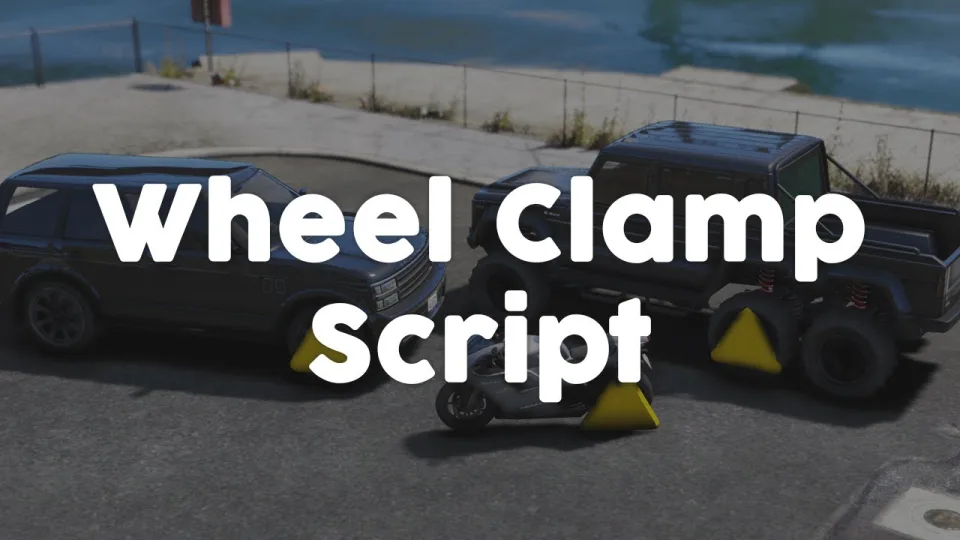
A multiplayer-synchronised FiveM wheel boot script with real steering restriction, optional wheel-damage physics, lockpick removal, and 0.00ms idle. ESX, QBCore, and Qbox compatible.
Shelved in ESX Scripts110 products on this shelf QBCore Scripts119 products on this shelf Qbox Scripts120 products on this shelf
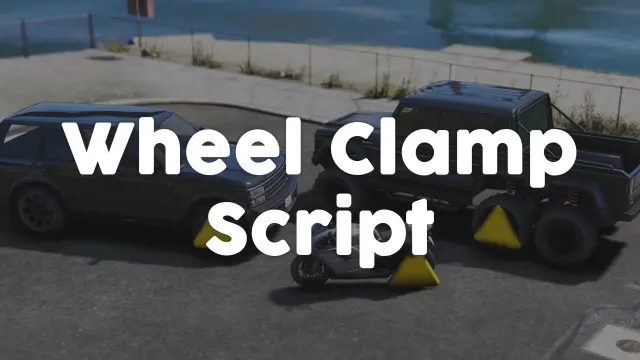
Parking enforcement in most FiveM servers boils down to an admin command or a noclip prop. This wheel boot changes that: it physically clamps onto a vehicle, restricts steering, and gives players a realistic removal path — either a lockpick minigame or a job-gated interaction through ox_target or qb-target. Officers can boot bikes, standard cars, and even 6x6 trucks in a single consistent system.
When applied, the clamp locks onto the targeted wheel and optionally prevents the vehicle from moving at all. If a driver tries to force their way out, the clamped wheel can tear off — adding a permanent mechanical consequence to anyone who ignores enforcement. Front-wheel clamping also cuts steering response, so the car handles like a trolley if the driver tries to crawl away. Both mechanics are toggle-able in config.
Supports ESX, QBCore, and Qbox out of the box. Job checks and item requirements are framework-aware and configurable per framework in a single config file.
Most wheel-boot releases are cosmetic — they drop a prop and call it done. This one propagates the clamp state to all connected clients, enforces actual vehicle physics changes, and chains naturally into your existing target system. At 0.00ms idle, it runs lighter than the parking-lot sign your server probably already has. Server owners wanting credible vehicle enforcement without a bloated police overhaul script will find this hits the exact gap.
resources and add its ensure line to server.cfg.Use the documentation included with the download as the final authority. This plan helps you prepare a rollback, install in the right order, and verify the resource before it reaches players.
Open the supplied documentation before moving files or changing the database. Build the install order from the package, not from assumptions.
Ready when Every dependency and required file has a place in your install plan.
Prepare the server so the change can be reversed cleanly if the resource conflicts with your current stack.
Ready when You can restore the previous database, files, and configuration.
Apply only the changes supplied for this resource, keeping dependency and startup order intact.
Ready when The resource starts without missing files, exports, tables, or dependencies.
Restart the test server, watch both server and client consoles, and exercise the resource before opening it to players.
Complete when The intended flow works twice with no new console errors.
Advanced Wheel Boot
Contact support
Reviews are moderated before appearing. Purchased the product? Your review gets a VERIFIED badge automatically.
QB Core V4 FiveM server on build 1.2.6 — crypto mining, gun dealer, black market, Cayo Island, PMA-voice, Discord webhooks, and a full civilian and criminal economy out of the box.
![Latest QBCore Framework V7 [NoPixel 4.0 Inspired]](/uploads/card/29d450513a2b02f57f656184ccb3ed97.webp) Sale
Sale


ElevenLabs-powered TTS notification script for FiveM — fire voiced, holographic alerts from any resource via a single export. Smart caching, 30+ languages. ESX, QBCore, Qbox compatible.
 New
New
 Sale
Sale

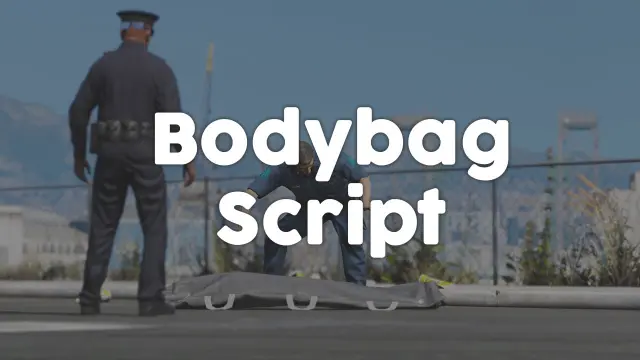
Close crime scenes properly with bodybag placement, configurable job or item gates, statebag sync that survives restarts, and 0.00ms overhead. ESX, QBCore, and Qbox supported.
Advanced Wheel Boot is a FiveM resource for esx, qbcore, qbox servers. Review the product details, requirements, and compatibility notes before ordering.
Use the included files and documentation as the source of truth for installation, configuration, dependencies, and any stated performance information.