
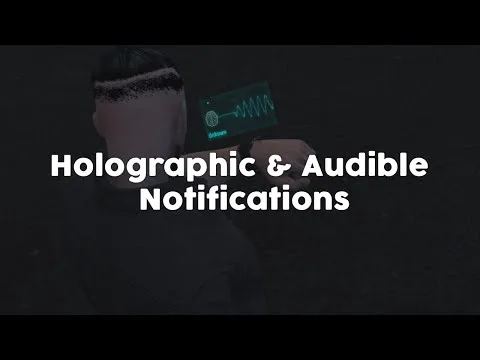
Holographic & Audible Notifications
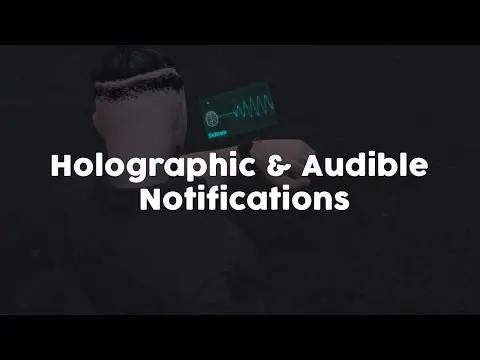
ElevenLabs-powered TTS notification script for FiveM — fire voiced, holographic alerts from any resource via a single export. Smart caching, 30+ languages. ESX, QBCore, Qbox compatible.
Shelved in ESX Scripts110 products on this shelf QBCore Scripts119 products on this shelf Qbox Scripts120 products on this shelf
$5.99
Secure checkout by Tebex
Digital delivery after checkout
Tebex
Your Game Studio, Extended.
Overview
Reviews
Text notifications tell players what happened. This script lets your server tell them — out loud, in a voice you choose, with a holographic overlay that appears as the audio plays. The ElevenLabs integration means you're drawing from thousands of AI voices across roughly 30 languages, not a robotised system-voice. Any script on your server can fire an audible notification through a single export call, with no changes to the calling resource.
How the TTS System Works
You trigger audio from any resource using exports.gs_ttswatch:PlayAudioMessage(serverId, text, name, image, volume, voiceId). The script passes the text to ElevenLabs, receives the audio, and plays it to the target player alongside a holographic overlay that carries the notification image and content. Smart caching means identical messages don't burn API characters twice — generated audio is stored and reused automatically. A notification queue prevents overlapping playback when multiple alerts fire in quick succession.
- ElevenLabs integration — thousands of unique voices, configurable per notification or server-wide
- Approximately 30 supported languages including English, German, French, Arabic, Turkish, Spanish, and more
- Single export call fires audio + holographic overlay from any external script
- Smart audio caching — repeated messages reuse stored audio, conserving API characters
- Notification queue prevents overlapping playback
- Holographic overlay fully configurable: image, layout, and visual styling
- Voice, volume, and voiceId all settable per-call
- ElevenLabs free tier: 10,000 characters/month; paid tiers available for high-volume servers
- Performance: ~0.00ms idle / ~0.05ms when actively playing
Framework Compatibility
Standalone operation — no framework dependency for core function. ESX, QBCore, and Qbox bridges are included, with accessible framework code for custom setups.
The Practical Use Case
Police dispatch, BOLO announcements, server-wide emergency alerts, faction communications, prison warden broadcasts — anywhere your server currently relies on plain text chat, this script replaces it with a voiced, holographic notification that players actually notice. The caching system keeps API costs controlled even on busy servers, and the queue means a burst of simultaneous alerts won't stack into an audio pile-up. At 0.05ms active, it runs well within budget on any server.
Installation
- Copy the resource into
resourcesand add itsensureline toserver.cfg. - Put your ElevenLabs API key into the config — the free tier's 10,000 characters a month is enough to test against.
- Choose the default voice, volume and holographic overlay styling.
- From any other resource, fire a notification with
exports.gs_ttswatch:PlayAudioMessage(serverId, text, name, image, volume, voiceId). - Restart and send one test message. Repeating it costs no further characters, as generated audio is cached and reused.
Installation plan
Set up Holographic & Audible Notifications safely
Use the documentation included with the download as the final authority. This plan helps you prepare a rollback, install in the right order, and verify the resource before it reaches players.
- Resource type
- FiveM script
- Catalog category
- ESX Scripts
- Package source
- Shop Tebex
-
Audit the package and requirements
Open the supplied documentation before moving files or changing the database. Build the install order from the package, not from assumptions.
- Identify the actual resource folder, required dependencies, and supported framework version.
- Locate any SQL, configuration examples, permissions, or optional integrations.
- Check whether the documentation requires a specific start order.
Ready when Every dependency and required file has a place in your install plan.
-
Create a rollback point
Prepare the server so the change can be reversed cleanly if the resource conflicts with your current stack.
- Keep an untouched copy of the downloaded package.
- Back up the database and every configuration file you will edit.
- Use a test server or schedule a maintenance window before changing production.
Ready when You can restore the previous database, files, and configuration.
-
Install in the documented order
Apply only the changes supplied for this resource, keeping dependency and startup order intact.
- Place the resource folder where your server loads resources, without renaming it unless instructed.
- Install dependencies first, then import included SQL once and review configuration values.
- Add the documented resource name to the server startup configuration after its dependencies.
Ready when The resource starts without missing files, exports, tables, or dependencies.
-
Verify the complete player flow
Restart the test server, watch both server and client consoles, and exercise the resource before opening it to players.
- Test the main workflow with an authorized player and a player without permission.
- Reconnect and restart once to confirm saved state and startup behavior.
- Review console output again before promoting the same configuration to production.
Complete when The intended flow works twice with no new console errors.
Support reference
Use the exact listing name when you contact support.
Holographic & Audible Notifications
Contact support
Holographic & Audible Notifications compatibility and specs
Category
Delivery
After checkout — order download link
Product terms
See product details — terms vary by resource
No reviews yet — be the first to write one.
Write a review
Reviews are moderated before appearing. Purchased the product? Your review gets a VERIFIED badge automatically.
[ You might also like ]
Related scripts
- ESX
- QBCore
- Qbox
FREE Keypad Minigame
Free, unencrypted FiveM keypad minigame with configurable PIN length, attempt limits, and per-attempt feedback. Works standalone or with ESX, QBCore, and Qbox. Zero cost, full source.
FREE
- ESX
- QBCore
- Qbox
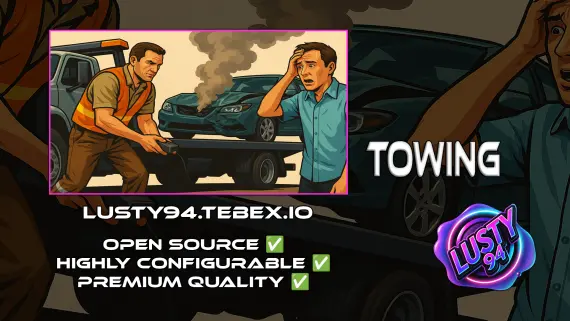
Free Towing Job Script
Free FiveM towing job script with NPC missions, player-to-player requests, /towbilling to society accounts with optional commission splits, and server-side anti-exploit distance checks. QBCore, ESX, Qbox.
FREE
- ESX
- QBCore
- Qbox
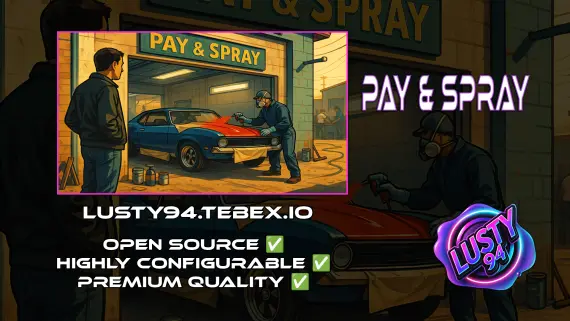
Pay And Spray
Per-location Pay and Spray script for FiveM with individual pricing, job locking, livery preview, chameleon paint, and vehicle repairs. Runs on ESX, QBCore, and Qbox with broad inventory, banking, and fuel compatibility.
$6.00
- ESX
- QBCore
- Qbox
BLVCK HUD V2
BLVCK HUD V2 delivers three switchable HUD styles, server-synced nitro visible to all nearby players, cinematic mode, and an optional stress system for ESX, QBCore, and Qbox servers.
$5.00
- ESX
- QBCore
- Qbox
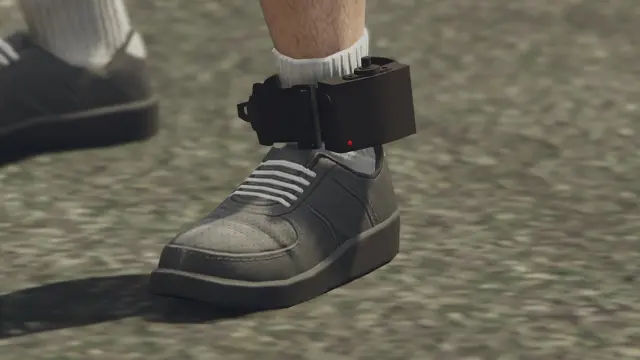
Advanced Ankle Monitor Script
Let officers place real tracking devices on offenders — with a proper leg prop, configurable update intervals, lockpick removal, and 0.00ms idle. ESX, QBCore, and Qbox ready.
$10.00
 New
New
 Sale
Sale
About this FiveM script
Holographic & Audible Notifications is a FiveM resource for esx, qbcore, qbox servers. Review the product details, requirements, and compatibility notes before ordering.
Use the included files and documentation as the source of truth for installation, configuration, dependencies, and any stated performance information.