


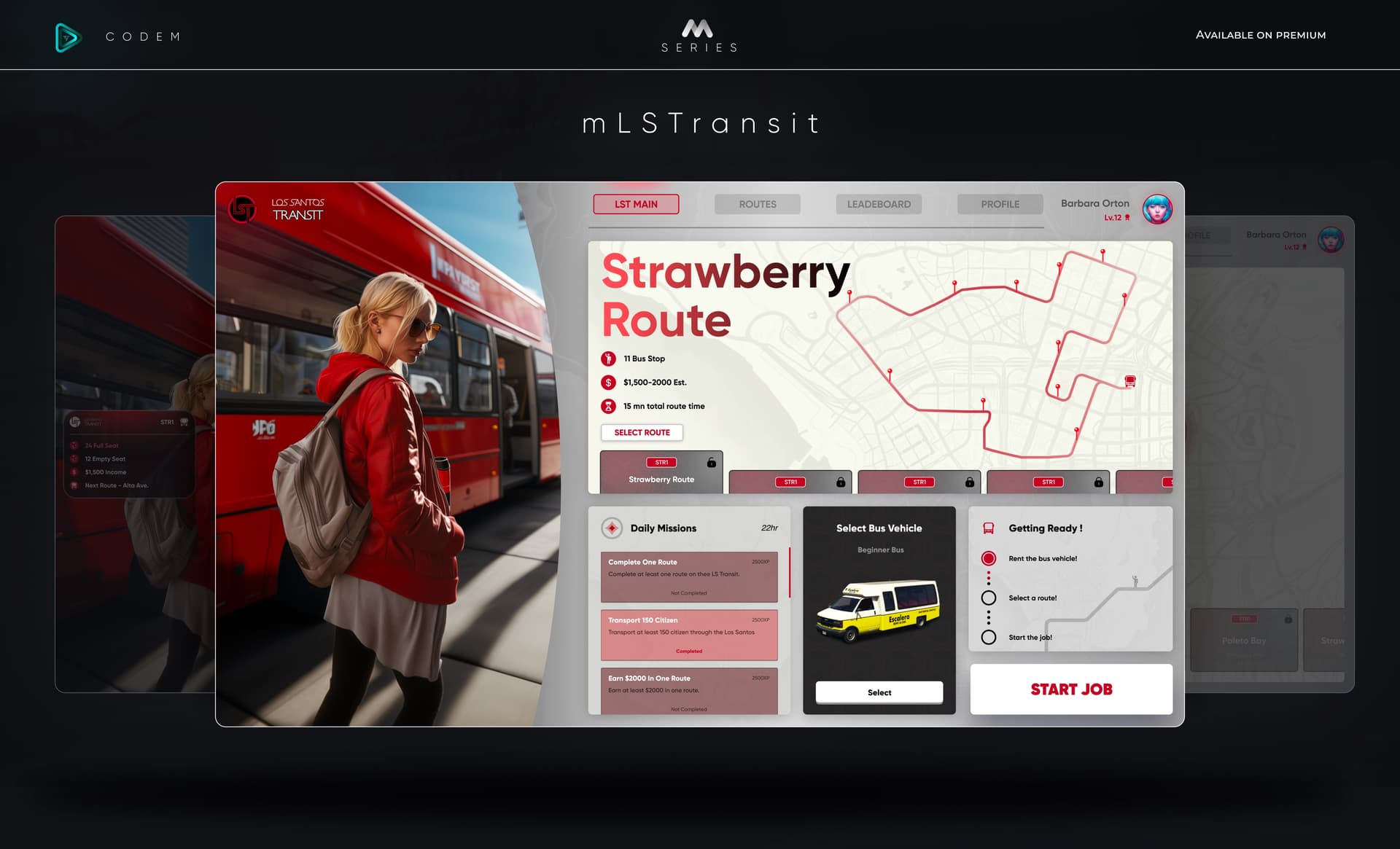
CodeM mLSTransit ( Advanced Bus Job )

esx qbcore qbox
$10.00
Secure checkout by Tebex Digital delivery after checkout Tebex Your Game Studio, Extended.
Overview

CodeM mLSTransit ( Advanced Bus Job )

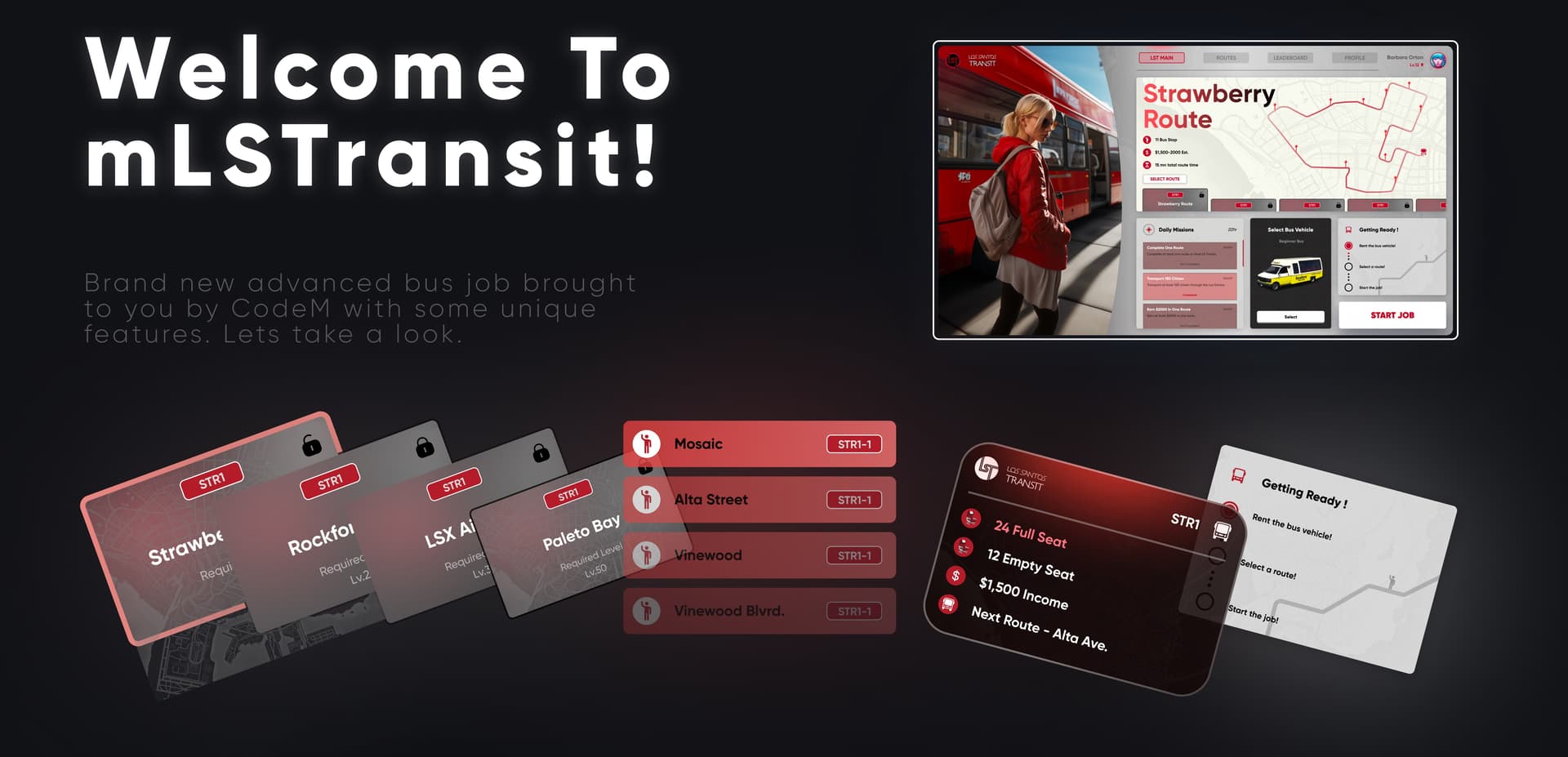
LST Pop Panel Status

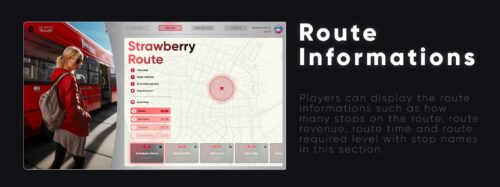
After player started the job a pop panel will open. Players can display how many seats are empty and how much did they make on that route. Also stop street names in here.

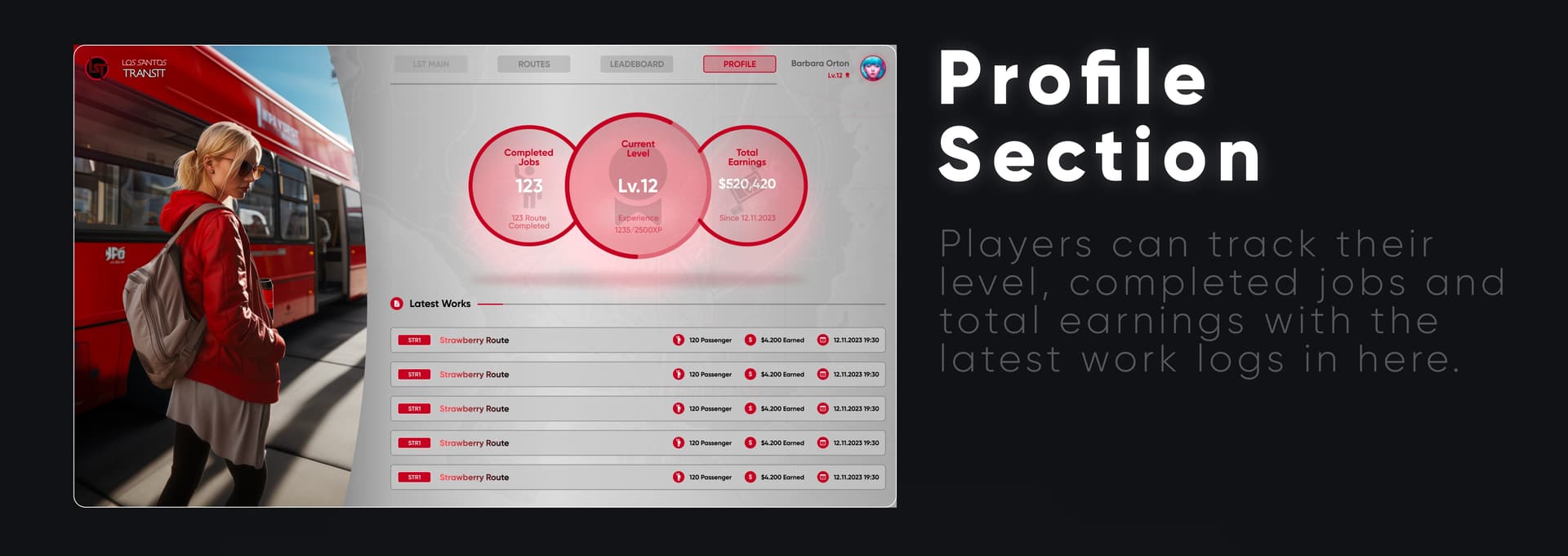
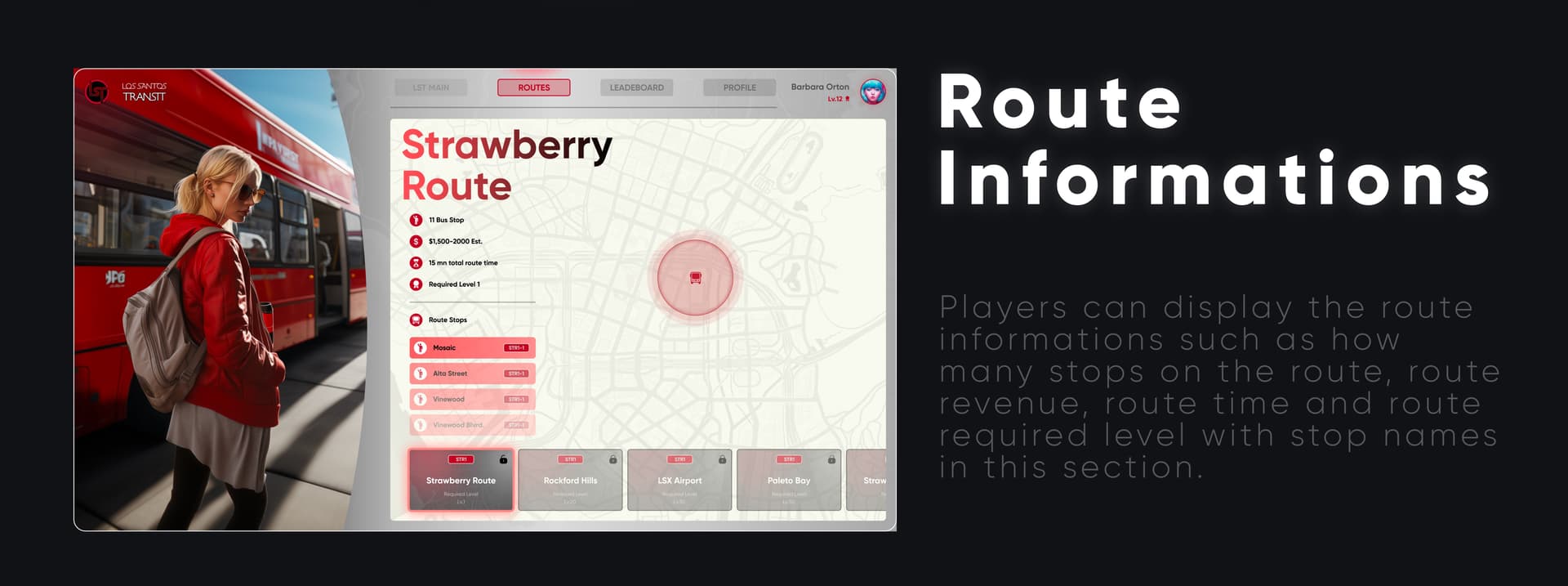
Profile Section

Players can track their level, completed jobs and total earnings with the latest work logs in here.

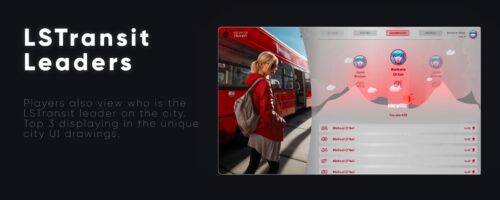
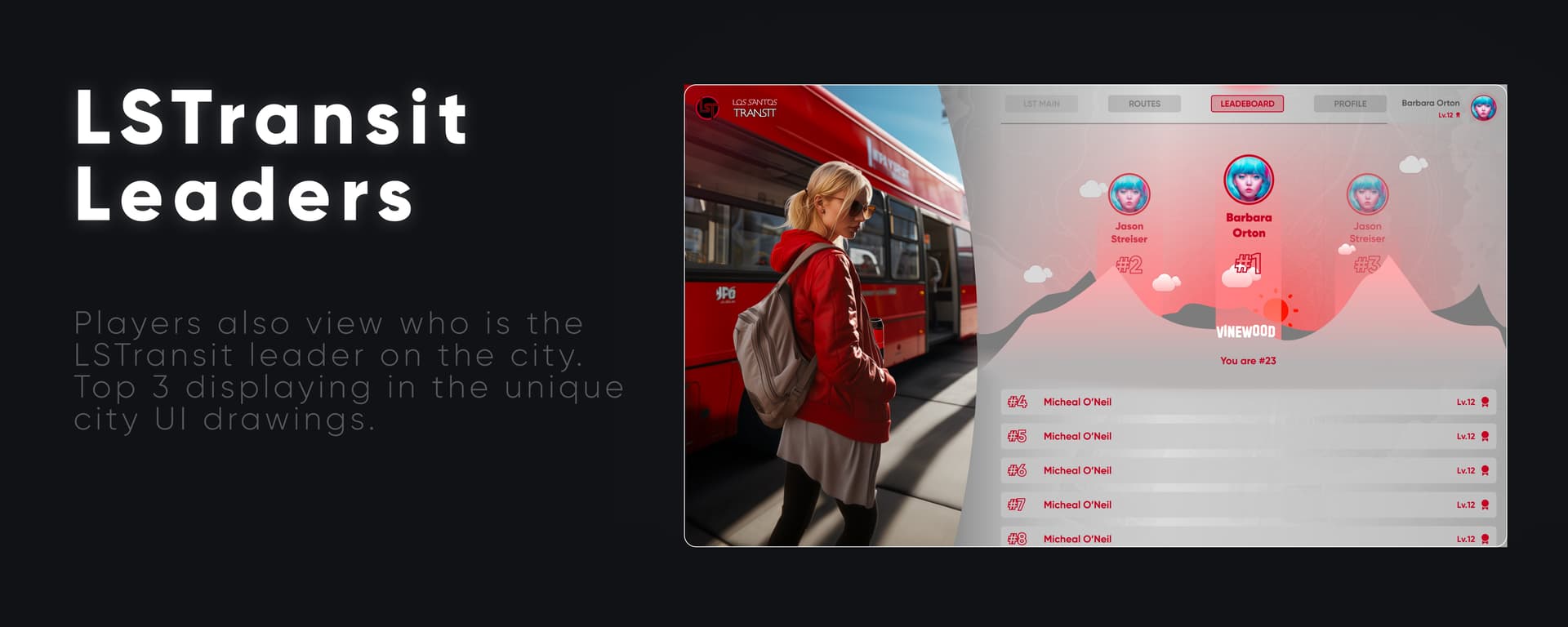
LSTransit Leaders

Players also view who is the LSTransit leader on the city. Top 3 displaying in the unique city Ul drawings.

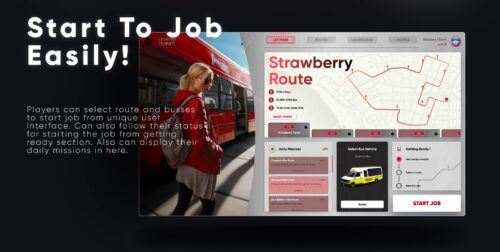
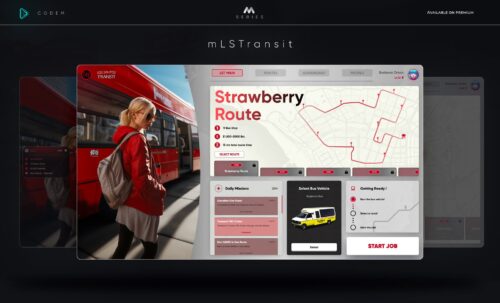
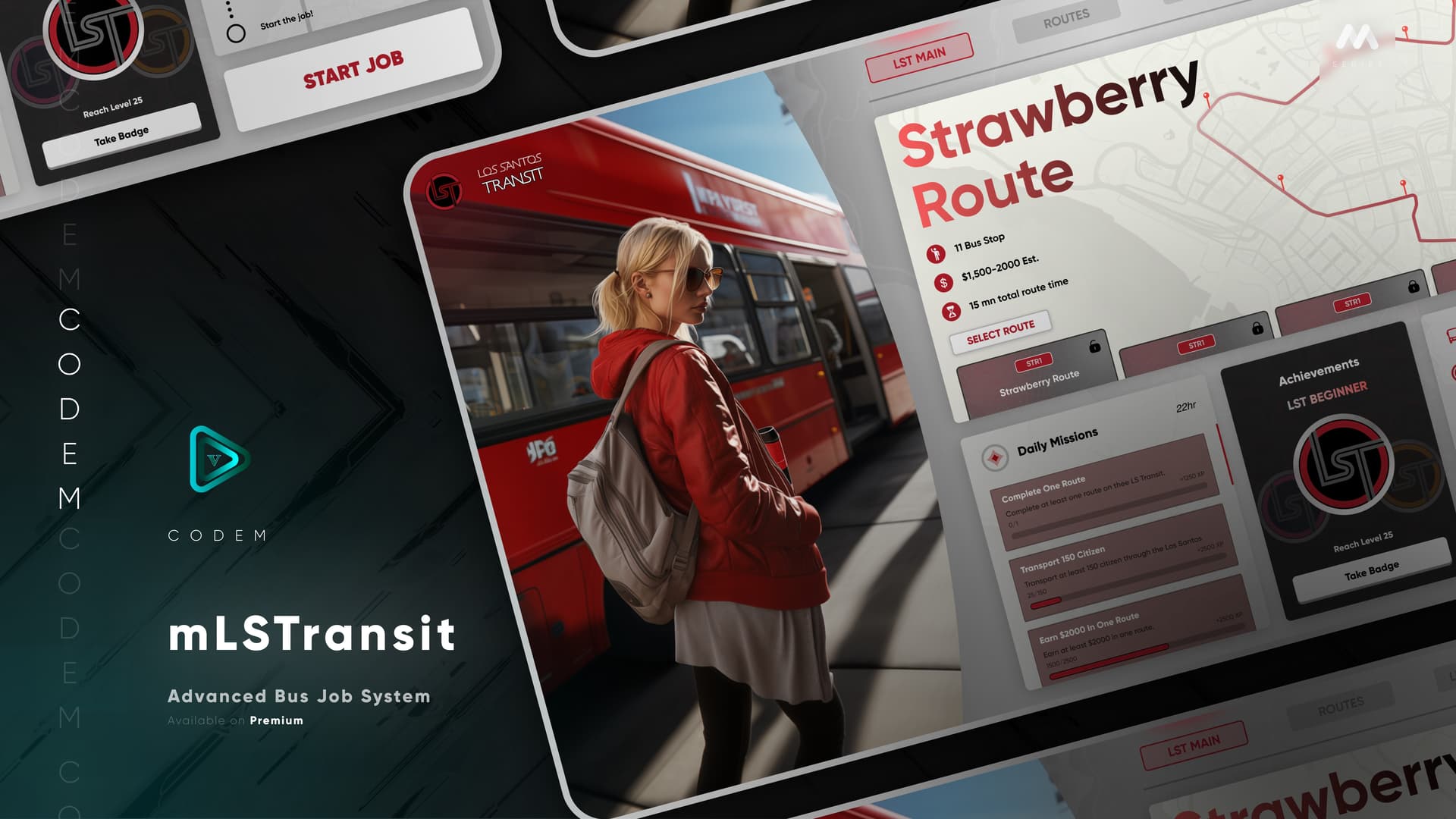
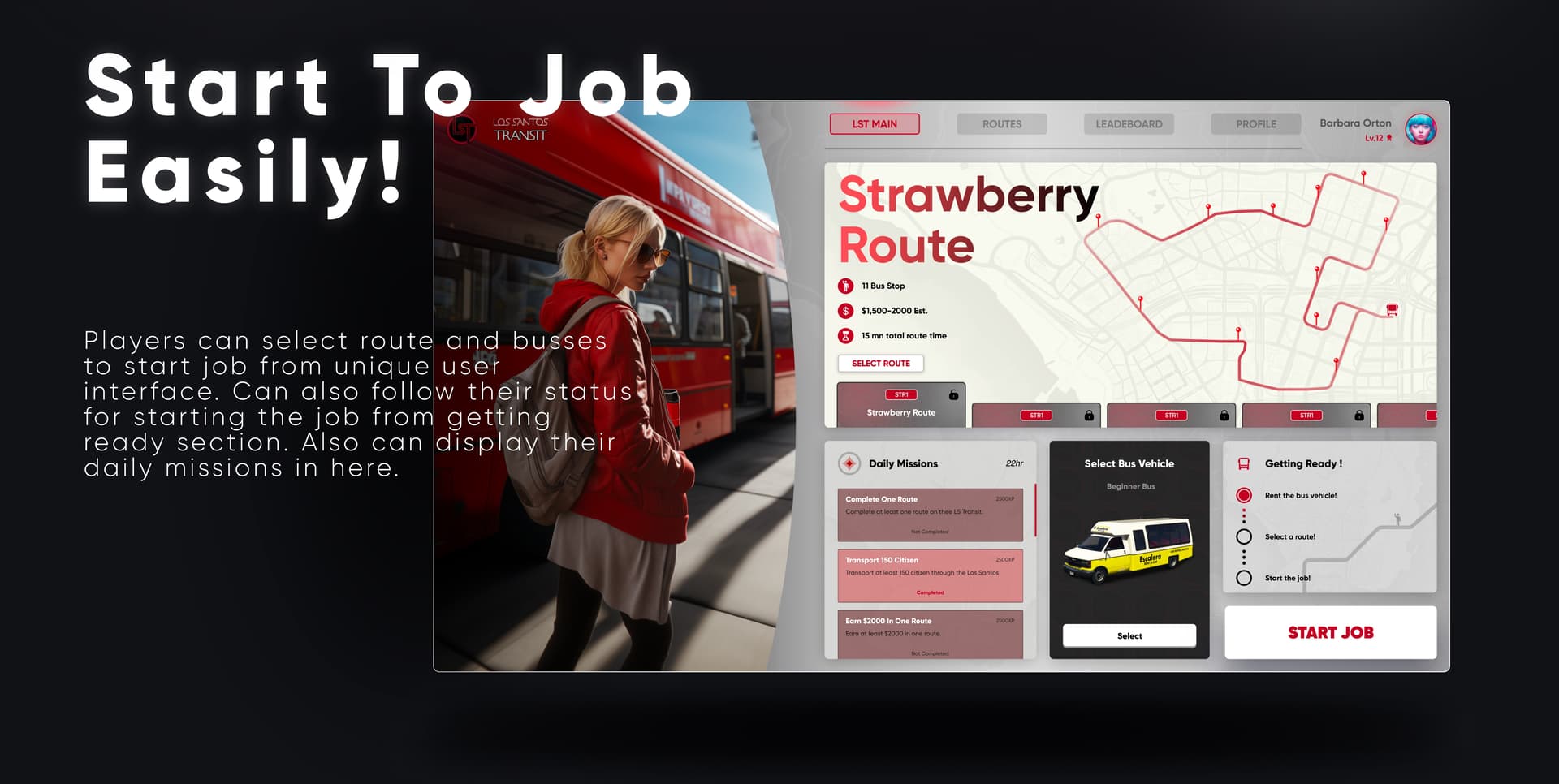
Start To Job Easily!

Players can select route and busses to start job from unique user interface. Can also follow their status for starting the job from getting ready section. Also can display their daily missions in here.

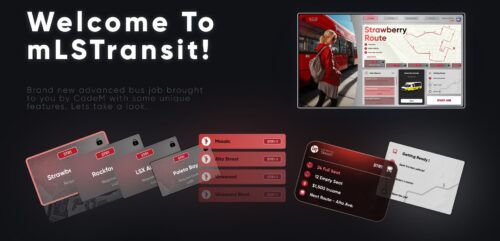
Welcome To mLSTransit!

Brand new advanced bus job brought to you by CodeM with some unique features. Lets take a look.

Installation plan

Set up CodeM mLSTransit ( Advanced Bus Job ) safely

Use the documentation included with the download as the final authority. This plan helps you prepare a rollback, install in the right order, and verify the resource before it reaches players.

Resource type
FiveM script
Compatibility shown
ESX QBCore Qbox
Catalog category
FiveM resources
Package source
CodeM
  1. Audit the package and requirements

    Open the supplied documentation before moving files or changing the database. Build the install order from the package, not from assumptions.

    • Identify the actual resource folder, required dependencies, and supported framework version.
    • Locate any SQL, configuration examples, permissions, or optional integrations.
    • Check whether the documentation requires a specific start order.

    Ready when Every dependency and required file has a place in your install plan.

  2. Create a rollback point

    Prepare the server so the change can be reversed cleanly if the resource conflicts with your current stack.

    • Keep an untouched copy of the downloaded package.
    • Back up the database and every configuration file you will edit.
    • Use a test server or schedule a maintenance window before changing production.

    Ready when You can restore the previous database, files, and configuration.

  3. Install in the documented order

    Apply only the changes supplied for this resource, keeping dependency and startup order intact.

    • Place the resource folder where your server loads resources, without renaming it unless instructed.
    • Install dependencies first, then import included SQL once and review configuration values.
    • Add the documented resource name to the server startup configuration after its dependencies.

    Ready when The resource starts without missing files, exports, tables, or dependencies.

  4. Verify the complete player flow

    Restart the test server, watch both server and client consoles, and exercise the resource before opening it to players.

    • Test the main workflow with an authorized player and a player without permission.
    • Reconnect and restart once to confirm saved state and startup behavior.
    • Review console output again before promoting the same configuration to production.

    Complete when The intended flow works twice with no new console errors.

Support reference Use the exact listing name when you contact support.
CodeM mLSTransit ( Advanced Bus Job ) Contact support

CodeM mLSTransit ( Advanced Bus Job ) compatibility and specs

Frameworks
ESX · QBCore · Qbox
Category
Creator
Delivery
After checkout — order download link
Product terms
See product details — terms vary by resource
[ You might also like ]

Related scripts

About this FiveM script

CodeM mLSTransit ( Advanced Bus Job ) is a FiveM resource for esx, qbcore, qbox servers. Review the product details, requirements, and compatibility notes before ordering.

Use the included files and documentation as the source of truth for installation, configuration, dependencies, and any stated performance information.