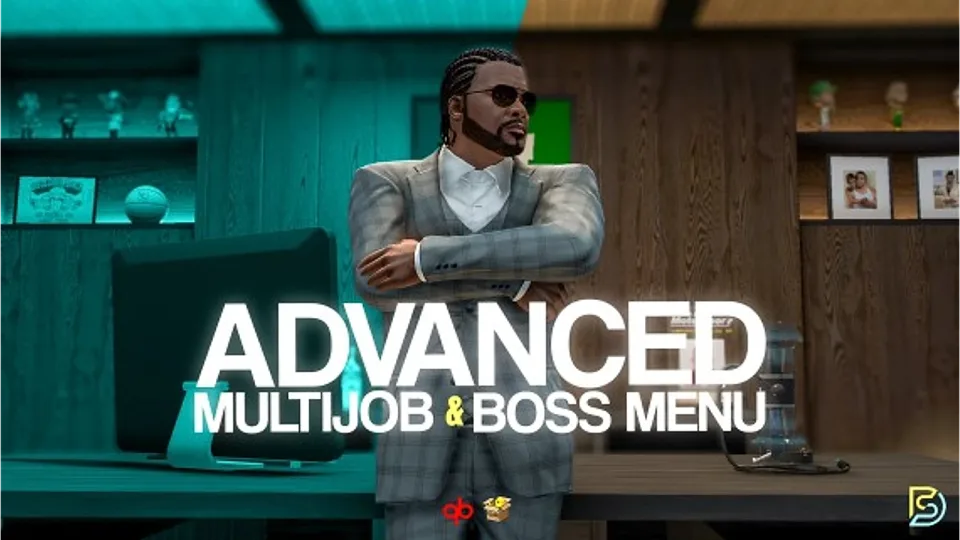
Advanced Multijob & Boss Menu

Samuel’s Advanced Multijob & Boss Menu supports unlimited concurrent jobs, polyzone duty enforcement, per-job leaderboards, 12 inventory integrations, and a full boss management suite for QBCore and QBox servers.

5.0 (2 reviews)
esx qbcore qbox
$20.00
Secure checkout by Tebex Digital delivery after checkout Tebex Your Game Studio, Extended.
Overview
Reviews 2

MultiJob & Workforce Management System

The only multijob & boss menu you'll ever need.

The most feature-packed Multijob & Boss Menu for FiveM.

Your players are going to love this one; it enriches the whole server experience, not just the jobs it ships with. Countless days, weeks, even, perfecting both menus and thinking outside the box about what a multijob and boss menu can be. Genuinely the most in-depth boss menu and multijob you'll ever own.


Showcase :

Core Systems

Extensive Logging

Built-in support for:

  • Discord
  • Fivemerr
  • FiveManage
  • Grafana
  • Loki

A dedicated logs.lua file allows you to:

  • Configure destinations
  • Enable or disable individual log events
  • Customize logging behavior

Language Localization

Included languages:

  • English
  • German
  • French
  • Spanish
  • Arabic

Switching languages requires only a single configuration change.

Adding new languages is straightforward.

Highly Configurable

Detailed configuration allows you to customize:

  • Job limits
  • Duty systems
  • Weekly targets
  • Leaderboards
  • Notifications
  • Society accounts
  • Application systems

Every mechanic, cap, and toggle can be adjusted to fit your server.

Peak Performance

Built to the same performance standards as every other resource in the catalog.

Features:

  • Efficient server-side data handling
  • Minimal database interactions
  • Optimized processing pipelines
  • Reliable long-term operation

Set it up once and let it run.

Compatibility

Compatible with:

  • QBCore

Society accounts are managed internally by default but can be fully disabled.

Integrate with:

  • Renewed-Banking
  • Custom banking systems
  • Any existing society-account solution

Simple configuration options allow you to switch between systems.

The MultiJob Menu

Notifications & Messaging

Each job includes a dedicated notifications center.

Features:

  • Boss messages
  • Employee messages
  • Redeemable rewards
  • Bonus notifications
  • Conversation history

Employees can reply directly through the MultiJob menu.

Job-Specific Leaderboards

Every job includes its own leaderboard.

Configure custom point values for any statistic.

Examples:

  • 60 points per arrest
  • 1 point per minute worked
  • 5 points per completed repair

Allows each profession to have unique progression and competition systems.

Infinite Job Statistics

Create unlimited custom job metrics through Config.Stats.

Default examples:

  • Total minutes worked
  • Weekly hours worked

Custom examples:

  • Arrests made
  • Burgers flipped
  • Tickets issued
  • Repairs completed
  • Patients treated

Each statistic includes:

  • Custom title
  • Icon
  • Description template

Example:

You made {amount} arrests.

Statistics can be updated anywhere using exports.

Players receive a complete performance overview for every job.

Configurable Duty Zones

Restrict duty status to specific locations.

Examples:

  • Burgershot employees can only remain on duty while inside Burgershot
  • Police can be limited to station zones
  • EMS can be restricted to hospital areas

Features:

  • Polyzone support
  • Automatic clock-out on exit
  • Optional grace period before removal
  • Unrestricted jobs supported

On / Off Duty Toggling

Multiple ways to manage duty status:

  • 3D world markers
  • TextUI prompts
  • Target interactions
  • MultiJob menu controls

All methods use the same backend pipeline for consistent behavior.

Unlimited Jobs (With Configurable Caps)

Allow players to hold multiple jobs simultaneously.

Features:

  • Unlimited jobs if desired
  • Configurable maximum job count
  • Seamless framework integration
  • No changes required to existing job systems

The Boss Menu

Weekly Targets & Rewards

Set weekly performance goals for employees.

Examples:

  • Hours worked
  • Arrest targets
  • Sales targets
  • Any custom statistic

Optional reward system:

  • Configure bonuses
  • Set unlock conditions
  • Create redeemable rewards

Employees can track progress in real time and claim rewards immediately after reaching the target.

Messaging & Bonuses

Send:

  • Direct messages
  • Cash bonuses
  • Rewards
  • Important announcements

Messages are delivered instantly through the employee notification center.

Custom Application Forms

Create fully customizable job applications.

Features:

  • Unlimited questions
  • Create, edit, and delete forms
  • Raycast-based placement system
  • Custom submission locations

Application workflow:

  • Player submits application
  • Boss reviews application
  • Accept or deny with one click
  • Schedule interview times
  • Applicant confirms or requests rescheduling

Everything is handled directly in-game.

Employee Management

Manage your workforce directly through the boss menu.

Actions include:

  • Hire employees
  • Fire employees
  • Promote employees
  • Demote employees
  • Review performance statistics

View:

  • Weekly progress
  • Hours worked
  • Arrests made
  • Custom statistics
  • Lifetime performance

Additional tools:

  • Employee search by name
  • Employee search by ID
  • Rank filtering
  • Direct messaging
  • Bonus payments

Messages and bonuses appear instantly in the employee notification center.

Society Accounts & Transaction Logs

Built-in society finances include:

  • Deposits
  • Withdrawals
  • Employee bonuses

Every action is logged with:

  • Amount
  • Employee
  • Timestamp

Prefer an external banking system?

Disable the built-in account system and integrate:

  • Renewed-Banking
  • Custom solutions
  • Existing society-account resources

There's much more included, with additional features planned for future updates.

Supported Inventories

Auto-detected.

Choose whatever you already run:

  • ox_inventory
  • qb-inventory
  • ps-inventory
  • lj-inventory
  • esx_inventory
  • codem-inventory
  • origen_inventory
  • jaksam_inventory
  • qs-inventory
  • qs-inventory-pro
  • tgiann-inventory

Dependencies

Required Framework

Choose one:

  • qbx_core

Libraries

  • ox_lib
Installation plan

Set up Advanced Multijob & Boss Menu safely

Use the documentation included with the download as the final authority. This plan helps you prepare a rollback, install in the right order, and verify the resource before it reaches players.

Resource type
FiveM script
Compatibility shown
ESX QBCore Qbox
Catalog category
ESX Scripts
Package source
Samuel's Development
  1. Audit the package and requirements

    Open the supplied documentation before moving files or changing the database. Build the install order from the package, not from assumptions.

    • Identify the actual resource folder, required dependencies, and supported framework version.
    • Locate any SQL, configuration examples, permissions, or optional integrations.
    • Check whether the documentation requires a specific start order.

    Ready when Every dependency and required file has a place in your install plan.

  2. Create a rollback point

    Prepare the server so the change can be reversed cleanly if the resource conflicts with your current stack.

    • Keep an untouched copy of the downloaded package.
    • Back up the database and every configuration file you will edit.
    • Use a test server or schedule a maintenance window before changing production.

    Ready when You can restore the previous database, files, and configuration.

  3. Install in the documented order

    Apply only the changes supplied for this resource, keeping dependency and startup order intact.

    • Place the resource folder where your server loads resources, without renaming it unless instructed.
    • Install dependencies first, then import included SQL once and review configuration values.
    • Add the documented resource name to the server startup configuration after its dependencies.

    Ready when The resource starts without missing files, exports, tables, or dependencies.

  4. Verify the complete player flow

    Restart the test server, watch both server and client consoles, and exercise the resource before opening it to players.

    • Test the main workflow with an authorized player and a player without permission.
    • Reconnect and restart once to confirm saved state and startup behavior.
    • Review console output again before promoting the same configuration to production.

    Complete when The intended flow works twice with no new console errors.

Support reference Use the exact listing name when you contact support.
Advanced Multijob & Boss Menu Contact support

Advanced Multijob & Boss Menu compatibility and specs

Frameworks
ESX · QBCore · Qbox
Category
Delivery
After checkout — order download link
Product terms
See product details — terms vary by resource
5.0
2 reviews
5★
100%
4★
0%
3★
0%
2★
0%
1★
0%
r
renzo002 VERIFIED
Co-owner

Installed this for a client last week and the players are already obsessed with the leaderboards. They have been grinding to stay on top.

D
Dani O. VERIFIED
Head admin

I have many scripts from this shop and this one is also very good on my opinion. It works perfect with my QBox server and ox_inventory. The auto-detection for the inventory was very helpful because I did not need to change any code. I am using it with ox_target for the duty spots (it is very fast to set up) and the polyzone duty works exactly as described. It is a big upgrade from our old boss menu.

Write a review

Reviews are moderated before appearing. Purchased the product? Your review gets a VERIFIED badge automatically.

20 chars minimum
[ You might also like ]

Related scripts

About this FiveM script

Advanced Multijob & Boss Menu is a FiveM resource for esx, qbcore, qbox servers. Review the product details, requirements, and compatibility notes before ordering.

Use the included files and documentation as the source of truth for installation, configuration, dependencies, and any stated performance information.