
 Sale
Sale

WAIS HUD V6 Customizable
$25.00
Secure checkout by Tebex
Digital delivery after checkout
Tebex
Your Game Studio, Extended.
Overview
WAIS HUD V6 — The Ultimate Customizable FiveM HUD
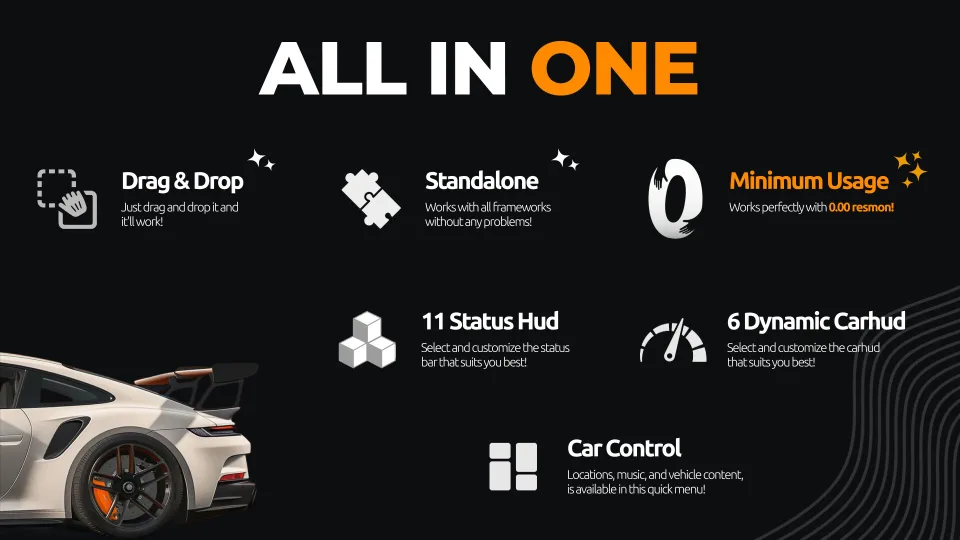
Drag & Drop Installation | Fully Standalone No framework dependencies, no complicated setup. Drop it into your resources folder and it works out of the box — compatible with QBCore, ESX, and any other framework.
Optimized Performance Built for performance from the ground up. WAIS HUD V6 runs at 0.00ms resmon outside vehicles and just 0.01ms while driving, so your server stays smooth no matter how many players are online.
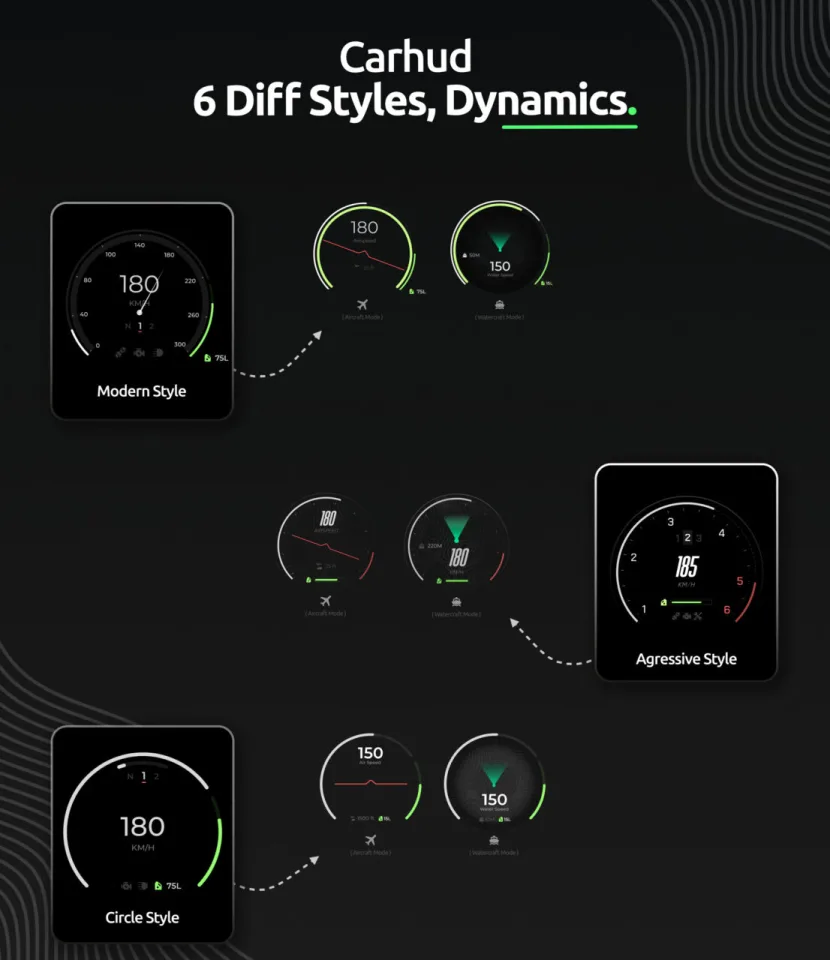
A fully customizable, all-in-one HUD for FiveM featuring 11 status bar styles, 6 dynamic speedometers, and a complete car control menu — all with near-zero resource usage.
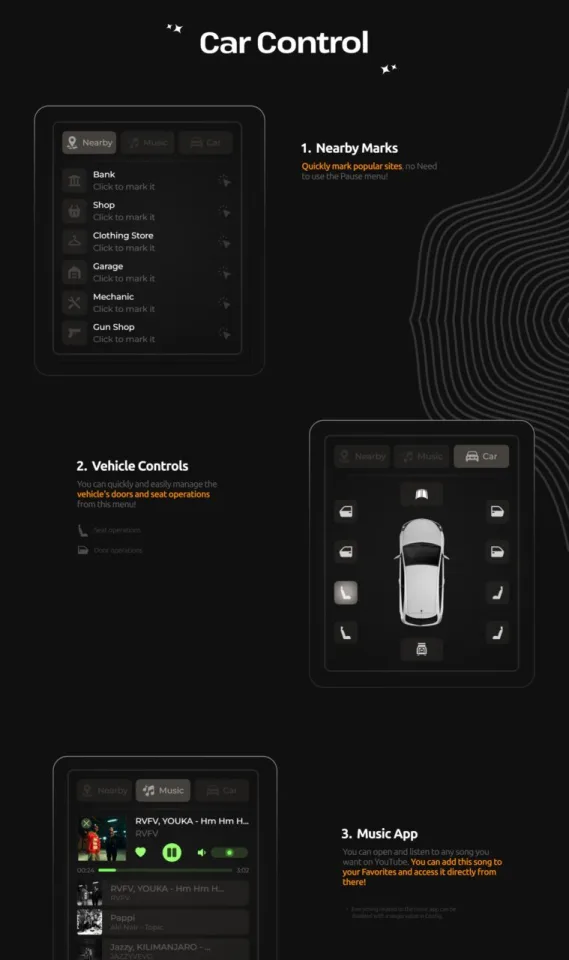
Built-In Car Control Menu
- Music Player — Stream music via YouTube directly in-game. Save songs to your favorites for quick access anytime.
- Vehicle Controls — Manage doors and seat positions quickly from a clean in-vehicle menu.
- Nearby Marks — Instantly pin popular locations like banks, shops, clothing stores, garages, mechanics, and gun shops on your map without opening the pause menu.
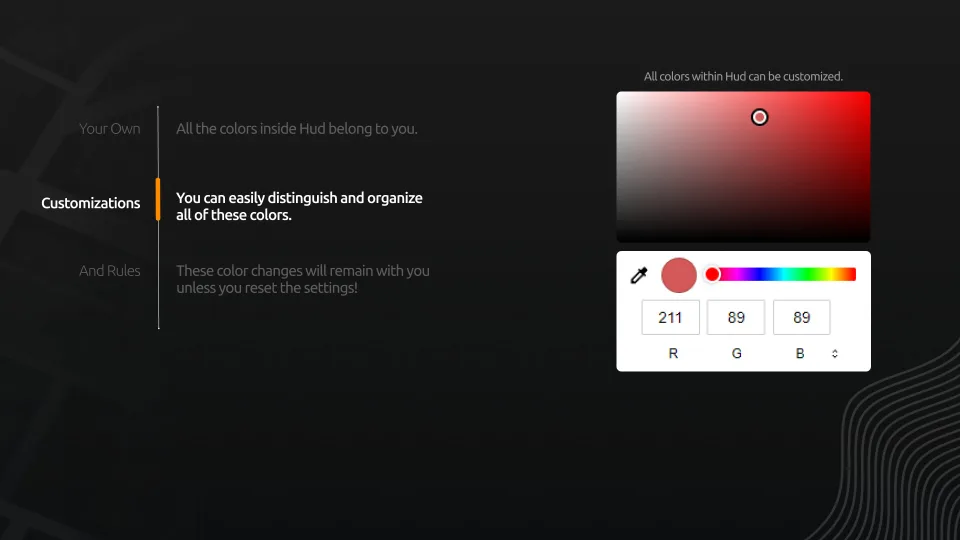
Full Color Customization Every color in the HUD is yours to change. Customize status bars, vehicle HUD elements, and UI accents individually — your settings persist across sessions until you reset them.
4 Right-Corner Info Panels Display cash, bank balance, job title, gang affiliation, and more in a compact corner widget.
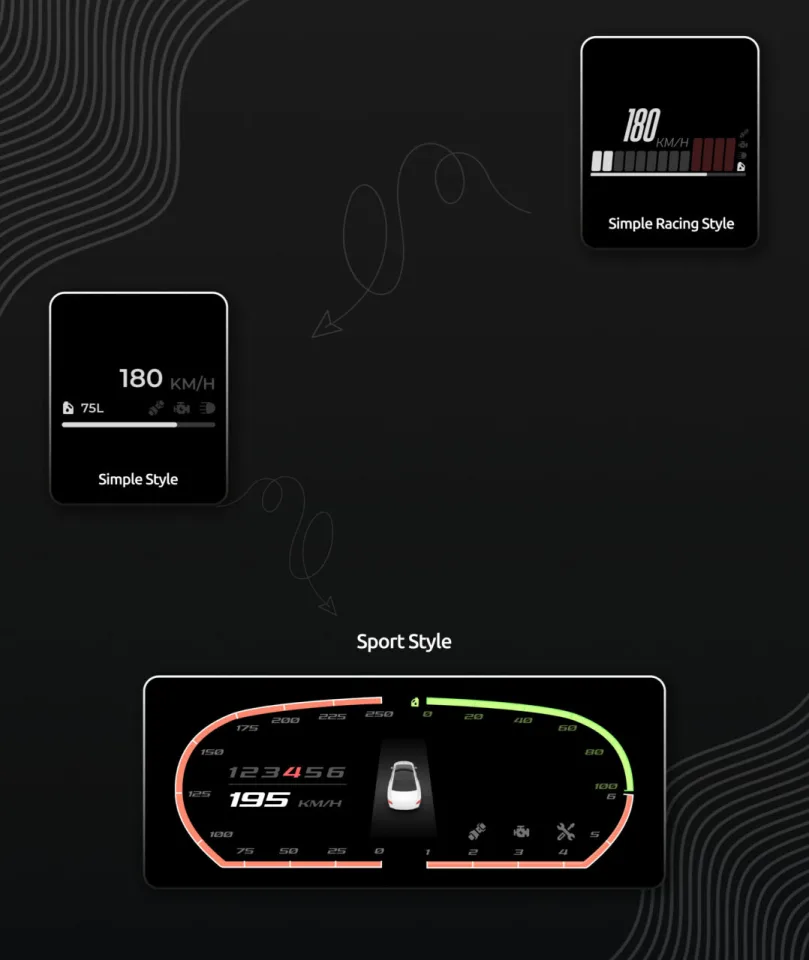
6 Dynamic Vehicle HUDs Fully animated speedometers with dedicated displays for cars, boats, and aircraft. Each vehicle HUD adapts dynamically to the vehicle type you're driving.
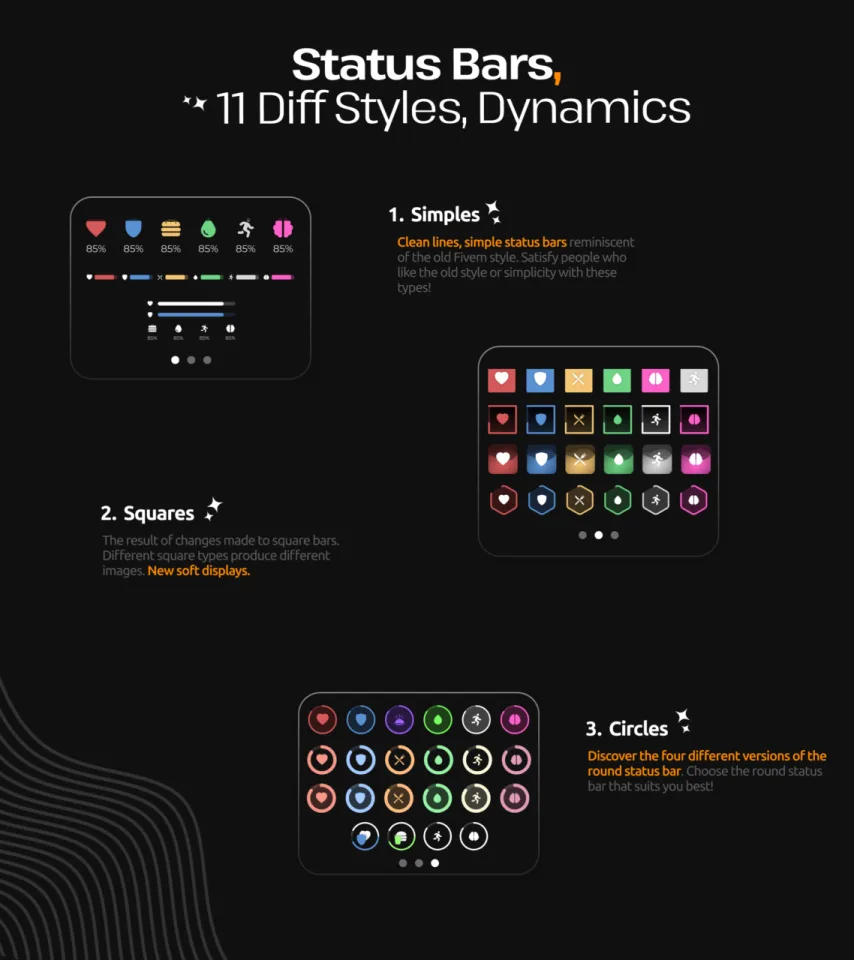
11 Status Bar Styles Choose from three distinct design categories, each with multiple variations:
- Circle — Four unique circular status bar designs. Pick the round HUD that fits your server's aesthetic.
- Square — Modern square-based bars with soft display styling and multiple geometric variations.
- Simple — Clean lines and minimal layouts inspired by classic FiveM HUDs. Perfect for players who prefer a straightforward, old-school look.
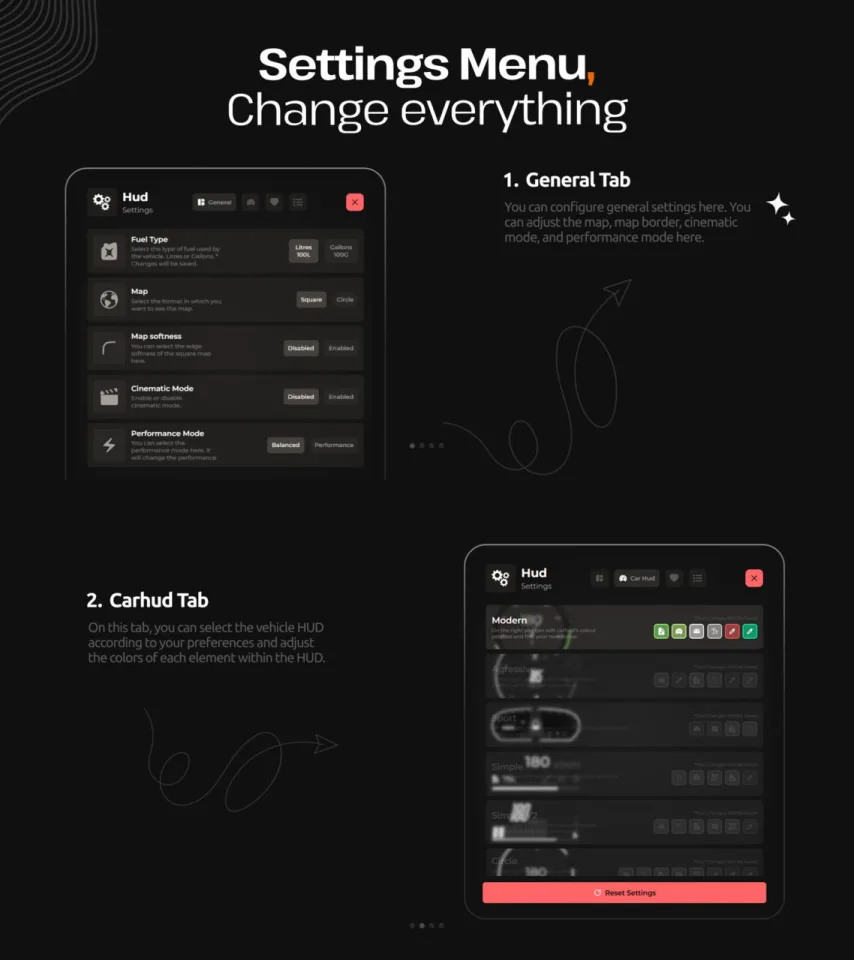
In-Depth Settings Menu
- Reset — One-click reset to restore default settings at any time.
- Car HUD Tab — Select your preferred vehicle HUD style and fine-tune the color of every element inside it.
- General Tab — Configure minimap style, map border, cinematic mode, and performance mode.
Showcase :
Installation plan
Set up WAIS HUD V6 Customizable safely
Use the documentation included with the download as the final authority. This plan helps you prepare a rollback, install in the right order, and verify the resource before it reaches players.
-
Audit the package and requirements
Open the supplied documentation before moving files or changing the database. Build the install order from the package, not from assumptions.
- Identify the actual resource folder, required dependencies, and supported framework version.
- Locate any SQL, configuration examples, permissions, or optional integrations.
- Check whether the documentation requires a specific start order.
Ready when Every dependency and required file has a place in your install plan.
-
Create a rollback point
Prepare the server so the change can be reversed cleanly if the resource conflicts with your current stack.
- Keep an untouched copy of the downloaded package.
- Back up the database and every configuration file you will edit.
- Use a test server or schedule a maintenance window before changing production.
Ready when You can restore the previous database, files, and configuration.
-
Install in the documented order
Apply only the changes supplied for this resource, keeping dependency and startup order intact.
- Place the resource folder where your server loads resources, without renaming it unless instructed.
- Install dependencies first, then import included SQL once and review configuration values.
- Add the documented resource name to the server startup configuration after its dependencies.
Ready when The resource starts without missing files, exports, tables, or dependencies.
-
Verify the complete player flow
Restart the test server, watch both server and client consoles, and exercise the resource before opening it to players.
- Test the main workflow with an authorized player and a player without permission.
- Reconnect and restart once to confirm saved state and startup behavior.
- Review console output again before promoting the same configuration to production.
Complete when The intended flow works twice with no new console errors.
Support reference
Use the exact listing name when you contact support.
WAIS HUD V6 Customizable
Contact support
WAIS HUD V6 Customizable compatibility and specs
[ You might also like ]
Related scripts
Sale
FiveM resource
- ESX
- QBCore
- Qbox
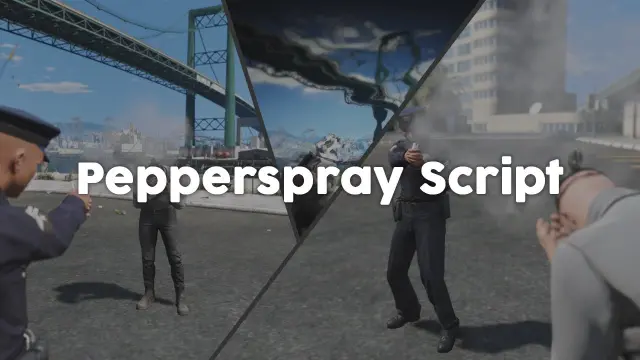
FiveM Pepperspray Script
Adds a job-restricted pepper spray addon weapon to FiveM with configurable cone, range, paralysis duration, and gas mask immunity. ESX, QBCore, Qbox. Under 0.03ms at peak.
$15.00

FiveM resource
- ESX
- QBCore
- Qbox
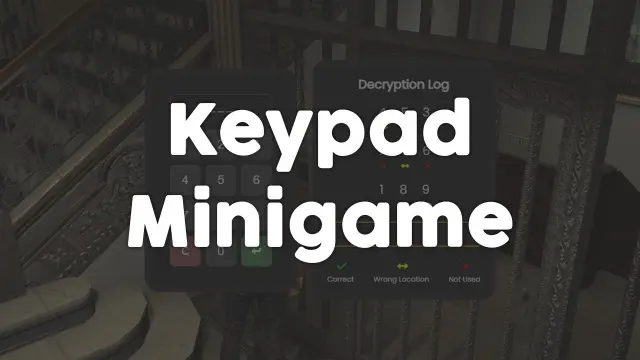
FREE Keypad Minigame
Free, unencrypted FiveM keypad minigame with configurable PIN length, attempt limits, and per-attempt feedback. Works standalone or with ESX, QBCore, and Qbox. Zero cost, full source.
FREE
 Sale
Sale
 Sale
Sale
FiveM resource
- ESX
- QBCore
- Qbox
All in one Restaurant Script
Single QBCore resource covering 14 FiveM restaurant locations — Burgershot, Bean Machine, Cat Cafe, and eleven more — with unified menus, staff storage, customer kiosks, surveillance cameras, and consumable effects.
$15.00
$20.00

FiveM resource
- ESX
- QBCore
- Qbox
FREE MDT for Police
A fully free police MDT for FiveM with warrants, criminal records, vehicle database, auto nearest-player lookup, and five-language support. ESX, QBCore & Qbox. Rated 4.89/5.
FREE
 Sale
Sale

 Sale
Sale
About this FiveM script
WAIS HUD V6 Customizable is a FiveM resource for esx, qbcore, qbox servers. Review the product details, requirements, and compatibility notes before ordering.
Use the included files and documentation as the source of truth for installation, configuration, dependencies, and any stated performance information.