

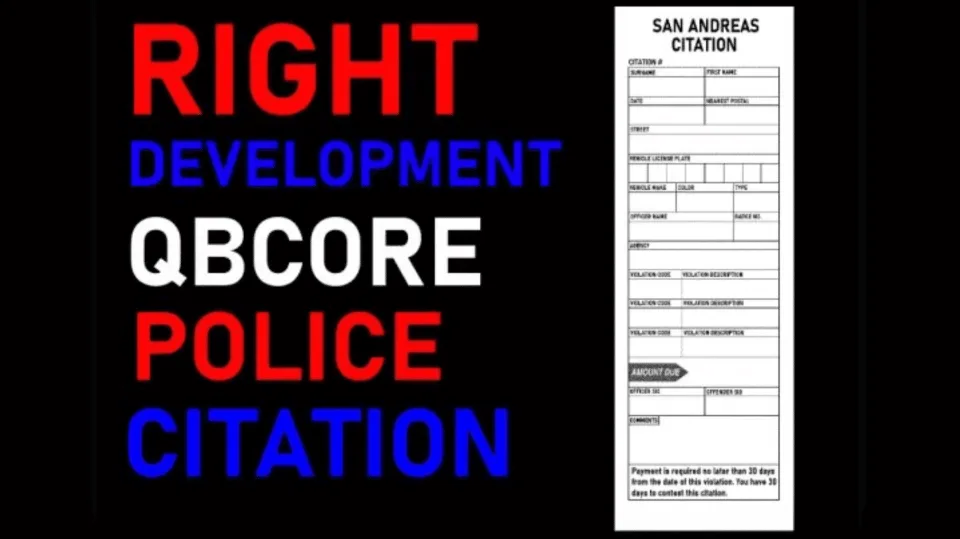
Citation Script for Police Job
Turn police fines into real RP. This FiveM citation script creates physical inventory items documenting suspect details, charges, and fine amounts — with MDT integration and society account routing.
Shelved in QBCore Scripts119 products on this shelf Qbox Scripts120 products on this shelf
$15.00


Secure checkout by Tebex
Digital delivery after checkout
Tebex
Your Game Studio, Extended.
Overview
Reviews
Most police fine systems on FiveM boil down to a command, a number, and money disappearing from a player's wallet. There's no physical trace, no roleplay weight behind the interaction, and officers have no record to reference later. This citation script changes that by converting every fine issued into an actual inventory item — a printed citation sheet that the suspect carries on their person and can physically hand over, pay, or contest.
How the Citation System Works
When an officer issues a citation, the script generates a tangible item that lands in the suspect's inventory. That item displays the suspect's name, the specific charges, and the fine amount — readable by any player who inspects it. Officers can pull up unpaid citation records through MDT integration, and fines paid through the citation flow directly into the department's society account rather than vanishing into the void.
- Citations created as physical inventory items — visible, inspectable, and transferable
- Citation sheet logs suspect name, offense description, and fine total
- Automatic penal code population with pre-configured amounts
- MDT integration (ps-mdt compatible) for checking outstanding citations per player
- Fine payments routed to the police department society/treasury account
- Compatible with qb-inventory and ox_inventory out of the box
Why Inventory-Based Citations Matter for Roleplay
The difference between a database entry and a physical item in RP is significant. A suspect who has a citation in their inventory has to decide what to do with it — pay it on the spot, carry it to a courthouse interaction, or try to discard it. That decision creates roleplay that a backend fine entry never could. Officers also benefit: instead of hoping someone remembers they were fined, there's a paper trail that exists inside the game world.
Framework Compatibility
Requires QBCore or Qbox. Inventory compatibility covers qb-inventory and ox_inventory natively; other inventory systems can be connected through the developer's Discord support channel. This is a one-time purchase with no subscription — you own the resource.
Installation
- Import the supplied SQL into your server's database so citation records persist.
- Place the resource in
resourcesand add itsensureline toserver.cfg. - Add the citation item to your inventory's item list — qb-inventory and ox_inventory are both handled out of the box.
- Fill in the penal code entries and their default amounts in the config, and point fine payments at the police society account.
- Restart the server, issue a test citation and check it lands in the suspect's inventory and shows up as outstanding in the MDT.
Installation plan
Set up Citation Script for Police Job safely
Use the documentation included with the download as the final authority. This plan helps you prepare a rollback, install in the right order, and verify the resource before it reaches players.
- Resource type
- FiveM script
- Catalog category
- QBCore Scripts
- Package source
- Shop Tebex
-
Audit the package and requirements
Open the supplied documentation before moving files or changing the database. Build the install order from the package, not from assumptions.
- Identify the actual resource folder, required dependencies, and supported framework version.
- Locate any SQL, configuration examples, permissions, or optional integrations.
- Check whether the documentation requires a specific start order.
Ready when Every dependency and required file has a place in your install plan.
-
Create a rollback point
Prepare the server so the change can be reversed cleanly if the resource conflicts with your current stack.
- Keep an untouched copy of the downloaded package.
- Back up the database and every configuration file you will edit.
- Use a test server or schedule a maintenance window before changing production.
Ready when You can restore the previous database, files, and configuration.
-
Install in the documented order
Apply only the changes supplied for this resource, keeping dependency and startup order intact.
- Place the resource folder where your server loads resources, without renaming it unless instructed.
- Install dependencies first, then import included SQL once and review configuration values.
- Add the documented resource name to the server startup configuration after its dependencies.
Ready when The resource starts without missing files, exports, tables, or dependencies.
-
Verify the complete player flow
Restart the test server, watch both server and client consoles, and exercise the resource before opening it to players.
- Test the main workflow with an authorized player and a player without permission.
- Reconnect and restart once to confirm saved state and startup behavior.
- Review console output again before promoting the same configuration to production.
Complete when The intended flow works twice with no new console errors.
Support reference
Use the exact listing name when you contact support.
Citation Script for Police Job
Contact support
Citation Script for Police Job compatibility and specs
Category
Delivery
After checkout — order download link
Product terms
See product details — terms vary by resource
No reviews yet — be the first to write one.
Write a review
Reviews are moderated before appearing. Purchased the product? Your review gets a VERIFIED badge automatically.
[ You might also like ]
Related scripts
 New
New


- QBCore
- Qbox
QBCore Framework V3
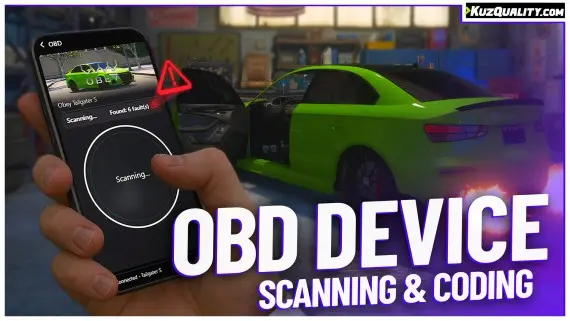
Premade QBCore V3 FiveM server with custom EUP, Cayo Island, PMA-voice, MDT, advanced drug processing, and full civilian and criminal job coverage — immersion-ready on install.
$80.00
- ESX
- QBCore
- Qbox
Lusty Pawn Shop - The Ultimate Buy & Sell System
FiveM pawn shop script with dirty money payout routing, unlimited map locations, player-owned shop support, and anti-exploit event guards. QBCore, ESX, Qbox — configurable buy-sell economy in one resource.
$10.00
- ESX
- QBCore
- Qbox
Outfit Items
FiveM outfit items script with job and grade-based access, live character previews, and wearable inventory items that apply full uniforms instantly. QBCore, ox_inventory, ox_target ready.
$6.00

- ESX
- QBCore
- Qbox
Holographic & Audible Notifications
ElevenLabs-powered TTS notification script for FiveM — fire voiced, holographic alerts from any resource via a single export. Smart caching, 30+ languages. ESX, QBCore, Qbox compatible.
$5.99
 Sale
Sale
- QBCore
- Qbox
FiveM Lore Friendly Cars Pack 300+ Vehicles
310+ FiveM vehicles organised by GTA fictional manufacturers — Vapid, Declasse, Grotti, Karin and more. Includes police packages, emergency variants, and utility vehicles. Compatible with QBCore, Qbox, ESX, and any framework.
$189.00
$750.00
- ESX
- QBCore
- Qbox
Free Towing Job Script
Free FiveM towing job script with NPC missions, player-to-player requests, /towbilling to society accounts with optional commission splits, and server-side anti-exploit distance checks. QBCore, ESX, Qbox.
FREE
- ESX
- QBCore
- Qbox
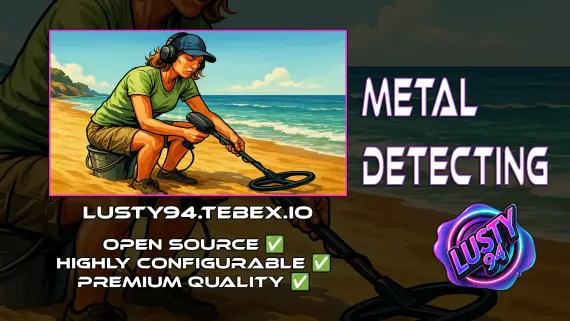
Metal Detecting
FiveM metal detecting script covering 8 named beach and coastal zones with 20 discoverable items, detector overheating for natural pacing, and configurable loot rates. ESX, QBCore, Qbox. Solo leisure content for £5.
$5.00
About this FiveM script
Citation Script for Police Job is a FiveM resource for qbcore, qbox servers. Review the product details, requirements, and compatibility notes before ordering.
Use the included files and documentation as the source of truth for installation, configuration, dependencies, and any stated performance information.