Petty Crimes Collection for Criminals

Shelved in ESX Scripts110 products on this shelf QBCore Scripts119 products on this shelf Qbox Scripts120 products on this shelf

esx qbcore qbox
$10.00
Back Alley Script Set bundle
Bundle option

Back Alley Script Set

7 scripts Includes this product

$60.99 $87.00 Save $26
Bundle details
Secure checkout by Tebex Digital delivery after checkout Tebex Your Game Studio, Extended.
Overview
Reviews

Petty Crimes Collection for Criminals in FiveM

📋 Theft Types

  • Vending Machines
  • Safes
  • **Payphones

**

  • **Newspapers

**

  • Cash Registers
  • Parking Meters
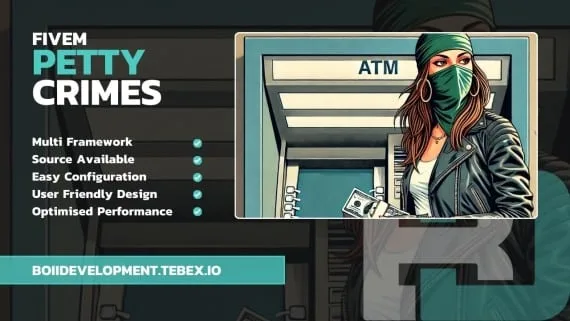
  • ATM Hacks

FiveM Petty Crimes introduces a versatile and engaging way for players to participate in various small-scale thefts across the map.

Designed with optimization and modularity in mind, this resource replaces the outdated ATM hacking script with an expanded selection of theft interactions.

Resource is entirely source available so any edits you want to make you can.

🌐 Features

  • Scratch Card UI: Includes a custom scratch card UI to allow for an extra reward when stealing from lotto locations.
  • Highly Optimized: Built to ensure smooth performance with minimal resource usage, even in high-player environments.
  • Configurable Cooldowns and Fail Conditions: Prevents repeated theft attempts with flexible cooldown options and fail conditions.
  • Flexible Reward System: Offers item and monetary rewards that can be adjusted based on theft success level (e.g., perfect, success, fail) with configurable cooldowns and chances.
  • Police Alerts and Skill Requirements: Police alerts and skill requirements for enhanced gameplay depth and realism.
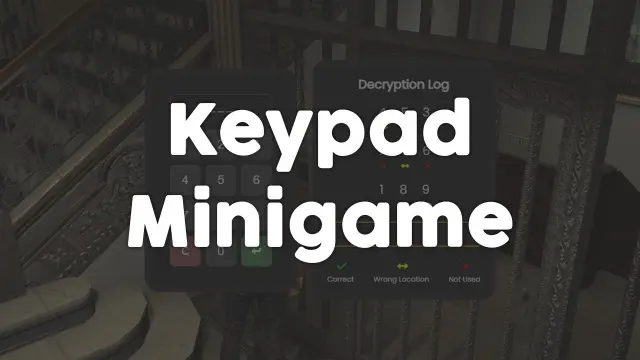
  • Customizable Minigames: Supports various minigames, allowing for both random selection and targeted mini-challenges based on player actions.
  • Multiple Theft Scenarios: Includes 7 different types of thefts, each deeply customisable.

Overview :

Introducing FiveM Petty Crimes!

📹 Preview

Installation

  1. Put the resource folder into resources and add an ensure line for it in server.cfg.
  2. Restart the server and watch the console to confirm it starts cleanly.
  3. Go through the config and set cooldowns, fail conditions and reward tables for each of the seven theft types in turn.
  4. Choose which minigames fire, and whether the choice is random or fixed to the action.
  5. Switch on police alerts and any skill requirements you want gating the better-paying thefts.

Requirements

ESX, QBCore and Qbox are supported. Nothing beyond the framework you already run is needed. The resource is source available, so anything that has to fit an existing alert or progression system can be edited directly.

Installation plan

Set up Petty Crimes Collection for Criminals safely

Use the documentation included with the download as the final authority. This plan helps you prepare a rollback, install in the right order, and verify the resource before it reaches players.

Resource type
FiveM script
Compatibility shown
ESX QBCore Qbox
Catalog category
ESX Scripts
Package source
Shop Tebex
  1. Audit the package and requirements

    Open the supplied documentation before moving files or changing the database. Build the install order from the package, not from assumptions.

    • Identify the actual resource folder, required dependencies, and supported framework version.
    • Locate any SQL, configuration examples, permissions, or optional integrations.
    • Check whether the documentation requires a specific start order.

    Ready when Every dependency and required file has a place in your install plan.

  2. Create a rollback point

    Prepare the server so the change can be reversed cleanly if the resource conflicts with your current stack.

    • Keep an untouched copy of the downloaded package.
    • Back up the database and every configuration file you will edit.
    • Use a test server or schedule a maintenance window before changing production.

    Ready when You can restore the previous database, files, and configuration.

  3. Install in the documented order

    Apply only the changes supplied for this resource, keeping dependency and startup order intact.

    • Place the resource folder where your server loads resources, without renaming it unless instructed.
    • Install dependencies first, then import included SQL once and review configuration values.
    • Add the documented resource name to the server startup configuration after its dependencies.

    Ready when The resource starts without missing files, exports, tables, or dependencies.

  4. Verify the complete player flow

    Restart the test server, watch both server and client consoles, and exercise the resource before opening it to players.

    • Test the main workflow with an authorized player and a player without permission.
    • Reconnect and restart once to confirm saved state and startup behavior.
    • Review console output again before promoting the same configuration to production.

    Complete when The intended flow works twice with no new console errors.

Support reference Use the exact listing name when you contact support.
Petty Crimes Collection for Criminals Contact support

Petty Crimes Collection for Criminals compatibility and specs

Frameworks
ESX · QBCore · Qbox
Category
Delivery
After checkout — order download link
Product terms
See product details — terms vary by resource
No reviews yet — be the first to write one.

Write a review

Reviews are moderated before appearing. Purchased the product? Your review gets a VERIFIED badge automatically.

20 chars minimum
[ You might also like ]

Related scripts

About this FiveM script

Petty Crimes Collection for Criminals is a FiveM resource for esx, qbcore, qbox servers. Review the product details, requirements, and compatibility notes before ordering.

Use the included files and documentation as the source of truth for installation, configuration, dependencies, and any stated performance information.