

SALE
ProdigyRP 2.0 Inspired Target | ox_target Redesign
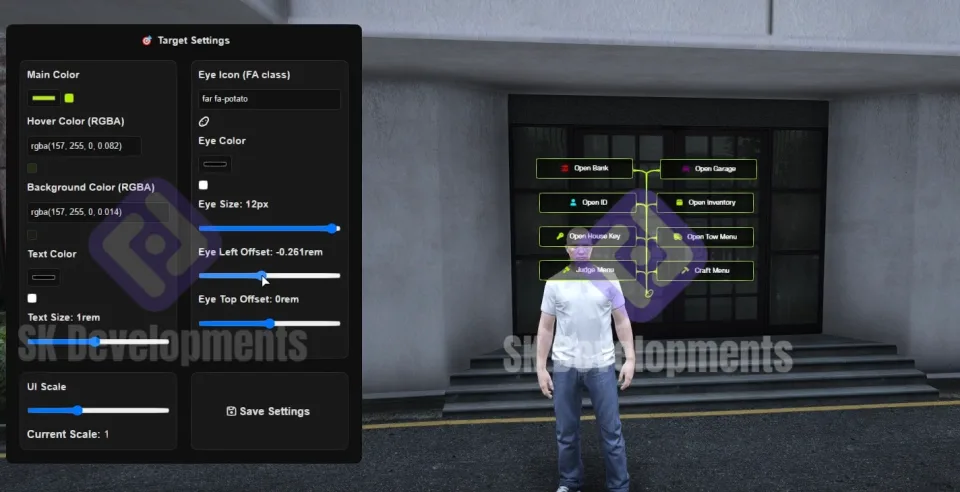
ProdigyRP 2.0-inspired ox_target UI redesign for FiveM. Smooth eye animations, sprite icons, configurable colors and transparency. Drag-and-drop install, all frameworks supported.
Shelved in ESX Scripts110 products on this shelf QBCore Scripts119 products on this shelf Qbox Scripts120 products on this shelf
$30.00
$15.00
Save $15.00
Secure checkout by Tebex
Digital delivery after checkout
Tebex
Your Game Studio, Extended.
Overview
Reviews
ox_target works well. Its default UI, though, looks like it belongs on a different server than your custom HUD, MLO interiors, and character creator. This redesign keeps ox_target's full interaction logic intact and replaces only the visual layer — smooth eye icon animations, sprite-based action icons, active zone highlight effects, and a color scheme you configure to match your server's identity.
What the Redesign Changes
The interaction eye and action list are rebuilt with animated transitions rather than static pop-ins. When a player looks at an interactable zone, the eye icon moves into position smoothly, the active zone highlights on hover, and action icons use configurable sprites rather than text-only labels. None of this changes how ox_target registers zones or fires events — every existing interaction defined in your other resources works without modification.
- Smooth eye icon animations with configurable position offsets
- Active zone highlight effects on hover
- Sprite icons for action options — size, color, and active color all configurable
- Scalable UI — adjusts cleanly across different screen resolutions
- Configurable main color, hover overlay, and background transparency
- Full customization config — text color, icon styling, layout spacing
- Drag-and-drop install with structured resource folder
- Built on ox_target and ox_lib — your existing zone definitions work unchanged
- Client-side performance optimized — responsive to eye movement without frame cost
Framework Compatibility
Framework-independent — works with any server setup running ox_target and ox_lib. Compatible across ESX, QBCore, Qbox, and standalone configurations.
Compared to the Prodigy Inventory
These are two separate products. The Prodigy 2.0 Inventory System handles item storage and metadata. This target redesign handles only the interaction UI layer — you can run both together, or either independently. They share the ProdigyRP aesthetic lineage but are otherwise independent resources with no shared dependencies between them.
Who Should Use It
Servers that have already invested in polished MLOs, custom HUDs, and branded UI and then notice their interaction system still looks like a stock release. At £15 (currently reduced from £30), it's the lowest-friction way to bring the interaction layer in line with the rest of the server's visual standard.
Installation
- Leave ox_lib and ox_target exactly where they are: this replaces the interaction UI, not the targeting logic.
- Drop the redesign's resource folder into
resources. - Add its
ensureline toserver.cfg, after ox_target. - Edit the config for main colour, hover overlay, background transparency, icon sizing and text colour until it sits with the rest of your interface.
- Restart and watch the eye animation and zone highlight at two or three screen resolutions, since the UI scales rather than fixing to one.
Installation plan
Set up ProdigyRP 2.0 Inspired Target | ox_target Redesign safely
Use the documentation included with the download as the final authority. This plan helps you prepare a rollback, install in the right order, and verify the resource before it reaches players.
- Resource type
- FiveM script
- Catalog category
- ESX Scripts
- Package source
- Shop Tebex
-
Audit the package and requirements
Open the supplied documentation before moving files or changing the database. Build the install order from the package, not from assumptions.
- Identify the actual resource folder, required dependencies, and supported framework version.
- Locate any SQL, configuration examples, permissions, or optional integrations.
- Check whether the documentation requires a specific start order.
Ready when Every dependency and required file has a place in your install plan.
-
Create a rollback point
Prepare the server so the change can be reversed cleanly if the resource conflicts with your current stack.
- Keep an untouched copy of the downloaded package.
- Back up the database and every configuration file you will edit.
- Use a test server or schedule a maintenance window before changing production.
Ready when You can restore the previous database, files, and configuration.
-
Install in the documented order
Apply only the changes supplied for this resource, keeping dependency and startup order intact.
- Place the resource folder where your server loads resources, without renaming it unless instructed.
- Install dependencies first, then import included SQL once and review configuration values.
- Add the documented resource name to the server startup configuration after its dependencies.
Ready when The resource starts without missing files, exports, tables, or dependencies.
-
Verify the complete player flow
Restart the test server, watch both server and client consoles, and exercise the resource before opening it to players.
- Test the main workflow with an authorized player and a player without permission.
- Reconnect and restart once to confirm saved state and startup behavior.
- Review console output again before promoting the same configuration to production.
Complete when The intended flow works twice with no new console errors.
Support reference
Use the exact listing name when you contact support.
ProdigyRP 2.0 Inspired Target | ox_target Redesign
Contact support
ProdigyRP 2.0 Inspired Target | ox_target Redesign compatibility and specs
Category
Delivery
After checkout — order download link
Product terms
See product details — terms vary by resource
No reviews yet — be the first to write one.
Write a review
Reviews are moderated before appearing. Purchased the product? Your review gets a VERIFIED badge automatically.
[ You might also like ]
Related scripts

- ESX
- QBCore
- Qbox
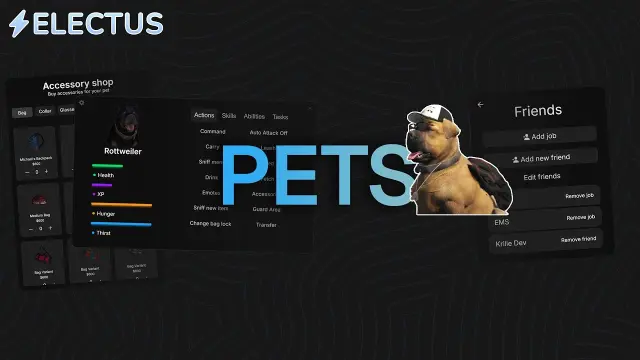
FiveM Pet System
Dynamic pet system featuring leveling, breeding, and over 400 accessories
$15.00
 Sale
Sale
![Latest QBCore Framework V7 [NoPixel 4.0 Inspired]](/uploads/card/29d450513a2b02f57f656184ccb3ed97.webp) Sale
Sale

- ESX
- QBCore
- Qbox
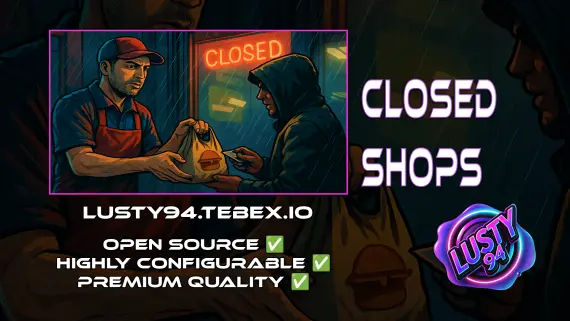
Closed Shops NPC
Closed Shops NPC keeps food job locations open when workers log off. Workers restock inventory to earn passive income; the NPC despawns the moment real staff return. QBCore, ESX, Qbox. Live pricing with admin price caps.
$3.00
- QBCore
- Qbox
QBCore Framework V1
Custom-built QBCore full server with laser bank heists, four-game casino, PDM V3 MLO, police K9 unit, hunting, farming, fishing, and a configurable HUD — not another stock QBCore base.
$60.00
About this FiveM script
ProdigyRP 2.0 Inspired Target | ox_target Redesign is a FiveM resource for esx, qbcore, qbox servers. Review the product details, requirements, and compatibility notes before ordering.
Use the included files and documentation as the source of truth for installation, configuration, dependencies, and any stated performance information.