
Outfit Items
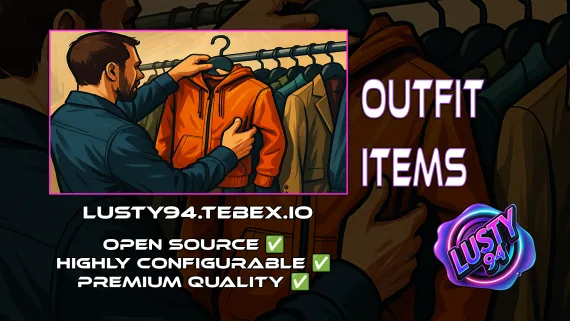
FiveM outfit items script with job and grade-based access, live character previews, and wearable inventory items that apply full uniforms instantly. QBCore, ox_inventory, ox_target ready.
Shelved in ESX Scripts110 products on this shelf QBCore Scripts119 products on this shelf Qbox Scripts120 products on this shelf
$6.00
Secure checkout by Tebex
Digital delivery after checkout
Tebex
Your Game Studio, Extended.
Overview
Reviews
Clothing shops in FiveM typically hand players a menu and let them buy anything — there's no access control, no preview, and no way to make a police uniform mean something. This script changes the model: outfits are purchasable items with job and grade restrictions baked in, players can try before they buy using a live character preview, and wearing the item applies the full uniform instantly without a separate wardrobe interaction.
How the Outfit System Works
Each outfit is configured with its clothing components, the jobs or gangs allowed to purchase it, the grade requirement, and whether it's freely available to all players. Store locations, prices, and available stock are set in a single modular config file. When a player equips an outfit item from their inventory, the full clothing set applies in one step — no picking individual pieces from a wheel menu.
- Live character preview before purchase — players see the outfit on their actual ped
- Job, grade, and gang-based access restrictions per outfit
- Free-for-all flag available for civilian or universal uniforms
- Wearable inventory items — equip the full outfit from a single item use
- Dual UI support: ox_lib context menu or BDUK UI interface
- Configurable store locations, pricing, and stock in one config file
- Works with ox_inventory and qb-inventory
- Target system support via ox_target and qb-target
- Notification compatibility: ox_lib, mythic_notify, okokNotify, QBCore notify
Dependencies
Requires ox_lib and QBCore. Clothing rendering uses qb-clothing or illenium-appearance. BDUK is only needed if using the BDUK UI store option.
Where This Fits
Police locker rooms, EMS supply points, mechanic shop gear, gang-specific clothing vendors, civilian boutiques — anywhere uniform access should be controlled by role rather than just proximity to a store. The wearable item approach also integrates naturally with ox_inventory's item system: the uniform lives in the player's backpack until they need it, keeping the clothing experience consistent with how everything else on your server works.
Installation
- Unpack the download and move the resource folder into your server's
resourcesdirectory. - Add an
ensureline for it toserver.cfg, placed after ox_lib and your inventory so both have already started. - Open the config file and set your store locations, prices and stock, then the job, gang and grade rules for each outfit.
- Pick the target and notification options that match what your server already runs.
- Restart, then buy and equip one outfit yourself to confirm the live preview and the clothing apply correctly.
Requirements
Runs on ESX, QBCore and Qbox. ox_lib is required. Interaction is handled through ox_target or qb-target, and the wearable outfit items through ox_inventory.
Installation plan
Set up Outfit Items safely
Use the documentation included with the download as the final authority. This plan helps you prepare a rollback, install in the right order, and verify the resource before it reaches players.
- Resource type
- FiveM script
- Catalog category
- ESX Scripts
- Package source
- Shop Tebex
-
Audit the package and requirements
Open the supplied documentation before moving files or changing the database. Build the install order from the package, not from assumptions.
- Identify the actual resource folder, required dependencies, and supported framework version.
- Locate any SQL, configuration examples, permissions, or optional integrations.
- Check whether the documentation requires a specific start order.
Ready when Every dependency and required file has a place in your install plan.
-
Create a rollback point
Prepare the server so the change can be reversed cleanly if the resource conflicts with your current stack.
- Keep an untouched copy of the downloaded package.
- Back up the database and every configuration file you will edit.
- Use a test server or schedule a maintenance window before changing production.
Ready when You can restore the previous database, files, and configuration.
-
Install in the documented order
Apply only the changes supplied for this resource, keeping dependency and startup order intact.
- Place the resource folder where your server loads resources, without renaming it unless instructed.
- Install dependencies first, then import included SQL once and review configuration values.
- Add the documented resource name to the server startup configuration after its dependencies.
Ready when The resource starts without missing files, exports, tables, or dependencies.
-
Verify the complete player flow
Restart the test server, watch both server and client consoles, and exercise the resource before opening it to players.
- Test the main workflow with an authorized player and a player without permission.
- Reconnect and restart once to confirm saved state and startup behavior.
- Review console output again before promoting the same configuration to production.
Complete when The intended flow works twice with no new console errors.
Support reference
Use the exact listing name when you contact support.
Outfit Items
Contact support
Outfit Items compatibility and specs
Category
Delivery
After checkout — order download link
Product terms
See product details — terms vary by resource
No reviews yet — be the first to write one.
Write a review
Reviews are moderated before appearing. Purchased the product? Your review gets a VERIFIED badge automatically.
[ You might also like ]
Related scripts
- ESX
- QBCore
- Qbox
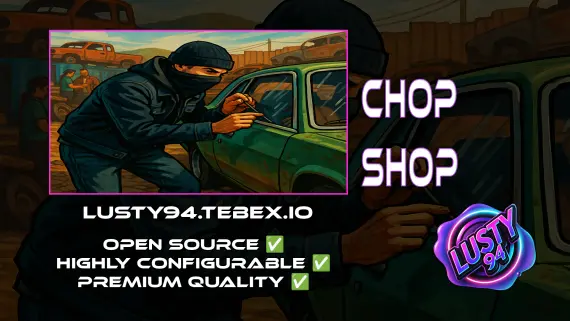
FREE Chop Shop
Free QBCore chop shop script with two mission types, reputation-gated export runs, configurable vehicle parts, NPC flatbed collection, and police dispatch integration — rated 4.11/5 by the community.
FREE
 New
New
- ESX
- QBCore
- Qbox
Mining Job V3
Free open source FiveM mining job for ESX, QBCore and Qbox — four-stage chain from raw rock to smelted ore to crafted jewelry, with tool durability, quests, coal delivery missions, and a live XP leaderboard.
FREE
- ESX
- QBCore
- Qbox
Lusty Pawn Shop - The Ultimate Buy & Sell System
FiveM pawn shop script with dirty money payout routing, unlimited map locations, player-owned shop support, and anti-exploit event guards. QBCore, ESX, Qbox — configurable buy-sell economy in one resource.
$10.00

About this FiveM script
Outfit Items is a FiveM resource for esx, qbcore, qbox servers. Review the product details, requirements, and compatibility notes before ordering.
Use the included files and documentation as the source of truth for installation, configuration, dependencies, and any stated performance information.