
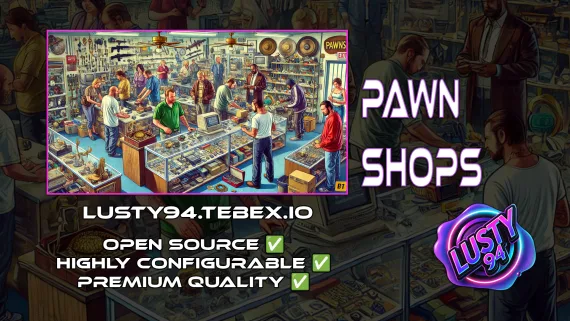
Lusty Pawn Shop - The Ultimate Buy & Sell System
FiveM pawn shop script with dirty money payout routing, unlimited map locations, player-owned shop support, and anti-exploit event guards. QBCore, ESX, Qbox — configurable buy-sell economy in one resource.
Shelved in ESX Scripts110 products on this shelf QBCore Scripts119 products on this shelf Qbox Scripts120 products on this shelf
$10.00
Secure checkout by Tebex
Digital delivery after checkout
Tebex
Your Game Studio, Extended.
Overview
Reviews
Heists and robberies fill player inventories with stolen goods. The problem most criminal economies share is what happens next — there's nowhere credible to convert loot into spendable currency. A pawn shop plugs that gap: players walk in with items, walk out with cash, dirty money, or a bank deposit. This script handles all three payout types, which means the same location can serve both your legitimate resale economy and your black-market underground depending on what item is being sold.
Dirty Money Routing
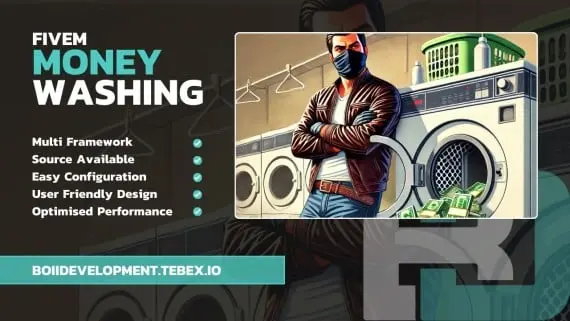
The configurable payout system is what separates this from a basic item-sell menu. High-value or flagged items can be configured to pay out in dirty money rather than clean cash, creating a realistic layer of risk — players have to launder what they earn, which feeds your money wash scripts and gives the economy another loop to close. Clean items pay clean. Contraband pays dirty. Admins set which is which.
Multi-Location and Player-Owned Shops
Shop locations are infinitely expandable across the map. Each location carries its own accepted inventory list and pricing, so a pawn shop in Strawberry can have different stock and rates from one in Paleto Bay. Beyond NPC-run locations, the script supports player-owned shops — which means entrepreneurial players can operate their own buy-sell business as a server role, not just an NPC interaction.
- Multiple payout types per item: clean cash, bank deposit, or dirty money
- Unlimited shop locations — each with its own accepted items and pricing
- Player-owned shop support — run a pawn business as a server role
- Stash counter system for realistic item-handover roleplay interactions
- NPC interactions or ox_target / qb-target zone-based access
- Anti-exploit event guards and server-side security checks
- Notification support: ox_lib, okokNotify, mythic_notify, qb-core notify
- Inventory support: qb-inventory, ox_inventory
Production Security
Anti-exploit checks and event guards are built in, not bolted on as an afterthought. Server-side validation means a client-modified item value can't bypass the sell price — which matters on any server with a functioning economy. The stash counter system also adds a roleplay layer to the interaction: items go through a counter, not a floating menu, which keeps the immersion intact during staffed server events.
Framework and Dependencies
Runs on QBCore, ESX, and Qbox. Dependencies are qb-core and ox_lib. Target and inventory systems are flexible — pair it with qb-target or ox_target, and qb-inventory or ox_inventory. At £10 for tri-framework support and player-owned shop depth, this covers a full resale economy in one resource rather than three stitched together.
Installation
- Start
ox_liband your framework —qb-coreon QBCore — ahead of this resource. - Put the resource in
resourcesand add itsensureline toserver.cfg. - List the items each shop will buy and what they return, marking which ones settle in dirty money rather than clean cash or a bank deposit.
- Choose how players reach the counter: an NPC interaction, or a zone read by
ox_targetorqb-target. - Restart, then add further locations — each keeps its own accepted item list and its own rates.
Installation plan
Set up Lusty Pawn Shop - The Ultimate Buy & Sell System safely
Use the documentation included with the download as the final authority. This plan helps you prepare a rollback, install in the right order, and verify the resource before it reaches players.
- Resource type
- FiveM script
- Catalog category
- ESX Scripts
- Package source
- Shop Tebex
-
Audit the package and requirements
Open the supplied documentation before moving files or changing the database. Build the install order from the package, not from assumptions.
- Identify the actual resource folder, required dependencies, and supported framework version.
- Locate any SQL, configuration examples, permissions, or optional integrations.
- Check whether the documentation requires a specific start order.
Ready when Every dependency and required file has a place in your install plan.
-
Create a rollback point
Prepare the server so the change can be reversed cleanly if the resource conflicts with your current stack.
- Keep an untouched copy of the downloaded package.
- Back up the database and every configuration file you will edit.
- Use a test server or schedule a maintenance window before changing production.
Ready when You can restore the previous database, files, and configuration.
-
Install in the documented order
Apply only the changes supplied for this resource, keeping dependency and startup order intact.
- Place the resource folder where your server loads resources, without renaming it unless instructed.
- Install dependencies first, then import included SQL once and review configuration values.
- Add the documented resource name to the server startup configuration after its dependencies.
Ready when The resource starts without missing files, exports, tables, or dependencies.
-
Verify the complete player flow
Restart the test server, watch both server and client consoles, and exercise the resource before opening it to players.
- Test the main workflow with an authorized player and a player without permission.
- Reconnect and restart once to confirm saved state and startup behavior.
- Review console output again before promoting the same configuration to production.
Complete when The intended flow works twice with no new console errors.
Support reference
Use the exact listing name when you contact support.
Lusty Pawn Shop - The Ultimate Buy & Sell System
Contact support
Lusty Pawn Shop - The Ultimate Buy & Sell System compatibility and specs
Category
Delivery
After checkout — order download link
Product terms
See product details — terms vary by resource
No reviews yet — be the first to write one.
Write a review
Reviews are moderated before appearing. Purchased the product? Your review gets a VERIFIED badge automatically.
[ You might also like ]
Related scripts
![Latest QBCore Framework V7 [NoPixel 4.0 Inspired]](/uploads/card/29d450513a2b02f57f656184ccb3ed97.webp) Sale
Sale
- ESX
- QBCore
- Qbox
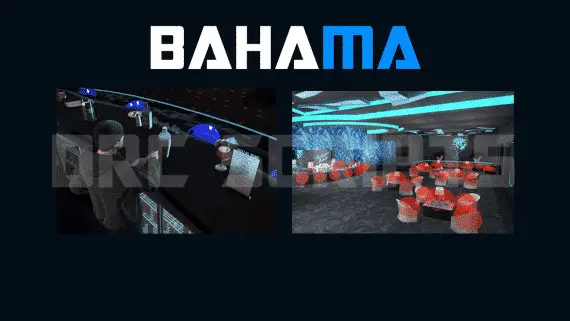
DRC Advanced Bahama Mamas Job — Marc MLO Bar Job for QBCore & ESX
Advanced Bahama Mamas bar job for FiveM — duty system, drink crafting with animations, boss menu, dance platforms, and 3000+ lines of open-source code. Runs on ESX and QBCore with Marc or XnBahamaMamas MLO.
$10.00
- ESX
- QBCore
- Qbox
FiveM Pet System
Dynamic pet system featuring leveling, breeding, and over 400 accessories
$15.00

- ESX
- QBCore
- Qbox
Vehicle Selling and Auction System
Player-to-player FiveM vehicle marketplace with fixed-price listings and timed auctions, real-time bidding, full mod spec preservation, dynamic lot entity management, and server-side validation. ESX, QBCore, Qbox.
$11.99

About this FiveM script
Lusty Pawn Shop - The Ultimate Buy & Sell System is a FiveM resource for esx, qbcore, qbox servers. Review the product details, requirements, and compatibility notes before ordering.
Use the included files and documentation as the source of truth for installation, configuration, dependencies, and any stated performance information.