
Money Laundering
Shelved in ESX Scripts110 products on this shelf QBCore Scripts119 products on this shelf Qbox Scripts120 products on this shelf
$15.00



Secure checkout by Tebex
Digital delivery after checkout
Tebex
Your Game Studio, Extended.
Overview
Reviews
Advanced Money Laundering by Lation Scripts is a feature-rich money washing script built for ESX, QBCore, and QBox frameworks. Give your players a progressive crime loop with a built-in experience system, unlockable warehouse operations, and a high-risk negotiation mechanic.
Warehouse
After unlocking access to the warehouse, players are able to start laundering money more efficiently and in larger amounts. Control minimum and maximum limits, how long washing takes, whether to require a key or level requirement, and save progress across server restarts and logouts.
Negotiations
Offer your players the risk of negotiating with the ped offering to exchange their dirty money for a higher amount. With a simple config toggle, enable the negotiation feature which allows players to bargain further in hopes of receiving a greater exchanged amount. Every level has its own negotiation chance value, meaning as they level up, they have a greater chance of success.
Vehicle Rentals
When a player begins a money laundering contract, by default they are given a vehicle to use. Customize which model is used or have the script randomly select one from a list of models, require the player to pay a deposit, and configure whether to return the deposit when they return the vehicle.
Plug n’ Play
Spend less time setting up and more time getting into the action with over 75+ preconfigured locations, 75+ possible ped models, 7 different phone systems, 7 different dispatch systems, 6 different notification scripts, 7 different fuel systems, and 8 different vehicle key scripts all preconfigured.
Phone Integration
Default support is included for qb-phone, qs-smartphone, qs-smartphonepro, npwd, lb-phone, gksphone, and yseries phones. Set it to custom and integrate your exports easily into the open source functions, or use the default alert dialog instead.
Leveling System
The built-in experience and leveling system rewards players for their progress. Adjust every aspect of the leveling system such as how much XP is rewarded for each level, the tax rates for each level, what level unlocks warehouse access, and negotiation success chances.
Customizability
With over 600+ lines of configuration, tailor Advanced Money Laundering to fit your server's exact economy.
Performance
Both client and server performance has been optimized to ensure servers of all sizes can run this script without issue.
Compatibility
Supports ESX, QBCore, and QBox out of the box, with an included open source bridge for other frameworks. Supports ox_target, qb-target, and qtarget, or TextUI for all interactions.
The TL;DR
- Dedicated server-side logs file for Discord webhook integration
- Built-in and completely customizable experience and leveling system
- Easily adaptable to any framework with some technical know-how
- Includes support for fuel systems such as LegacyFuel, ox_fuel, ps-fuel, cdn-fuel, okokGasStation, and nd-fuel
- More than 600+ lines of configuration possible
- Includes support for vehicle key systems such as wasabi_carlock, okokGarage, qb-vehiclekeys, qs-vehiclekeys, and cd_garage
- Default compatibility with ESX, QBCore, and QBox
- Includes support for dispatch systems such as cd_dispatch, qs-dispatch, ps-dispatch, core_dispatch, and rcore_dispatch
- Built with performance in mind to run smoothly on large servers
- Supports all types of dirty money including black_money and markedbills with or without metadata
- Includes support for phones such as qb-phone, qs-smartphone, lb-phone, gksphone, npwd, and yseries
Installation
- Drop the resource into
resourcesand add itsensureline toserver.cfg. - In the config, pick your target system —
ox_targetorqb-target— or fall back to TextUI, then select your dispatch, phone, notification, fuel and vehicle key scripts from the preconfigured lists. - Set the level that unlocks the warehouse, the XP awarded per level, and the tax rate at each one.
- Decide whether negotiation is enabled and whether the rental vehicle requires a deposit.
- Restart and run one contract end to end.
Requirements
ESX, QBCore and QBox work out of the box, with an open source bridge for anything else. Interactions need ox_target or qb-target, and ps-dispatch is among the dispatch systems already wired in.
Installation plan
Set up Money Laundering safely
Use the documentation included with the download as the final authority. This plan helps you prepare a rollback, install in the right order, and verify the resource before it reaches players.
- Resource type
- FiveM script
- Catalog category
- ESX Scripts
- Package source
- Lation Scripts
-
Audit the package and requirements
Open the supplied documentation before moving files or changing the database. Build the install order from the package, not from assumptions.
- Identify the actual resource folder, required dependencies, and supported framework version.
- Locate any SQL, configuration examples, permissions, or optional integrations.
- Check whether the documentation requires a specific start order.
Ready when Every dependency and required file has a place in your install plan.
-
Create a rollback point
Prepare the server so the change can be reversed cleanly if the resource conflicts with your current stack.
- Keep an untouched copy of the downloaded package.
- Back up the database and every configuration file you will edit.
- Use a test server or schedule a maintenance window before changing production.
Ready when You can restore the previous database, files, and configuration.
-
Install in the documented order
Apply only the changes supplied for this resource, keeping dependency and startup order intact.
- Place the resource folder where your server loads resources, without renaming it unless instructed.
- Install dependencies first, then import included SQL once and review configuration values.
- Add the documented resource name to the server startup configuration after its dependencies.
Ready when The resource starts without missing files, exports, tables, or dependencies.
-
Verify the complete player flow
Restart the test server, watch both server and client consoles, and exercise the resource before opening it to players.
- Test the main workflow with an authorized player and a player without permission.
- Reconnect and restart once to confirm saved state and startup behavior.
- Review console output again before promoting the same configuration to production.
Complete when The intended flow works twice with no new console errors.
Support reference
Use the exact listing name when you contact support.
Money Laundering
Contact support
Money Laundering compatibility and specs
Category
Creator
Delivery
After checkout — order download link
Product terms
See product details — terms vary by resource
No reviews yet — be the first to write one.
Write a review
Reviews are moderated before appearing. Purchased the product? Your review gets a VERIFIED badge automatically.
[ You might also like ]
Related scripts
- QBCore
- Qbox
QBCore Framework V1
Custom-built QBCore full server with laser bank heists, four-game casino, PDM V3 MLO, police K9 unit, hunting, farming, fishing, and a configurable HUD — not another stock QBCore base.
$60.00
- ESX
- QBCore
- Qbox
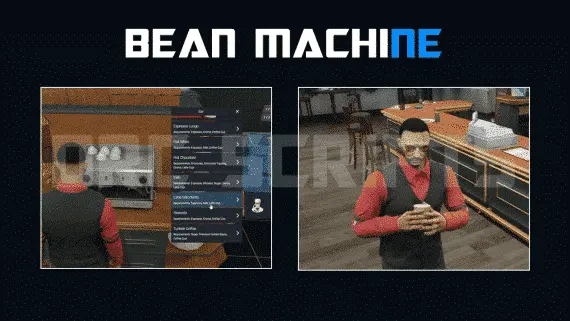
DRC Beanmachine Job
DRC Bean Machine brings a NoPixel-inspired coffee shop job to ESX, QBCore, and Qbox with 57 interactive items, multi-step cooking, 40 delivery routes, and a full boss management suite.
$10.00
 Popular
- ESX
- QBCore
- Qbox
Metal Detecting
FiveM metal detecting script covering 8 named beach and coastal zones with 20 discoverable items, detector overheating for natural pacing, and configurable loot rates. ESX, QBCore, Qbox. Solo leisure content for £5.
$5.00

- ESX
- QBCore
- Qbox
Brake Overheating
Realistic brake heat mechanics for FiveM — temperature-based brake fade, synchronized caliper glow, and brake upgrade integration. Standalone compatible, 0.00ms idle, works on all vehicles including mods.
$9.00

- ESX
- QBCore
- Qbox
Holographic & Audible Notifications
ElevenLabs-powered TTS notification script for FiveM — fire voiced, holographic alerts from any resource via a single export. Smart caching, 30+ languages. ESX, QBCore, Qbox compatible.
$5.99
- ESX
- QBCore
- Qbox
Mining Job V3
Free open source FiveM mining job for ESX, QBCore and Qbox — four-stage chain from raw rock to smelted ore to crafted jewelry, with tool durability, quests, coal delivery missions, and a live XP leaderboard.
FREE
 Sale
Sale
About this FiveM script
Money Laundering is a FiveM resource for esx, qbcore, qbox servers. Review the product details, requirements, and compatibility notes before ordering.
Use the included files and documentation as the source of truth for installation, configuration, dependencies, and any stated performance information.