SALE

Advanced Crafting by Picklea

esx qbcore qbox
$35.00 $20.00 Save $15.00
Secure checkout by Tebex Digital delivery after checkout Tebex Your Game Studio, Extended.
Overview

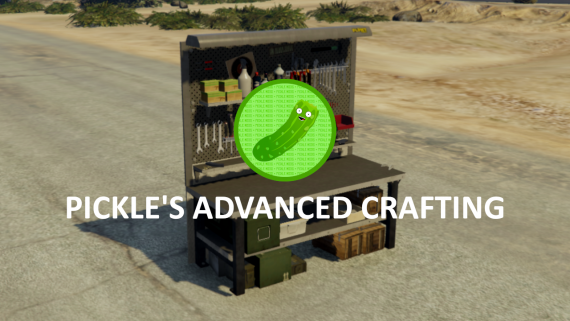
Advanced Crafting by Pickle | Placeable Tables, Sleek UI, and Immersive Features

Features

  • Sleek and Modern UI.
  • Placeable crafting tables, and permanent tables through the config.
  • Crafting Queue.
  • View your craftable items as props!
  • Third-eye Support.
  • Cooking System (Fires & Explosions are configurable per item when over-cooked!).
  • Add & Remove Tables through exports.
  • XP is category based, not just one "Crafting XP" category, which is great for learning certain skills!
  • XP Support & Rewards (Uses Pickle's XP System by default, but you can change it to yours in the bridge).
  • Item metadata generation, great for adding serial numbers to items. (Must meet metadata requirements)
  • Blueprints, Learn how to craft new items by using blueprint items!
  • Perform custom actions before crafting / putting an item into queue.
  • View and Steal other player's crafted items from their table (configurable).
  • Individual Parts can be set to not remove when crafting.
  • Customize crafting success rate for recipes.
  • And more!

What is Advanced Crafting by Pickle?

Not only will this completely revamp your crafting experience, this will introduce limitless opportunities for roleplay! (See the video for a great example of this).

This is a sleek and modern take on a crafting system, and has tons of features!

Requirements for Advanced Crafting by Pickle:

  • Ox Lib (Required, Works anywhere).
  • ESX (1.1+) / QBCore, or code your own bridge to work with your framework. (the bridge is fully accessible!)

Installation plan

Set up Advanced Crafting by Picklea safely

Use the documentation included with the download as the final authority. This plan helps you prepare a rollback, install in the right order, and verify the resource before it reaches players.

Resource type
FiveM script
Compatibility shown
ESX QBCore Qbox
Catalog category
ESX Scripts
Package source
Pickle Mods
  1. Audit the package and requirements

    Open the supplied documentation before moving files or changing the database. Build the install order from the package, not from assumptions.

    • Identify the actual resource folder, required dependencies, and supported framework version.
    • Locate any SQL, configuration examples, permissions, or optional integrations.
    • Check whether the documentation requires a specific start order.

    Ready when Every dependency and required file has a place in your install plan.

  2. Create a rollback point

    Prepare the server so the change can be reversed cleanly if the resource conflicts with your current stack.

    • Keep an untouched copy of the downloaded package.
    • Back up the database and every configuration file you will edit.
    • Use a test server or schedule a maintenance window before changing production.

    Ready when You can restore the previous database, files, and configuration.

  3. Install in the documented order

    Apply only the changes supplied for this resource, keeping dependency and startup order intact.

    • Place the resource folder where your server loads resources, without renaming it unless instructed.
    • Install dependencies first, then import included SQL once and review configuration values.
    • Add the documented resource name to the server startup configuration after its dependencies.

    Ready when The resource starts without missing files, exports, tables, or dependencies.

  4. Verify the complete player flow

    Restart the test server, watch both server and client consoles, and exercise the resource before opening it to players.

    • Test the main workflow with an authorized player and a player without permission.
    • Reconnect and restart once to confirm saved state and startup behavior.
    • Review console output again before promoting the same configuration to production.

    Complete when The intended flow works twice with no new console errors.

Support reference Use the exact listing name when you contact support.
Advanced Crafting by Picklea Contact support

Advanced Crafting by Picklea compatibility and specs

Frameworks
ESX · QBCore · Qbox
Category
Creator
Delivery
After checkout — order download link
Product terms
See product details — terms vary by resource
[ You might also like ]

Related scripts

About this FiveM script

Advanced Crafting by Picklea is a FiveM resource for esx, qbcore, qbox servers. Review the product details, requirements, and compatibility notes before ordering.

Use the included files and documentation as the source of truth for installation, configuration, dependencies, and any stated performance information.