DRC Beanmachine Job

DRC Bean Machine brings a NoPixel-inspired coffee shop job to ESX, QBCore, and Qbox with 57 interactive items, multi-step cooking, 40 delivery routes, and a full boss management suite.

esx qbcore qbox
$10.00
FiveM Bar & Restaurant Job Bundle bundle
Bundle option

FiveM Bar & Restaurant Job Bundle

6 scripts Includes this product

$45.99 $65.00 Save $19
Bundle details
Secure checkout by Tebex Digital delivery after checkout Tebex Your Game Studio, Extended.
Overview

Running a coffee shop on your FiveM server should feel like an actual job — not a vending machine with extra steps. The DRC Bean Machine job script brings a NoPixel-inspired café operation to ESX, QBCore, and Qbox servers, with enough depth to keep both employees and management genuinely busy during a shift.

What the Bean Machine FiveM Job Includes

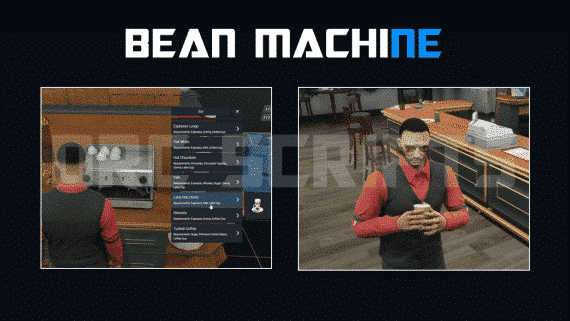
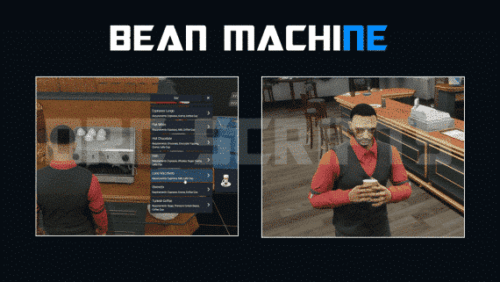
At its core this is a full-service roleplay job. Players clock in, prep ingredients, cook menu items through a multi-step process, and serve customers or dispatch delivery orders to one of 40 configurable drop-off locations. The boss menu gives shop owners real oversight: payroll, duty tracking, stash control, and a doorlock system that keeps civilians out of the back-of-house. The script ships with over 57 interactive items across the map — fridges, ice machines, cash registers, changing rooms, and even working toilets — all backed by advanced animations that hold up on busy servers.

  • 57 interactive map objects with purpose-built animations
  • 40 delivery locations with configurable GPS waypoints
  • Multi-step cooking system covering drinks, food, and specials
  • Full boss menu: payroll, society funds, staff duty control
  • Multi-inventory support: OX, Quasar, Cheeza, QB, LJ, AJ
  • Duty system with changing rooms and uniform handling
  • Configurable cash register and tip distribution
  • Secured server-side events — no client-side exploits
  • 5,000+ lines of open-source, documented code

Framework and Dependency Requirements

The script runs on ESX, QBCore, and Qbox — framework detection is handled in config so you're not rewiring anything. Required dependencies are ox_lib, a compatible target system (qtarget, qb-target, or ox_target), and the Gabz Bean Machine MLO or equivalent map. Skin menus (any standard variant) and an esx_society or qb-management setup cover the society account side.

Who This Script Is For

If your server already has a gas station, burger shot, and a couple of generic store jobs, Bean Machine adds a genuinely different economic tier. The delivery system creates a player-driven supply chain — someone has to source ingredients before a cook can do anything — which naturally encourages teamwork without forcing it. At £10 for a fully open-source resource with multi-inventory compatibility out of the box, it's one of the more complete café-style job packages available for this price point.
Installation plan

Set up DRC Beanmachine Job safely

Use the documentation included with the download as the final authority. This plan helps you prepare a rollback, install in the right order, and verify the resource before it reaches players.

Resource type
FiveM script
Compatibility shown
ESX QBCore Qbox
Catalog category
FiveM resources
Package source
DRC Scripts
  1. Audit the package and requirements

    Open the supplied documentation before moving files or changing the database. Build the install order from the package, not from assumptions.

    • Identify the actual resource folder, required dependencies, and supported framework version.
    • Locate any SQL, configuration examples, permissions, or optional integrations.
    • Check whether the documentation requires a specific start order.

    Ready when Every dependency and required file has a place in your install plan.

  2. Create a rollback point

    Prepare the server so the change can be reversed cleanly if the resource conflicts with your current stack.

    • Keep an untouched copy of the downloaded package.
    • Back up the database and every configuration file you will edit.
    • Use a test server or schedule a maintenance window before changing production.

    Ready when You can restore the previous database, files, and configuration.

  3. Install in the documented order

    Apply only the changes supplied for this resource, keeping dependency and startup order intact.

    • Place the resource folder where your server loads resources, without renaming it unless instructed.
    • Install dependencies first, then import included SQL once and review configuration values.
    • Add the documented resource name to the server startup configuration after its dependencies.

    Ready when The resource starts without missing files, exports, tables, or dependencies.

  4. Verify the complete player flow

    Restart the test server, watch both server and client consoles, and exercise the resource before opening it to players.

    • Test the main workflow with an authorized player and a player without permission.
    • Reconnect and restart once to confirm saved state and startup behavior.
    • Review console output again before promoting the same configuration to production.

    Complete when The intended flow works twice with no new console errors.

Support reference Use the exact listing name when you contact support.
DRC Beanmachine Job Contact support

DRC Beanmachine Job compatibility and specs

Frameworks
ESX · QBCore · Qbox
Category
Creator
Delivery
After checkout — order download link
Product terms
See product details — terms vary by resource
[ You might also like ]

Related scripts

About this FiveM script

DRC Beanmachine Job is a FiveM resource for esx, qbcore, qbox servers. Review the product details, requirements, and compatibility notes before ordering.

Use the included files and documentation as the source of truth for installation, configuration, dependencies, and any stated performance information.