
FiveM Pet System
Dynamic pet system featuring leveling, breeding, and over 400 accessories
Shelved in ESX Scripts110 products on this shelf QBCore Scripts119 products on this shelf Qbox Scripts120 products on this shelf
$15.00
Secure checkout by Tebex
Digital delivery after checkout
Tebex
Your Game Studio, Extended.
Overview
Reviews
Electus Pet System
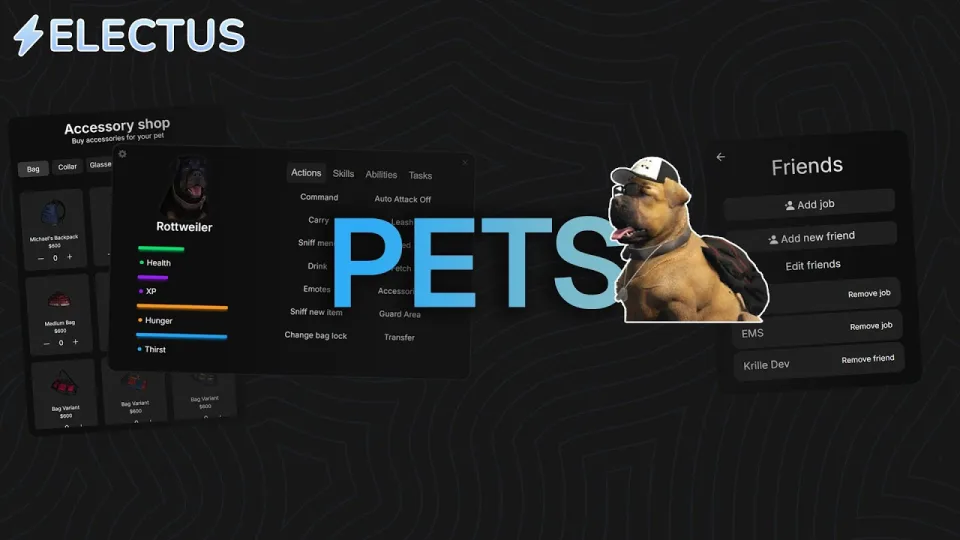
The Electus Pet System gives players full control over pets through command shortcuts, progression trees, custom gear, and interactive world mechanics. Pets gain levels, acquire skill points, unlock combat or utility abilities, and ride inside vehicles alongside owners across both QB-Core and ESX frameworks.
Key Features
- Quick Controls: Press the Z key to target pets in range and issue commands including follow, go to, attack, and sniff.
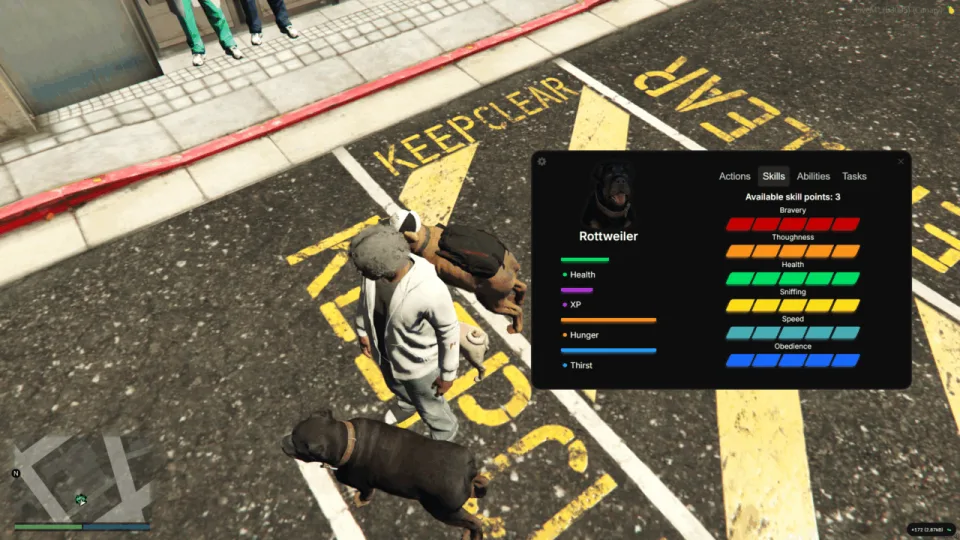
- Leveling and Progression: Earning levels grants skill points to distribute across performance attributes and special perks.
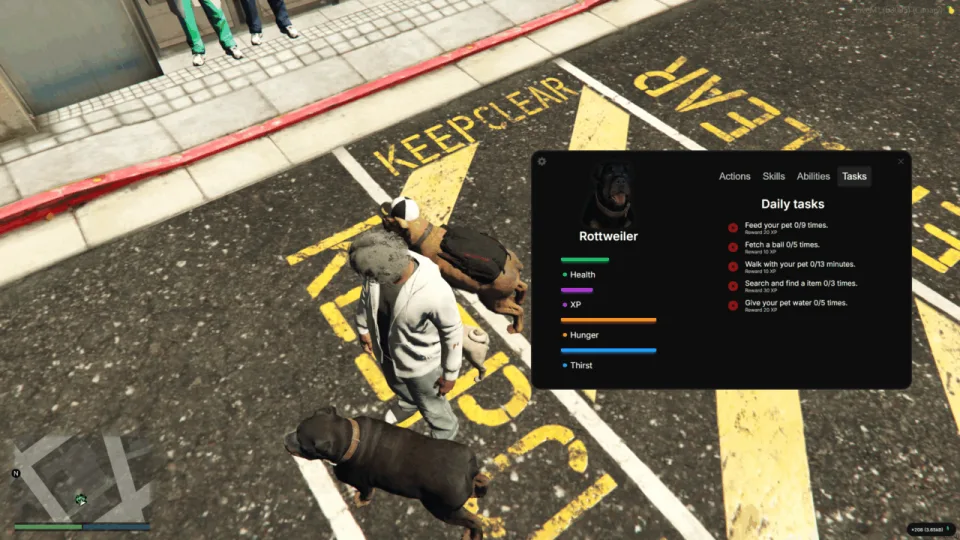
- Daily Tasks: Complete daily objectives to earn extra XP and advance stats faster.
- Vehicle Compatibility: Pets follow owners into vehicles automatically or respond to go-to commands.
- Pet Bag Inventory: Accessories with bags serve as functional inventories secured by pin codes.
- Breeding and Houses: Breed compatible pets based on configuration settings and place custom pet houses anywhere.
- Leashes and Carrying: Keep unruly pets close with leashes or pick them up directly.
- Veterinary Care: Heal injured pets at vet locations with tracked recovery timers before taking them back out.
- Horse Riding: Mount and ride horses with custom movement handling.
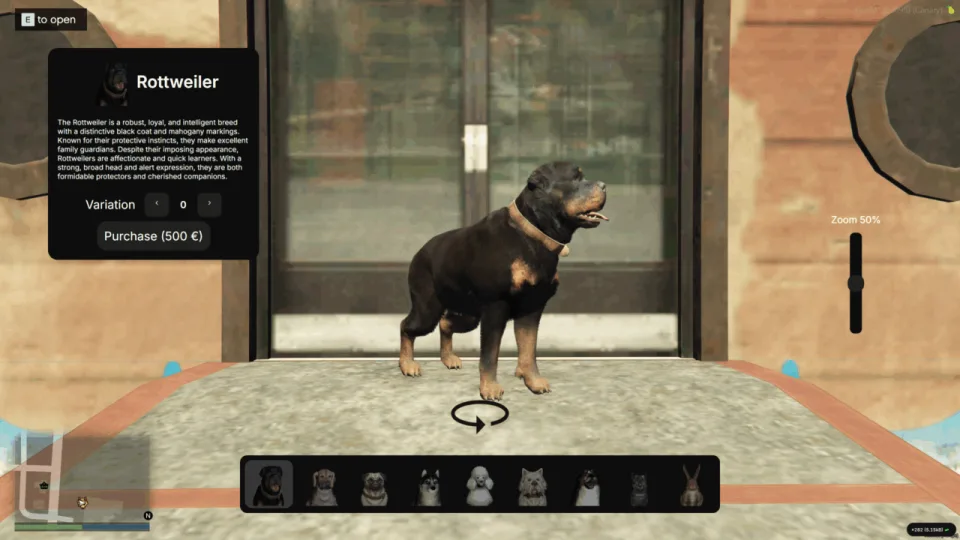
- Shops and Job Restrictions: Includes pet, exotic, farm, and police shops, with job filters for sniffing and combat functions.
- UI Themes: Switch interface styles directly within the menu settings.
Skills
- Obedience: Improves following responsiveness and riding behavior.
- Toughness: Slows down starvation and dehydration rates.
- Bravery: Lowers the chance of your pet running away during combat.
- Health: Raises total health pool.
- Speed: Boosts overall movement speed.
- Sniffing: Enhances success rates when locating targeted items.
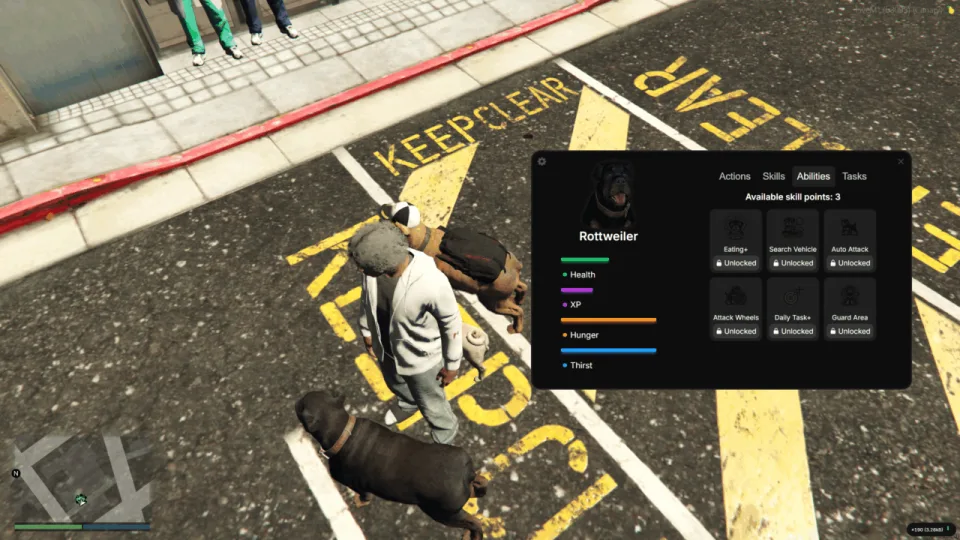
Abilities
- Guard Area: Sets the pet to patrol a zone and attack anyone outside your friend list.
- Attack Wheels: Directs pets to bite vehicle tires and puncture them.
- Search Vehicles: Allows pets to inspect vehicle trunks for previously sniffed items.
- More Daily Tasks: Grants access to additional daily objectives for faster XP gains.
- Auto Attack: Automatically counters non-friendly players or peds who damage you.
- Add Health from Eating: Restores health whenever your hungry pet eats.
- Pet Dog: Greet your own pets or animals belonging to other players.
- Poop/Pee: Interactive pet elimination behaviors.
- Receive Event: Use a script event to assign models and register pet names programmatically.
Customization and Friends List
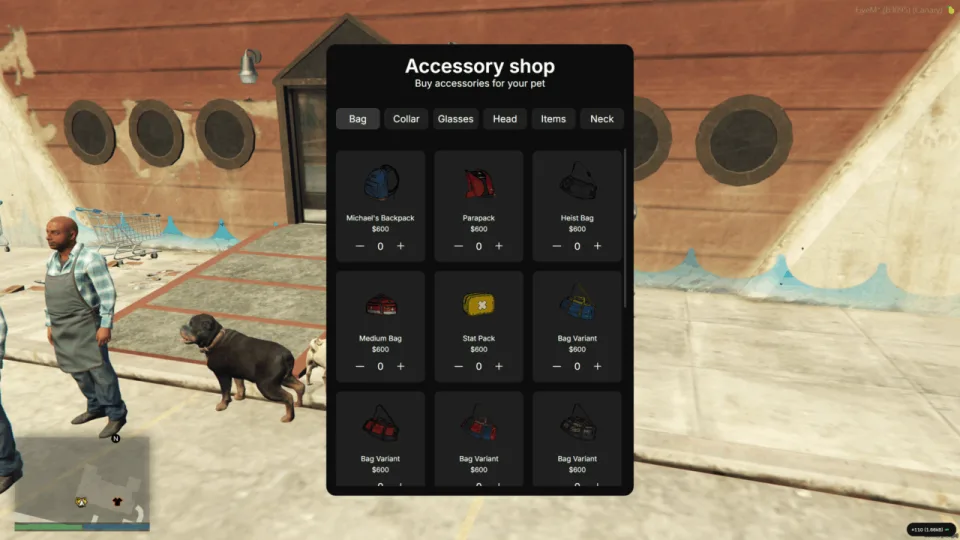
- Over 400 Accessories: Compatible with a wide range of cosmetic gear items.
- Friend System: Mark specific players or job roles as friendly so pets ignore them during aggressive actions.
Requirements and Performance
- Framework: QB-Core or ESX.
- Resmon: Runs at 0.00ms on idle.
Asset Information
- Existing owners of kr_pets already own this asset and receive all major updates for free.
- Additional pet models including horses and donkeys can be downloaded separately.
Requirements
QB-Core or ESX. Nothing else needs installing before pets will work.
Installation
- Move the resource into your server's
resourcesfolder. - Ensure it in
server.cfg, listed under your framework. - Go through the config and set which pets are available, how breeding is allowed to work, and where the veterinary locations sit on your map.
- Restart the server, then press Z near a pet to check the command options appear and that follow, go to and sniff are obeyed.
- Take a pet into a vehicle to confirm it comes along rather than being left behind.
Installation plan
Set up FiveM Pet System safely
Use the documentation included with the download as the final authority. This plan helps you prepare a rollback, install in the right order, and verify the resource before it reaches players.
- Resource type
- FiveM script
- Catalog category
- ESX Scripts
- Package source
- Electus Scripts
-
Audit the package and requirements
Open the supplied documentation before moving files or changing the database. Build the install order from the package, not from assumptions.
- Identify the actual resource folder, required dependencies, and supported framework version.
- Locate any SQL, configuration examples, permissions, or optional integrations.
- Check whether the documentation requires a specific start order.
Ready when Every dependency and required file has a place in your install plan.
-
Create a rollback point
Prepare the server so the change can be reversed cleanly if the resource conflicts with your current stack.
- Keep an untouched copy of the downloaded package.
- Back up the database and every configuration file you will edit.
- Use a test server or schedule a maintenance window before changing production.
Ready when You can restore the previous database, files, and configuration.
-
Install in the documented order
Apply only the changes supplied for this resource, keeping dependency and startup order intact.
- Place the resource folder where your server loads resources, without renaming it unless instructed.
- Install dependencies first, then import included SQL once and review configuration values.
- Add the documented resource name to the server startup configuration after its dependencies.
Ready when The resource starts without missing files, exports, tables, or dependencies.
-
Verify the complete player flow
Restart the test server, watch both server and client consoles, and exercise the resource before opening it to players.
- Test the main workflow with an authorized player and a player without permission.
- Reconnect and restart once to confirm saved state and startup behavior.
- Review console output again before promoting the same configuration to production.
Complete when The intended flow works twice with no new console errors.
Support reference
Use the exact listing name when you contact support.
FiveM Pet System
Contact support
FiveM Pet System compatibility and specs
Category
Creator
Delivery
After checkout — order download link
Product terms
See product details — terms vary by resource
No reviews yet — be the first to write one.
Write a review
Reviews are moderated before appearing. Purchased the product? Your review gets a VERIFIED badge automatically.
[ You might also like ]
Related scripts

- ESX
- QBCore
- Qbox
FREE FiveM Dodgeball Game
Free standalone FiveM dodgeball script with 1v1 to 5v5 match formats and a Vespucci Beach court included. No framework dependency — compatible with ESX, QBCore, Qbox, and Gamzky Scripts.
FREE

- ESX
- QBCore
- Qbox
FREE Drone Script for FiveM
Free, open-source FiveM drone script with full controller support, Fivemanage aerial screenshots, night vision, configurable HUD, and signal-loss mechanics. ESX, QBCore & Qbox ready.
FREE
 Sale
Sale
- ESX
- QBCore
- Qbox
Advanced Scuba Diving V3
Advanced Scuba Diving V3 builds a full underwater economy: boat rental, oxygen-tracked dive tanks, shipwreck loot, skill-based crate minigames, and a quest system with XP leaderboard. ESX, QBCore, Qbox — one purchase.
$9.00
$10.00

- ESX
- QBCore
- Qbox
Smash N Grab 2.0
FiveM car looting script letting players raid NPC vehicles with seat-based loot placement, configurable odds by vehicle class, minigame break-ins, NPC reactions, and police dispatch — no entity limit impact.
$9.99
 Sale
Sale
- ESX
- QBCore
- Qbox
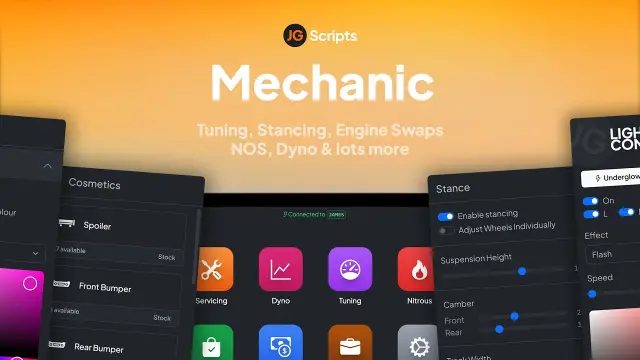
JG Mechanic Script
JG Mechanic gives FiveM servers a full RGB and chameleon respray system, OneSync-synced visuals, engine swaps, dyno testing, and mileage-based servicing at 0.0-0.1ms resmon on ESX, QBCore, and Qbox.
$24.90
$30.00

About this FiveM script
FiveM Pet System is a FiveM resource for esx, qbcore, qbox servers. Review the product details, requirements, and compatibility notes before ordering.
Use the included files and documentation as the source of truth for installation, configuration, dependencies, and any stated performance information.