

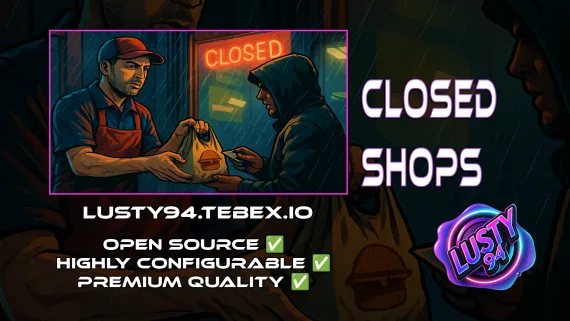
Closed Shops NPC
Closed Shops NPC keeps food job locations open when workers log off. Workers restock inventory to earn passive income; the NPC despawns the moment real staff return. QBCore, ESX, Qbox. Live pricing with admin price caps.
Shelved in ESX Scripts110 products on this shelf QBCore Scripts119 products on this shelf Qbox Scripts120 products on this shelf
$3.00
Secure checkout by Tebex
Digital delivery after checkout
Tebex
Your Game Studio, Extended.
Overview
Reviews
When your server's food workers log off, their shop locations go dark. Players can't buy food, immersion breaks, and the food job stops generating passive income for anyone. Closed Shops NPC fixes that by deploying a single NPC vendor that takes over each location when workers are offline — stocked with whatever the employees last restocked, selling at live prices, and despawning automatically the moment real workers clock back in.
The Restocking Loop
The NPC doesn't stock itself. Workers manage inventory from their own in-game inventory, which means the food job still has a reason to exist — restocking the NPC is part of the job. Run dry and the location closes until a player shows up to restock it. That single mechanic turns a passive background script into an active incentive for job workers to stay engaged even when no customers are online.
Pricing Controls and Admin Tools
Prices update live. Each item supports a per-item price cap so a single worker can't tank the economy by repricing below cost. Admins can view and update every job location from a single panel without touching config files. The UI runs on ox_lib context menus or BDUK UI depending on your server's setup.
- NPC vendor activates automatically when job workers go offline
- Smart despawn on real-time job activity detection — no overlap with live workers
- Employee stock management directly from in-game inventory
- Live pricing updates with configurable per-item price caps
- Admin panel for viewing and updating all job locations
- Single ped spawn per location — minimal performance footprint
- Passive income for food jobs tied to the restocking loop
- UI: ox_lib context menus or BDUK UI
- Banking support: qb-banking, okokBanking, renewed-banking; experimental: wasabi_banking, tgg-banking, fd_banking
- Inventory support: ox_inventory and qb-inventory
- Target support: ox_target and qb-target
Framework Compatibility
The script supports QBCore, ESX, and Qbox. Dependencies are oxmysql, ox_lib, and qb-core. There is no framework-specific version split — one purchase covers all three.
Who This Is For
If you run a serious roleplay or economy server and have invested in food jobs, this script protects that investment. The city stays alive between peak hours. Food job workers earn passive income even when they're not online. And server owners get a persistent economy that doesn't depend entirely on concurrent player count — which, at £3, is a straightforward trade-off.
Installation
- Install ox_lib, oxmysql, a targeting resource (ox_target or qb-target) and ox_inventory first.
- Place the resource in
resourcesand add itsensureline toserver.cfgafter those. - Choose the UI in the config — ox_lib context menus or BDUK UI — and list the job locations the vendor should cover.
- Set the per-item price cap at each location so one worker cannot reprice the economy into the ground.
- Restart the server, take the job's workers offline and confirm the NPC appears with the stock they left, then despawns when someone clocks back in.
Installation plan
Set up Closed Shops NPC safely
Use the documentation included with the download as the final authority. This plan helps you prepare a rollback, install in the right order, and verify the resource before it reaches players.
- Resource type
- FiveM script
- Catalog category
- ESX Scripts
- Package source
- Shop Tebex
-
Audit the package and requirements
Open the supplied documentation before moving files or changing the database. Build the install order from the package, not from assumptions.
- Identify the actual resource folder, required dependencies, and supported framework version.
- Locate any SQL, configuration examples, permissions, or optional integrations.
- Check whether the documentation requires a specific start order.
Ready when Every dependency and required file has a place in your install plan.
-
Create a rollback point
Prepare the server so the change can be reversed cleanly if the resource conflicts with your current stack.
- Keep an untouched copy of the downloaded package.
- Back up the database and every configuration file you will edit.
- Use a test server or schedule a maintenance window before changing production.
Ready when You can restore the previous database, files, and configuration.
-
Install in the documented order
Apply only the changes supplied for this resource, keeping dependency and startup order intact.
- Place the resource folder where your server loads resources, without renaming it unless instructed.
- Install dependencies first, then import included SQL once and review configuration values.
- Add the documented resource name to the server startup configuration after its dependencies.
Ready when The resource starts without missing files, exports, tables, or dependencies.
-
Verify the complete player flow
Restart the test server, watch both server and client consoles, and exercise the resource before opening it to players.
- Test the main workflow with an authorized player and a player without permission.
- Reconnect and restart once to confirm saved state and startup behavior.
- Review console output again before promoting the same configuration to production.
Complete when The intended flow works twice with no new console errors.
Support reference
Use the exact listing name when you contact support.
Closed Shops NPC
Contact support
Closed Shops NPC compatibility and specs
Category
Delivery
After checkout — order download link
Product terms
See product details — terms vary by resource
No reviews yet — be the first to write one.
Write a review
Reviews are moderated before appearing. Purchased the product? Your review gets a VERIFIED badge automatically.
[ You might also like ]
Related scripts
 Sale
Sale
- ESX
- QBCore
- Qbox
ESX Framework V2
Premade ESX Legacy V2 FiveM server with OX Inventory, iPhone 13 phone, police MDT, karting, bowling, hookah lounge, hunting, mining, and a full criminal and civilian economy on install.
$100.00

- ESX
- QBCore
- Qbox
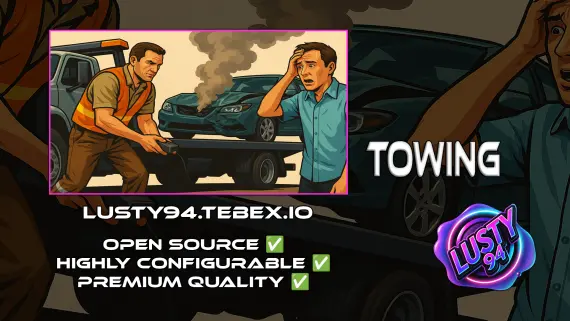
Free Towing Job Script
Free FiveM towing job script with NPC missions, player-to-player requests, /towbilling to society accounts with optional commission splits, and server-side anti-exploit distance checks. QBCore, ESX, Qbox.
FREE
- ESX
- QBCore
- Qbox
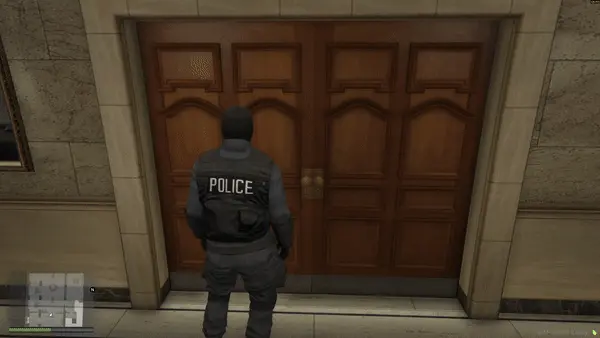
FREE Snake Cam / Under Door Camera
Free FiveM snake cam gives officers a live under-door feed before breaching. Auto door detection, configurable angles, item-gateable, 0.02ms active. ESX, QBCore & Qbox.
FREE
- QBCore
- Qbox
QBCore Framework V8
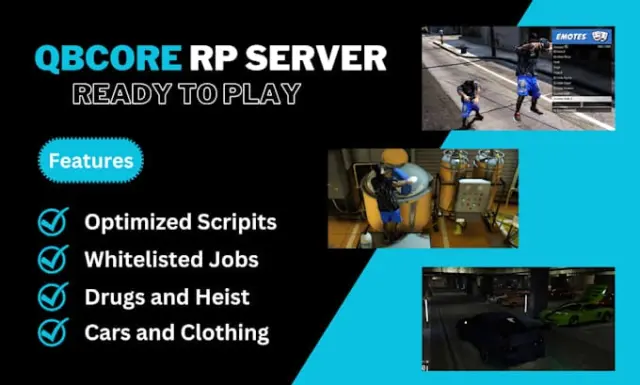
A current-gen QBCore V8 FiveM server package — 400+ vehicles, 50+ police cars, civilian and criminal activity systems, TOS-compliant assets, and verified stable at 50+ concurrent players.
$110.00
 New
New
About this FiveM script
Closed Shops NPC is a FiveM resource for esx, qbcore, qbox servers. Review the product details, requirements, and compatibility notes before ordering.
Use the included files and documentation as the source of truth for installation, configuration, dependencies, and any stated performance information.