

Optimized Anticheat FiveM
Server-side FiveM anticheat with 841 blocked models, multi-identifier banning, event protection, and entity spam limits. No client component. Framework-free. Refined over 5 years.
Shelved in ESX Scripts110 products on this shelf QBCore Scripts119 products on this shelf Qbox Scripts120 products on this shelf
$9.00
Secure checkout by Tebex
Digital delivery after checkout
Tebex
Your Game Studio, Extended.
Overview
Reviews
Client-side anticheat on FiveM is theatre. A modder with a menu runs the same game process as your anticheat client, which means they can patch around detection faster than the script can update. This anticheat runs entirely server-side: it never touches the client, which means there's nothing for a menu to hook into on the player's end. Detection happens through server-observable behaviour — events fired, entities spawned, weapons transferred — not through client memory reads that can be spoofed.
The 841 blocked models figure is worth understanding: it means the resource ships with a curated deny-list of vehicles and props that modders commonly spawn to crash or grief servers. You can extend or trim that list in config. The multi-identifier banning is the other detail that matters operationally — banning a Steam ID alone is a speed bump; tracking the full identifier set (license, Steam, Discord, IP token) makes ban evasion meaningfully harder without requiring a separate ban management plugin.
Key Features
- 100% server-side detection — no client component for menus to circumvent
- 841 blocked models pre-configured, fully editable via config
- Multi-identifier banning tracks license, Steam, Discord, and token simultaneously
- Entity spam detection with per-model spawn limits to stop crash griefing
- Blocked server event list — players triggering protected events get banned automatically
- Weapon event protection prevents unauthorised weapon transfers between players
- Super punch / overpowered melee detection and blocking
- Database-backed ban system with admin commands for management and removal
- Entity cleanup and restriction commands for active incidents
Framework Compatibility
Framework-independent. No integration requirements — drop it into your resource folder, add to server.cfg, configure the block lists, and it runs. Compatible with any FiveM server regardless of framework.
At £5 this sits in a different category to enterprise anticheats like EZ AntiCheat or RTX. It won't stop every sophisticated attacker, and it doesn't claim to. What it does is cut the volume of casual menu users and crash griefers — which accounts for the majority of disruption on mid-sized servers. The developer's note that it's a refined version of a system used on their own server for five-plus years is the kind of provenance that matters more than a marketing feature list.
Installation
- Put the resource into your server's
resourcesdirectory. - Import the included SQL so the ban system has somewhere to write to.
- Add an
ensureline for it toserver.cfg. - Go through the block lists in the config: the 841 pre-configured models can be trimmed or extended, and the protected event list is edited in the same place.
- Restart. Detection is entirely server-side, so nothing is installed on the player's end and no framework integration is needed.
Installation plan
Set up Optimized Anticheat FiveM safely
Use the documentation included with the download as the final authority. This plan helps you prepare a rollback, install in the right order, and verify the resource before it reaches players.
- Resource type
- FiveM script
- Catalog category
- ESX Scripts
- Package source
- Shop Tebex
-
Audit the package and requirements
Open the supplied documentation before moving files or changing the database. Build the install order from the package, not from assumptions.
- Identify the actual resource folder, required dependencies, and supported framework version.
- Locate any SQL, configuration examples, permissions, or optional integrations.
- Check whether the documentation requires a specific start order.
Ready when Every dependency and required file has a place in your install plan.
-
Create a rollback point
Prepare the server so the change can be reversed cleanly if the resource conflicts with your current stack.
- Keep an untouched copy of the downloaded package.
- Back up the database and every configuration file you will edit.
- Use a test server or schedule a maintenance window before changing production.
Ready when You can restore the previous database, files, and configuration.
-
Install in the documented order
Apply only the changes supplied for this resource, keeping dependency and startup order intact.
- Place the resource folder where your server loads resources, without renaming it unless instructed.
- Install dependencies first, then import included SQL once and review configuration values.
- Add the documented resource name to the server startup configuration after its dependencies.
Ready when The resource starts without missing files, exports, tables, or dependencies.
-
Verify the complete player flow
Restart the test server, watch both server and client consoles, and exercise the resource before opening it to players.
- Test the main workflow with an authorized player and a player without permission.
- Reconnect and restart once to confirm saved state and startup behavior.
- Review console output again before promoting the same configuration to production.
Complete when The intended flow works twice with no new console errors.
Support reference
Use the exact listing name when you contact support.
Optimized Anticheat FiveM
Contact support
Optimized Anticheat FiveM compatibility and specs
Category
Delivery
After checkout — order download link
Product terms
See product details — terms vary by resource
No reviews yet — be the first to write one.
Write a review
Reviews are moderated before appearing. Purchased the product? Your review gets a VERIFIED badge automatically.
[ You might also like ]
Related scripts
 Sale
Sale
 New
New
- ESX
- QBCore
- Qbox
FREE Tackle Script
Free FiveM tackle script with 0.00ms idle and 0.03ms active cost. Hold G to sprint, release to lunge — contact required to ragdoll a player. Standalone, unencrypted, ESX/QBCore/Qbox/Gamzky compatible.
FREE

 New
New

- ESX
- QBCore
- Qbox
FREE Snake Cam / Under Door Camera
Free FiveM snake cam gives officers a live under-door feed before breaching. Auto door detection, configurable angles, item-gateable, 0.02ms active. ESX, QBCore & Qbox.
FREE
- ESX
- QBCore
- Qbox
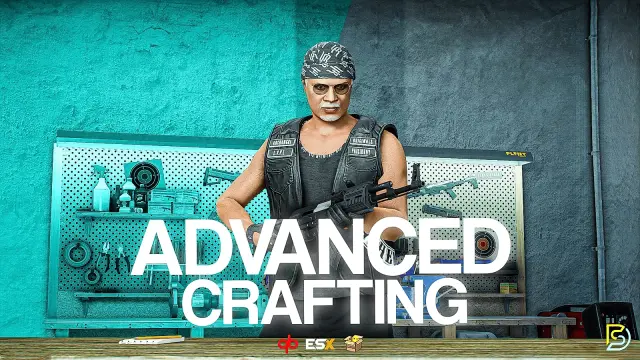
Advanced Crafting
Samuel’s Advanced Crafting delivers branching tech trees, placeable persisted workbenches, blueprint durability, shared crew queues, and 11+ inventory integrations for ESX, QBCore, and QBox at under 0.01ms resmon.
FREE
 Sale
Sale
About this FiveM script
Optimized Anticheat FiveM is a FiveM resource for esx, qbcore, qbox servers. Review the product details, requirements, and compatibility notes before ordering.
Use the included files and documentation as the source of truth for installation, configuration, dependencies, and any stated performance information.